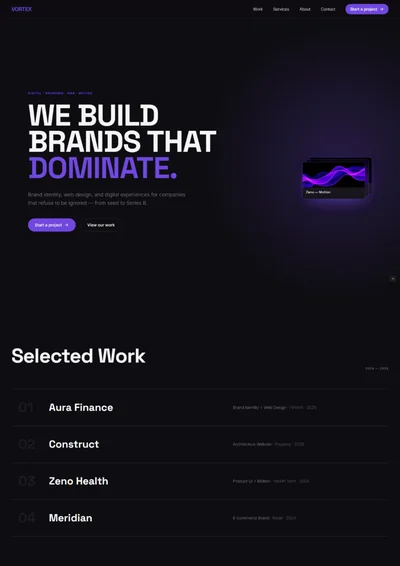
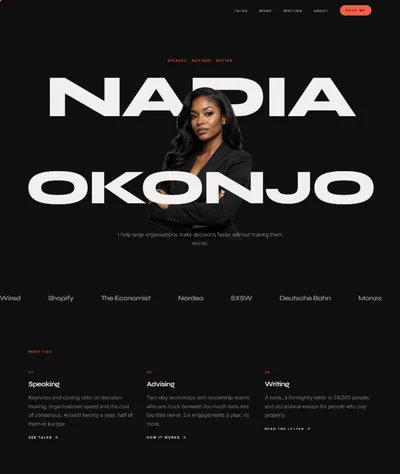
App Landing Page Website Prompt — Midnight Aurora & Floating Phone Design for Bolt, v0 & Lovable
Mobile app landing page prompt for Bolt, v0 and Lovable — midnight blue, drifting aurora gradient, floating phone mockup, store badges and full copy.
# Hush — Mobile App Landing Page Website Prompt ## 1. Goal Statement Build a calm, cinematic landing page for **Hush**, a sleep and wind-down app — deep midnight blue, a slow aurora gradient drifting behind the content, soft lavender light, and a floating phone mockup that tilts gently as the page scrolls. ## 2. Tech Stack ``` React + Vite + TypeScript + Tailwind CSS + Framer Motion (motion/react) + lucide-react ``` No component libraries, no video, no app store API. Store badges are simple links. ## 3. Design System — Colors ```css :root { --background: hsl(232, 44%, 7%); /* midnight */ --foreground: hsl(232, 30%, 94%); --primary: hsl(258, 78%, 70%); /* lavender */ --primary-foreground: hsl(232, 44%, 8%); --accent: hsl(178, 62%, 60%); /* soft teal, used in the aurora only */ --muted-foreground: hsl(232, 14%, 62%); --border: hsl(232, 26%, 18%); --card: hsl(232, 38%, 11%); } ``` ## 4. Typography ```html <link href="https://fonts.googleapis.com/css2?family=Plus+Jakarta+Sans:wght@300;500;700&display=swap" rel="stylesheet" /> ``` - **H1:** Plus Jakarta Sans 700, clamp(46px, 6.5vw, 96px), line-height 1.02, letter-spacing -0.04em - **H2:** Plus Jakarta Sans 700, clamp(32px, 4vw, 56px), letter-spacing -0.03em - **Body:** Plus Jakarta Sans 300, 18px, line-height 1.7 - **Labels:** Plus Jakarta Sans 500, 12px, uppercase, letter-spacing 0.16em, lavender ## 5. Visual Effects **Effect 1 — Aurora.** Two large blurred radial blobs, one lavender and one teal, sit behind the hero at `filter: blur(120px)`, `opacity: 0.35`. Each drifts slowly between two positions on a 22-second loop, in opposite directions. ```jsx <motion.div aria-hidden className="pointer-events-none absolute -top-40 left-1/4 h-[560px] w-[560px] rounded-full bg-[hsl(258,78%,60%)] blur-[120px] opacity-35" animate={{ x: [0, 160, 0], y: [0, 60, 0] }} transition={{ duration: 22, repeat: Infinity, ease: "easeInOut" }} /> ``` **Effect 2 — Floating phone.** The phone mockup sits centre-right of the hero, rotated `rotateY(-14deg) rotateZ(3deg)` in a 1500px perspective, floating up and down by 12px on a 6-second loop. On scroll it rotates gently toward flat. **Effect 3 — Star field.** Roughly 40 tiny 1–2px dots in `--foreground` at 10–30% opacity scattered across the hero, a few of them fading in and out on staggered 3–5 second loops. Pure divs, no canvas. ## 6. Component Breakdown 1. **Navbar** — 76px, transparent, wordmark with a small crescent icon left, three links centre, lavender pill `Download` right. Turns to `--background` at 85% with blur after scrolling. 2. **Hero** — 100vh. Left: label, H1 in three lines, subline, two store badges, and a rating line. Right: floating phone (Effect 2). Behind everything the aurora (Effect 1) and star field (Effect 3). *Image: mobile app sleep screen UI, dark interface with a soft lavender gradient, a moon icon and a sleep timer, clean and calm.* 3. **Social proof strip** — one line: rating, number of downloads, and a press quote, separated by dots. 4. **Three pillars** — three cards on `--card` with a lucide icon in lavender, a heading and two lines. 5. **Feature showcase** — three alternating rows, each with a phone screen image and copy. Each phone screen floats slightly on its own loop. 6. **Sound library** — a grid of eight sound tiles with a small icon, name and duration. Hovering raises the tile and brightens its border. Nothing plays. 7. **Night routine** — a vertical timeline of four moments from 21:00 to 23:00, each with a time in tabular figures and one line of copy, connected by a lavender gradient line that draws as it enters view. 8. **Reviews** — three app store style reviews with five stars, headline, body and a first name. 9. **Pricing** — two cards: free and premium, premium outlined in lavender. 10. **Final CTA** — centred H2, store badges, and a line about the free trial, with the aurora reappearing behind. 11. **Footer** — three columns, small links, wordmark and copyright. ## 7. Animations - Hero H1: lines rise from `y: 40` with blur `8px → 0`, 0.9s, stagger 0.1s - Phone: enters `scale 0.9 → 1`, `opacity 0 → 1`, 1.2s, then starts the float loop - Aurora and stars: Effects 1 and 3, always running - Cards and rows: fade up 24px, stagger 0.1s - Timeline line: `scaleY 0 → 1` from the top, 1.4s - Hover on sound tiles: `y: -4`, border brightens, 0.25s ## 8. Responsive - **Mobile (<768px):** hero stacks with the phone above the text at 52vh and no 3D rotation; H1 at 46px; aurora blobs shrink to 320px; sound library becomes 2 columns; feature rows stack; navbar shows wordmark and a lavender `Get` button only. - **Tablet:** hero stays split 55/45; sounds 3 columns. - **Desktop:** max-width 1280px, `px-8`, section spacing `py-32`. ## 9. Full Copy **Brand:** HUSH · Sleep, without the scrolling **Navbar:** Features · Sounds · Pricing — Download **Hero** - Label: `SLEEP & WIND-DOWN` - H1: `Put the phone / down. We'll / take it from here.` - Subline: `Hush turns your phone into the one thing in the bedroom that helps you sleep: a dark screen, a slow voice, and sounds that fade out on their own.` - Buttons: `Download on the App Store` · `Get it on Google Play` - Rating line: `4.8 stars · 62,000 ratings` **Social proof:** `4.8 on the App Store` · `1.2M downloads` · `"The first sleep app that doesn't want your attention." — The Verge` **Three pillars** - **Nothing to scroll** — `One screen, one button. No feed, no streaks, no notifications at 9pm telling you to relax.` - **Fades out by itself** — `Every session ends on a timer that tapers the volume, so nothing wakes you at 3am.` - **Works offline** — `Download what you use. Airplane mode is the point.` **Feature showcase** 1. **Sleep stories, read slowly** — `Forty stories recorded at a deliberate pace by people with unhurried voices. Most listeners never hear the ending.` 2. **Breathing that matches your night** — `Pick four minutes or twelve. The circle on screen dims as you go, so it never becomes the bright thing in a dark room.` 3. **A wind-down that learns your bedtime** — `Hush notices when you usually start and quietly gets ready, without asking you to set a schedule.` *Image briefs: dark mobile app screens — a story player with a waveform, a breathing circle animation, a sleep timer, all in deep blue with lavender accents.* **Sound library** — H2 `Eight sounds. That's all we need.` Rain on a tent · 45 min · Slow ocean · 60 min · Night forest · 45 min · Distant thunder · 30 min · Cabin fire · 60 min · Snowfall · 45 min · Old fan · 90 min · Train at night · 60 min **Night routine** — H2 `Your last two hours, made easier.` - `21:00` — **Dim everything** — `Hush switches to a red-shifted screen and drops the interface brightness.` - `21:45` — **Wind down** — `A four-minute breathing session, or a stretch you can do in bed.` - `22:30` — **Story or sound** — `Pick one and set a fade. Most people choose thirty minutes.` - `23:00` — **Nothing** — `The screen goes black and stays that way until morning.` **Reviews** - `"Finally, an app that shuts up"` — `I've tried six of these. This is the only one that doesn't try to keep me on the phone.` — *Maya* - `"My kid asks for the rain one"` — `We use it for bedtime every night now. The fade-out is the whole trick.` — *Dan* - `"Worth it for the fan sound alone"` — `I travel constantly and hotel rooms are too quiet. Solved.` — *Priya* **Pricing** — H2 `Free covers most nights.` - **Free** — `$0` — `Four sounds · five stories · timers up to 30 minutes` - **Premium** — `$4.99/month or $29/year` — `All sounds and stories · offline downloads · unlimited timers · new story every week · seven days free` **Final CTA** — H2 `Tonight, put it down at 22:30.` `Seven days free, then $4.99 a month. Cancel in two taps.` Buttons: `App Store` · `Google Play` **Footer** — HUSH · Features · Sounds · Pricing · Support · Privacy · Terms · Press · © 2026 Hush Labs ## 10. Key Dependencies ```json { "motion": "^12.0.0", "lucide-react": "^0.460.0", "clsx": "^2.1.0" } ```