Personal Brand Website Prompt — Giant Name & Cut-Out Portrait Design for Bolt, v0 & Lovable
Personal brand website prompt for Bolt, v0 and Lovable — near-black with coral, an enormous name overlapping a cut-out portrait, talks, work and full copy.
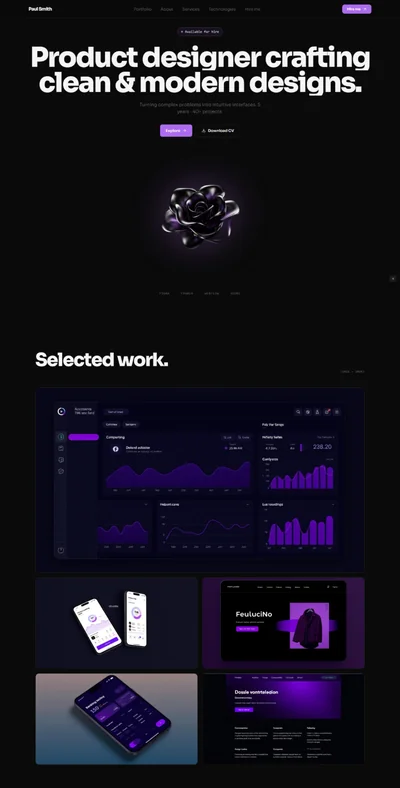
# Nadia Okonjo — Personal Brand Website Prompt ## 1. Goal Statement Build a confident one-page personal brand site for **Nadia Okonjo**, a speaker, writer and advisor — near-black background, one electric coral accent, an enormous name set edge to edge, and a cut-out portrait that overlaps the type so the person and the name occupy the same space. ## 2. Tech Stack ``` React + Vite + TypeScript + Tailwind CSS + Framer Motion (motion/react) + lucide-react ``` No component libraries, no CMS, no contact form backend. The contact button opens a `mailto:` link. ## 3. Design System — Colors ```css :root { --background: hsl(0, 0%, 6%); --foreground: hsl(30, 12%, 94%); --primary: hsl(8, 92%, 62%); /* electric coral */ --primary-foreground: hsl(0, 0%, 6%); --muted-foreground: hsl(30, 4%, 58%); --border: hsl(0, 0%, 16%); --card: hsl(0, 0%, 9%); } ``` ## 4. Typography ```html <link href="https://fonts.googleapis.com/css2?family=Syne:wght@600;800&family=Inter:wght@300;400;500&display=swap" rel="stylesheet" /> ``` - **Name in hero:** Syne 800, uppercase, `font-size: clamp(56px, 15vw, 260px)`, line-height 0.82, letter-spacing -0.04em - **H2:** Syne 600, clamp(30px, 4vw, 60px), letter-spacing -0.02em - **Body:** Inter 300, 18px, line-height 1.7 - **Labels:** Inter 500, 11px, uppercase, letter-spacing 0.24em, coral ## 5. Visual Effects **Effect 1 — Name and portrait overlap.** The name is set at 15vw across the full width. A cut-out portrait (transparent background, subject only) sits centred and overlaps it, so the first line of the name passes behind the shoulders and the second line runs in front of the chest. Achieved with two absolutely positioned copies of the name, one at `z-0` and one at `z-20` clipped to its lower half, with the portrait at `z-10`. ```jsx <div className="relative"> <h1 className="relative z-0 text-center leading-[0.82]">NADIA</h1> {/* Image: cut-out studio portrait of a confident woman in a dark blazer, arms folded, transparent background, high contrast lighting */} <img src="" alt="Nadia Okonjo" className="relative z-10 mx-auto -mt-[12vw] h-[58vh] object-contain" /> <h1 className="relative z-20 -mt-[22vw] text-center leading-[0.82] mix-blend-normal">OKONJO</h1> </div> ``` **Effect 2 — Coral cursor dot.** A 10px coral dot follows the pointer with a spring, growing to 64px with the word `View` when over a project card. Disabled on touch devices. **Effect 3 — Logo marquee.** A single row of client and publication wordmarks scrolling slowly right to left, 30 seconds, greyscale at 55% opacity, full opacity on hover. ## 6. Component Breakdown 1. **Navbar** — 72px, transparent, no wordmark. Four links right-aligned at 11px letterspaced, and a coral `Book me` pill. 2. **Hero** — 100vh. Small label at the top, then the name and portrait overlap (Effect 1), and one line of positioning statement beneath. 3. **Logo marquee** — Effect 3, with a thin border above and below. 4. **What I do** — three columns: Speaking, Advising, Writing. Each with a coral index, heading, three lines and a small link. 5. **Talks** — four talk titles as large rows with a coral arrow, each with a one-line description and a venue. Hovering reveals a thumbnail near the cursor. 6. **Selected work** — a two-column grid of four projects with images, client name, and a one-line result. *Image briefs: conference stage with a speaker in front of a large audience, a boardroom workshop with sticky notes, a book cover on a desk, a podcast recording setup.* 7. **Writing** — a plain list of six essays and articles with publication names and years, no images. 8. **Numbers** — four large coral figures with labels: talks given, countries, people in the room, books sold. 9. **Quote** — one testimonial set very large in Syne 600 across the width, attributed to a conference director. 10. **Bio** — two columns: a portrait in a soft frame left, three paragraphs right, plus a downloadable one-line `Press kit` link. 11. **Booking** — coral section, black text: what to include in an enquiry, typical fee band, and a `mailto:` button. 12. **Footer** — black, one row: name, email, LinkedIn, Instagram, copyright. ## 7. Animations - Name: both halves rise from `y: 120` inside overflow-hidden, 1s, ease `[0.22, 1, 0.36, 1]`, 0.12s apart - Portrait: `scale 1.06 → 1` with fade, 1.2s, starting 0.3s in - Talk rows: the coral arrow slides 10px right on hover; the row text shifts 6px right - Project cards: image `scale 1 → 1.05` over 0.9s on hover - Numbers: fade up, no counting animation - Cursor dot: Effect 2 ## 8. Responsive - **Mobile (<768px):** the name stacks into two lines at 56px with the portrait below rather than overlapping; cursor dot disabled; talks lose the hover thumbnail; projects become one column; marquee speeds up slightly; navbar becomes a coral `Book me` button and a menu icon opening a full-screen black overlay. - **Tablet:** overlap effect retained at reduced scale; projects 2 columns. - **Desktop:** full-bleed hero, content max-width 1280px, `px-10`, section spacing `py-32`. ## 9. Full Copy **Brand:** NADIA OKONJO · Speaker · Advisor · Writer **Navbar:** Talks · Work · Writing · About — Book me **Hero** - Label: `SPEAKER · ADVISOR · WRITER` - Name: `NADIA / OKONJO` - Statement: `I help large organisations make decisions faster without making them worse.` **Logo marquee:** Wired · Shopify · The Economist · Nordea · SXSW · Deutsche Bahn · Monzo · Web Summit · Financial Times · Slush **What I do** - **01 — Speaking** — `Keynotes and closing talks on decision-making, organisational speed and the cost of consensus. Around twenty a year, half of them in Europe.` — `See talks` - **02 — Advising** — `Two-day workshops with leadership teams who are stuck between too much data and too little nerve. Six engagements a year, no more.` — `How it works` - **03 — Writing** — `A book, a fortnightly letter to 24,000 people, and occasional essays for people who pay properly.` — `Read the letter` **Talks** — H2 `What I speak about.` 1. **The Consensus Tax** — `Why agreement costs more than conflict, and how to price it.` — *Web Summit, Lisbon* 2. **Deciding at Speed** — `A practical method for making reversible decisions in under an hour.` — *SXSW, Austin* 3. **The Meeting That Should Have Been Three** — `On organisational scar tissue and how to cut it.` — *Slush, Helsinki* 4. **Nobody Reads the Strategy** — `What leaders think they communicated versus what landed.` — *Nordea Leadership Summit, Stockholm* **Selected work** — H2 `Recent *engagements*.` - **Deutsche Bahn** — `Cut a nine-week planning cycle to eleven days across four teams.` - **Monzo** — `Two-day decision workshop with the leadership team before a product reorganisation.` - **The Economist** — `Closing keynote, Innovation Summit 2026.` - **Shopify** — `Advisory retainer on internal decision frameworks, twelve months.` **Writing** — Label `SELECTED WRITING` - **The Consensus Tax** — Book, Penguin Business — `2025` - **Your strategy deck is a coping mechanism** — Financial Times — `2026` - **Speed is a culture problem, not a process one** — Wired — `2026` - **What I got wrong about flat teams** — Personal essay — `2025` - **The case against the quarterly cycle** — The Economist — `2025` - **How to disagree in writing** — Personal essay — `2024` **Numbers:** `180` talks given · `31` countries · `140,000` people in the room · `62,000` books sold **Quote:** `"She closed a conference of four thousand people and the corridor conversation afterwards was still about her talk two days later."` — *Marta Lindqvist, Programme Director, Slush* **Bio** — H2 `About Nadia.` `I spent eleven years inside large organisations watching good decisions die in committee. In 2021 I left to work on the problem from outside, and I have been doing it ever since.` `My work sits between organisational design and plain stubbornness. I am not a motivational speaker. I do not do fireside chats about resilience. I come with a method, and I expect the room to use it.` `I live in Lisbon, speak English, Portuguese and Igbo, and answer my own email.` Link: `Download press kit and photos` **Booking** — H2 `Let's talk about the room.` `Tell me the date, the city, the audience size and what the previous speaker got wrong. That last one is genuinely the most useful thing you can include.` `Fees typically £8,000–£18,000 depending on travel and format. Reduced rates for education and non-profits, always.` Button: `hello@nadiaokonjo.com` **Footer** — NADIA OKONJO · hello@nadiaokonjo.com · LinkedIn · Instagram · © 2026 ## 10. Key Dependencies ```json { "motion": "^12.0.0", "lucide-react": "^0.460.0", "clsx": "^2.1.0" } ```