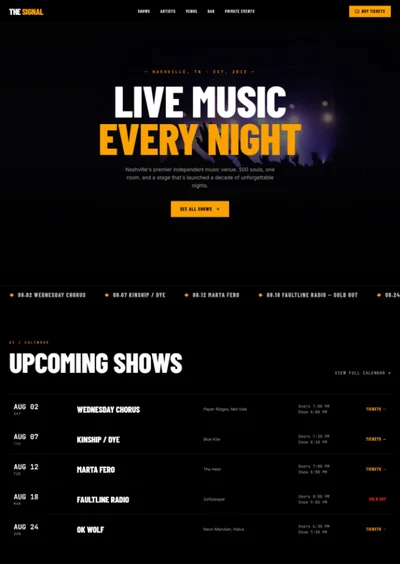
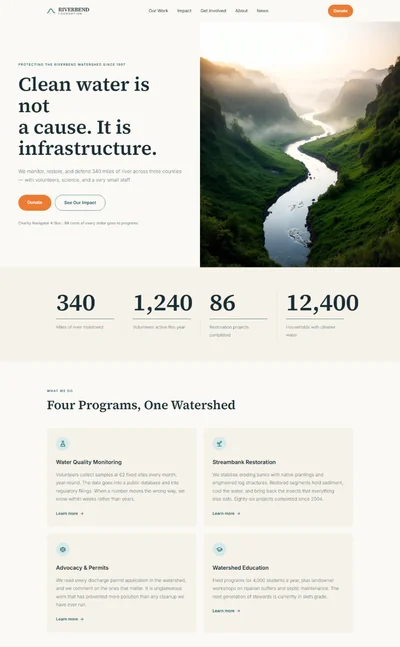
Museum Website Prompt — Bold Colour-Block Editorial Design for Bolt, v0 & Lovable
Museum website prompt for Bolt, v0 and Lovable — deep green and ochre colour blocks, giant display serif, printed programme layout, events table, full copy.
# Riverside Museum — Museum Website Prompt ## 1. Goal Statement Build a bold, editorial website for **The Riverside Museum**, a city museum of history and design — big confident colour blocks in deep green and warm ochre, an oversized display serif, numbered exhibitions set like a printed programme, and the feeling of a well-designed museum poster rather than a municipal web page. ## 2. Tech Stack ``` React + Vite + TypeScript + Tailwind CSS + Framer Motion (motion/react) + lucide-react ``` No component libraries, no calendar widget, no ticket booking logic. Ticket buttons are links. ## 3. Design System — Colors ```css :root { --background: hsl(45, 29%, 95%); /* off-white paper */ --foreground: hsl(160, 30%, 12%); /* near-black green */ --primary: hsl(158, 45%, 22%); /* deep museum green */ --primary-foreground: hsl(45, 29%, 95%); --accent: hsl(38, 78%, 56%); /* warm ochre */ --accent-2: hsl(8, 62%, 58%); /* coral, used once per page */ --muted-foreground: hsl(160, 10%, 38%); --border: hsl(160, 30%, 12%); /* borders are dark and 1.5px, like print rules */ } ``` ## 4. Typography ```html <link href="https://fonts.googleapis.com/css2?family=DM+Serif+Display:ital@0;1&family=Space+Grotesk:wght@400;500;700&display=swap" rel="stylesheet" /> ``` - **H1:** DM Serif Display 400, clamp(64px, 12vw, 200px), line-height 0.88, letter-spacing -0.03em - **Exhibition titles:** DM Serif Display 400, clamp(40px, 6vw, 96px), line-height 0.95 - **Numbers:** Space Grotesk 700, tabular figures - **Body:** Space Grotesk 400, 17px, line-height 1.6 - **Labels:** Space Grotesk 500, 12px, uppercase, letter-spacing 0.1em ## 5. Visual Effects **Effect 1 — Colour-block exhibitions.** Each current exhibition is a full-width band with its own background colour (green, ochre, coral, in that order) and a giant number `01`, `02`, `03` set at 18vw in Space Grotesk 700 at 12% opacity behind the title. Image on one side, text on the other, alternating sides. **Effect 2 — Print rules.** All section dividers and table rows use 1.5px solid rules in `--border`, and every section begins with a small header row: label left, a running page number right (`P. 03`), with a rule beneath — like a printed museum programme. **Effect 3 — Image reveal.** Exhibition images reveal with a clip-path wipe from bottom to top: `clipPath: "inset(100% 0 0 0)" → "inset(0% 0 0 0)"`, 1.1s, ease `[0.65, 0, 0.35, 1]`, when 30% in view. ## 6. Component Breakdown 1. **Info bar** — 40px, green background, cream text: today's opening hours left, `Free entry` centre, `Tickets` link right. 2. **Navbar** — 80px, paper background, bottom rule. Wordmark left in DM Serif Display. Links right. Not sticky. 3. **Hero** — full-width typographic hero. Giant H1 across two lines. Beneath, a 16:9 image with a caption in the corner. *Image: grand museum hall with a large suspended historic object, daylight from high windows, visitors small in the frame, architectural and airy.* 4. **Today** — a rule-bordered row of three cells: `Open today`, `Now showing`, `Getting here`, each with a label and one bold line. 5. **Exhibitions** — three colour-block bands (Effect 1) with clip-path image reveal (Effect 3). Each band: number, dates, title, two-sentence description, `Book free ticket` or `Buy tickets` link. 6. **What's on** — a table styled like a printed listing with thick rules: date, time, event, type, price. Five rows. No filters. 7. **From the collection** — a 4-column grid of objects on paper background, each with image in a square frame, object name, date and accession number in small type. 8. **Visit** — two columns: hours table left, address, access and café information right. 9. **Membership** — ochre band with an H2, three benefits in a row, and a button. 10. **Footer** — deep green, cream text, a giant `RIVERSIDE` wordmark across the width, then four columns of links. ## 7. Animations - Hero H1: each word slides up from `y: 110%` inside overflow-hidden, 1s, ease `[0.22, 1, 0.36, 1]`, stagger 0.08s - Exhibition images: clip-path reveal, Effect 3 - Big numbers: `x: -40 → 0`, `opacity 0 → 1`, 1.2s, as band enters view - What's on rows: fade in with 0.05s stagger - Collection objects: image scales 1 → 1.05 over 0.6s on hover, caption underlines - No carousels, no autoplay ## 8. Responsive - **Mobile (<768px):** H1 at 64px; exhibition bands stack image above text, big number moves top-right at 30vw; what's on table becomes stacked cards separated by rules, each showing date and time on one line and title below; collection grid becomes 2 columns; navbar collapses to wordmark and a `Menu` button opening a full-screen green overlay. - **Tablet:** collection grid 3 columns; bands stay side by side at 50/50. - **Desktop:** full-bleed bands, content max-width 1400px, `px-10`. ## 9. Full Copy **Info bar:** `Open today 10:00–17:00` · `Free entry` · `Tickets →` **Navbar:** Exhibitions · What's on · Collection · Visit · Membership **Hero** - H1: `Stories the / *river* kept.` - Image caption: `The Great Hall, with the 1911 paddle steamer Ellen May` **Today** - `OPEN TODAY` — **10:00 – 17:00, last entry 16:15** - `NOW SHOWING` — **Three exhibitions, one free** - `GETTING HERE` — **Five minutes from Riverside station** **Exhibitions** — header label `EXHIBITIONS` · `P. 02` 1. **01 · Green** — `Until 4 January 2027` — **Made on the River** — `Two hundred years of shipbuilding, rope-making and brewing along a single mile of water. Over three hundred objects, most never shown before.` — `Book free ticket` *Image: vintage industrial riverside workshop with ropes and wooden boat hulls, warm archival photographic tones.* 2. **02 · Ochre** — `2 October 2026 – 14 March 2027` — **Chairs: A Century of Sitting Down** — `Eighty chairs from a Victorian pew to a 3D-printed stool, and what each says about how people lived.` — `Buy tickets — £12` *Image: row of iconic design chairs on plinths in a bright gallery, clean white walls, museum lighting.* 3. **03 · Coral** — `Opens 20 November 2026` — **Night Shift** — `Photographs of the city between midnight and six, taken by the people who work those hours.` — `Buy tickets — £9` *Image: atmospheric night photograph of a city street with a lone bus and warm streetlights, cinematic colour.* **What's on** — header label `WHAT'S ON` · `P. 03` | Date | Time | Event | Type | Price | |---|---|---|---|---| | Sat 19 Sep | 11:00 | Family trail: Find the Figurehead | Families | Free | | Wed 23 Sep | 18:30 | Late: Chairs After Dark | Late | £15 | | Sat 26 Sep | 14:00 | Curator's tour of Made on the River | Tour | Free | | Thu 1 Oct | 19:00 | Talk: The Brewers of Quay Street | Talk | £8 | | Sun 4 Oct | 10:30 | Relaxed opening for sensory needs | Access | Free | **From the collection** — header label `THE COLLECTION` · `P. 04` - **Ship's figurehead, painted oak** — c.1860 — RM.1972.14 - **Brewery enamel sign** — 1928 — RM.1988.203 - **Rope-maker's twisting hook** — c.1890 — RM.1965.41 - **Bentwood café chair** — 1904 — RM.2019.7 *Image briefs: each object photographed on a plain neutral background, even museum lighting, catalogue style.* **Visit** — header label `VISIT` · `P. 05` - Hours: `Tuesday – Sunday 10:00–17:00` · `Thursday late until 21:00` · `Closed Mondays except bank holidays` - `The Riverside Museum, Quay Street, RS1 4BN` - Access: `Step-free throughout. Wheelchairs and ear defenders available at the front desk.` - Café: `The Boathouse Café, ground floor, open during museum hours.` **Membership** — H2 `Come back *as often* as you like.` Benefits: `Free entry to every paid exhibition` · `Members' previews before each opening` · `10% off in the shop and café` — Button `Become a member — £45 a year` **Footer** — RIVERSIDE · Exhibitions · What's on · Collection · Learning · Visit · Membership · Support us · Press · `The Riverside Museum is a registered charity, no. 1098765` · © 2026 ## 10. Key Dependencies ```json { "motion": "^12.0.0", "lucide-react": "^0.460.0", "clsx": "^2.1.0" } ```