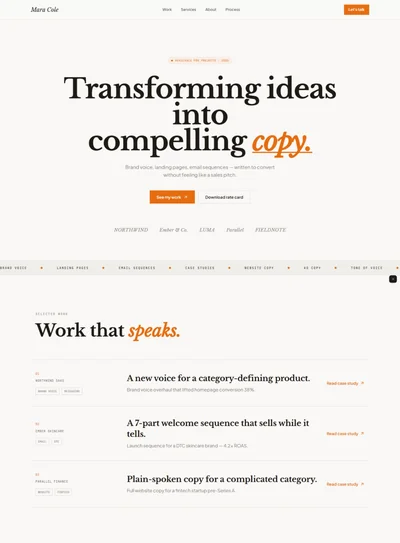
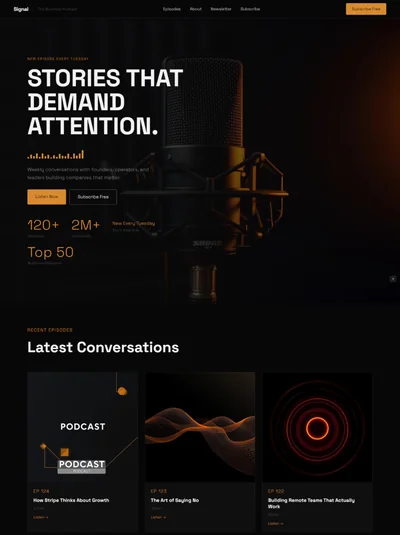
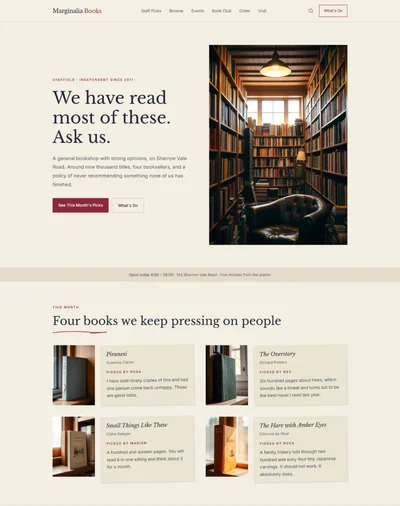
Newsletter Landing Page Website Prompt: One Colour Caslon Design with an Unfolding Letter for Bolt, v0 & Lovable
Newsletter landing page prompt for Bolt, v0 and Lovable. One colour navy on cool grey, Caslon nameplate, a letter that unfolds on scroll, archive index, full copy.
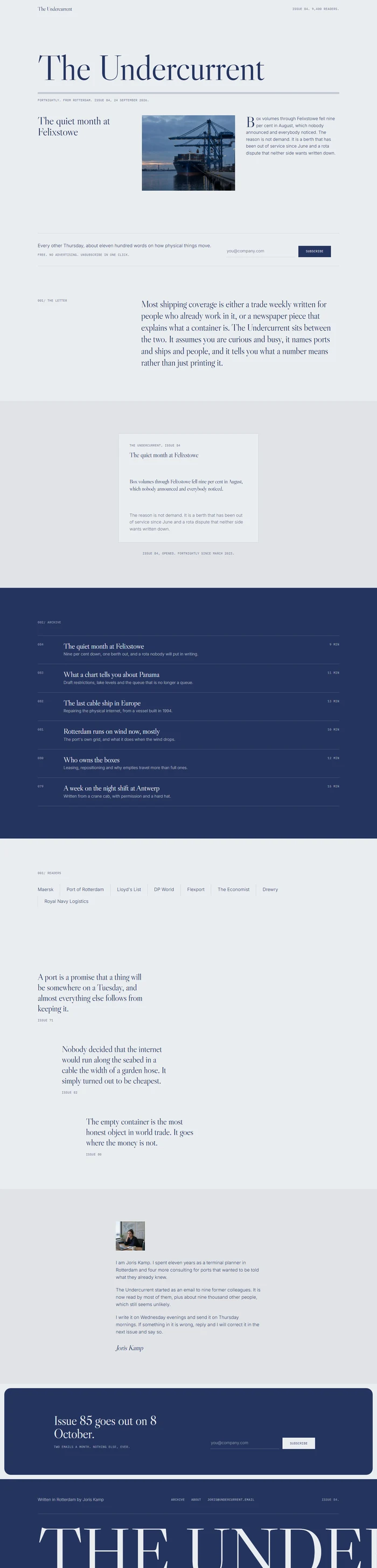
# The Undercurrent: Newsletter Landing Page Website Prompt ## 1. Goal Build a restrained, one colour landing page for **The Undercurrent**, a fortnightly letter about shipping, ports and the physical internet, written by one person. Cool grey ground with navy as both text and accent, a Caslon display face, and a page that reads like the first page of a good periodical. ## 2. Tech Stack ``` React + Vite + TypeScript + Tailwind CSS + Framer Motion (motion/react) ``` No component libraries, no email backend. The form shows a confirmed state locally. ## 3. Design system This is a monochrome brand world: ink and accent are the same navy, so every rule, letter and drawing shares one colour on a cool light ground. ```css :root { --paper: #EEF0F2; /* cool light ground */ --ink: #1F2F5C; /* navy, text and dark ground */ --accent: #1F2F5C; /* the same navy, on purpose */ --on-accent: #EEF0F2; --surface: #E4E7EB; /* tinted ground */ --muted: #64708C; /* secondary text */ --line: rgba(31,47,92,0.15); /* hairlines */ --radius: 8px; --panel-radius: 24px; } ``` Section rhythm: light, light, surface, dark, light, dark footer. One accent colour is not needed when the brand is one colour. ## 4. Typography ```html <link href="https://fonts.googleapis.com/css2?family=Libre+Caslon+Display&family=Inter:wght@300;400&family=IBM+Plex+Mono:wght@400&display=swap" rel="stylesheet" /> ``` - **Display:** Libre Caslon Display 400, letter-spacing -0.02em, line-height 1.02. Hero 84 to 132px, section titles 40 to 64px. - **Body:** Inter 300, 17px, line-height 1.6. Running text stays near 65 characters wide. - **Meta layer:** IBM Plex Mono 400, 11px, uppercase, letter-spacing 0.06em. Issue numbers, dates, reader counts, index labels. - Emphasis by a whole line in the display face, not by italics. ## 5. Signature element **A letter that unfolds.** A rectangle of paper drawn with hairlines, folded in three. On scroll into view it opens: the bottom third rotates down on the X axis from 80 degrees to 0 over 0.9 seconds, then the top third follows 150ms later, using `transform-origin` on the fold lines and a 1200px perspective on the parent. Inside, the opening paragraph of the latest issue is revealed in the display face. Pure CSS transforms, one colour, no shadow beyond a single hairline under each fold. It happens once. ## 6. Sections, each a different skeleton 1. **Navbar**: 66px, paper, no links. Wordmark left in Caslon, mono line right reading the issue number and the reader count. 2. **Hero, front page**: a newspaper nameplate: the title set very large across the full width, a double rule beneath, then a date line in mono. Below that three columns: the headline of the current issue on the left, a plain photograph in the centre, and the opening paragraph on the right with a drop cap. Min height `clamp(560px, 80vh, 860px)`. *Photograph: a container ship at a quayside at dusk, gantry cranes above it, muted blue tones.* 3. **The subscribe line**: light. One hairline row across the full width: a sentence on the left, the email field and a square solid button on the right. No box, no card, just the rule above and below. 4. **What it is, statement**: light. One long Caslon paragraph starting at one third, with the label `001/ The letter` in the left column. 5. **The unfolding letter**: surface. The signature element (section 5), centred, with a mono caption giving the issue number and date. 6. **Recent issues, ruled index**: dark navy ground. Six rows on hairlines: issue number in mono, title in Caslon at 28px, one line of summary, reading time on the right. Dense on purpose. 7. **Who reads it, wordmark row**: light. A row of reader organisations set as plain typeset wordmarks in the body face, no logos, separated by hairline dividers. 8. **From the archive, pull quotes**: light. Three long pull quotes at 32px stacked with generous space, each attributed to its own issue number in mono. 9. **The writer, letter from the founder**: surface. A narrow centred column with a small square portrait above, three short paragraphs and an italic signature. *Photograph: a person at a desk beside a window with shipping charts pinned behind them, daylight.* 10. **Second subscribe, inset panel**: dark navy, inset 16px, `--panel-radius`. One Caslon line, the email field again, and a mono line about frequency and unsubscribing. 11. **Footer**: dark navy. Giant cropped `THE UNDERCURRENT` wordmark, three small links, the archive link, and the issue number again. ## 7. Motion - Nameplate fades up 16px once. - The letter unfolds as described, once. - Issue rows fade in with 0.04s stagger. - Pull quotes fade up 14px, 0.12s apart. - Buttons fill from left to right on hover over 0.2s. - Ease `cubic-bezier(.22,1,.36,1)`. Respect `prefers-reduced-motion` by showing the letter already open. ## 8. Responsive - **Mobile under 768px:** the nameplate drops to 40px, the three column front page stacks to headline, photograph, paragraph. The subscribe row stacks with a full width field and button beneath. The letter scales to 280px wide and keeps the unfolding. Issue index keeps its rows but drops the reading time to a second line. No horizontal page scroll. - **Tablet:** front page two columns, index unchanged. - **Desktop:** 1200px content width, gutters 40px, section padding 110 to 130px. ## 9. Full copy **Wordmark:** THE UNDERCURRENT. Mono, right: `ISSUE 84. 9,400 READERS.` **Hero, front page** - Nameplate: `The Undercurrent` - Date line in mono: `FORTNIGHTLY. FROM ROTTERDAM. ISSUE 84, 24 SEPTEMBER 2026.` - Column headline: `The quiet month at Felixstowe` - Opening paragraph with a drop cap: `Box volumes through Felixstowe fell nine per cent in August, which nobody announced and everybody noticed. The reason is not demand. It is a berth that has been out of service since June and a rota dispute that neither side wants written down.` **Subscribe line** - Sentence: `Every other Thursday, about eleven hundred words on how physical things move.` - Field placeholder: `you@company.com` Button: `Subscribe` - Mono: `FREE. NO ADVERTISING. UNSUBSCRIBE IN ONE CLICK.` **What it is** (label `001/ The letter`) `Most shipping coverage is either a trade weekly written for people who already work in it, or a newspaper piece that explains what a container is. The Undercurrent sits between the two. It assumes you are curious and busy, it names ports and ships and people, and it tells you what a number means rather than just printing it.` **Letter caption:** `Issue 84, opened. Fortnightly since March 2023.` **Recent issues** (label `002/ Archive`) - `084` **The quiet month at Felixstowe** `Nine per cent down, one berth out, and a rota nobody will put in writing.` `9 MIN` - `083` **What a chart tells you about Panama** `Draft restrictions, lake levels and the queue that is no longer a queue.` `11 MIN` - `082` **The last cable ship in Europe** `Repairing the physical internet, from a vessel built in 1994.` `13 MIN` - `081` **Rotterdam runs on wind now, mostly** `The port's own grid, and what it does when the wind drops.` `10 MIN` - `080` **Who owns the boxes** `Leasing, repositioning and why empties travel more than full ones.` `12 MIN` - `079` **A week on the night shift at Antwerp** `Written from a crane cab, with permission and a hard hat.` `15 MIN` **Who reads it** (label `003/ Readers`) `Maersk`, `Port of Rotterdam`, `Lloyd's List`, `DP World`, `Flexport`, `The Economist`, `Drewry`, `Royal Navy Logistics` **From the archive** - `A port is a promise that a thing will be somewhere on a Tuesday, and almost everything else follows from keeping it.` Mono: `ISSUE 71` - `Nobody decided that the internet would run along the seabed in a cable the width of a garden hose. It simply turned out to be cheapest.` Mono: `ISSUE 82` - `The empty container is the most honest object in world trade. It goes where the money is not.` Mono: `ISSUE 80` **The writer** `I am Joris Kamp. I spent eleven years as a terminal planner in Rotterdam and four more consulting for ports that wanted to be told what they already knew.` `The Undercurrent started as an email to nine former colleagues. It is now read by most of them, plus about nine thousand other people, which still seems unlikely.` `I write it on Wednesday evenings and send it on Thursday mornings. If something in it is wrong, reply and I will correct it in the next issue and say so.` Signature: *Joris Kamp* **Second subscribe panel** - Line: `Issue 85 goes out on 8 October.` - Field placeholder: `you@company.com` Button: `Subscribe` - Mono: `TWO EMAILS A MONTH. NOTHING ELSE, EVER.` **Footer** `THE UNDERCURRENT`, `Written in Rotterdam by Joris Kamp`, links `Archive`, `About`, `joris@undercurrent.email`, mono `ISSUE 84.` ## 10. Never Glassmorphism, gradients, glow, drop shadowed cards, icon grids, emoji, popups, fake subscriber counters that tick, stat soup, lorem ipsum, dashes of any kind in the copy, more than two fonts plus the mono meta layer, `100vh` heroes, identical stripes. ## 11. Dependencies ```json { "motion": "^12.0.0", "lucide-react": "^0.460.0", "clsx": "^2.1.0" } ```