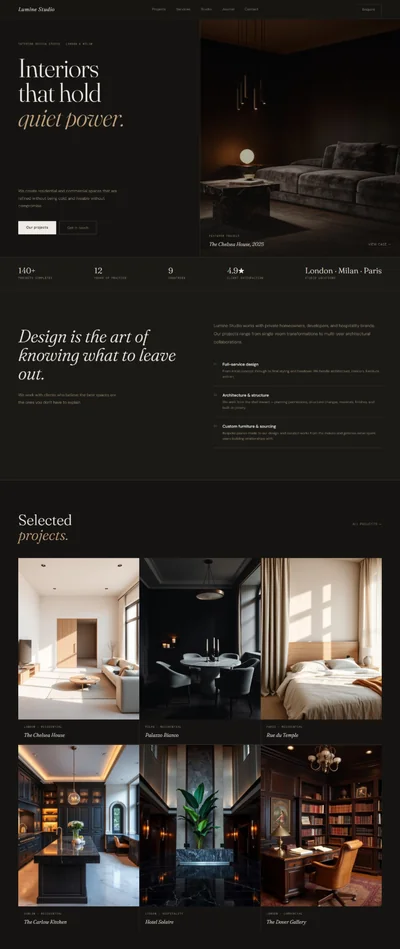
Jeweler Website Prompt — Dark Luxury Fine Jewellery Store Website Design for Lovable, Claude, Bolt and more
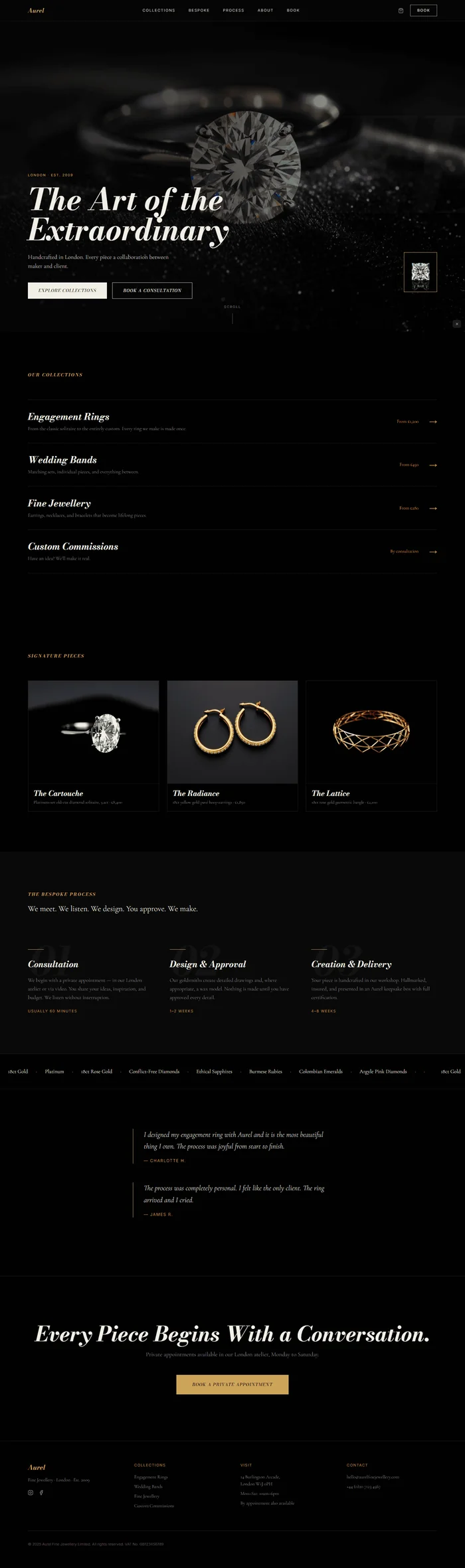
A dark luxury jewellery website prompt with pure black background, metallic gold accents, Bodoni Moda italic headlines, and macro diamond photography. Works with Lovable, Bolt, v0, Claude, and Cursor.
# Break Surf Co. — Surf School Website Prompt ## Goal Build a bold, energetic surf school website for "Break Surf Co." — deep ocean blue background, electric cobalt accents, warm sand typography, Bebas Neue display type, full-bleed aerial ocean photography, and a class schedule grid. ## Tech Stack React + Vite + TypeScript + Tailwind CSS + Framer Motion (motion/react) + shadcn/ui + lucide-react ## Design System ### Colors ```css :root { --background: 212 65% 17%; --foreground: 0 0% 100%; --primary: 210 74% 47%; --accent: 37 38% 63%; --muted-foreground: 212 20% 72%; --border: 212 30% 26%; } ``` Hex reference: - Background: #0d2b4a (deep ocean navy) - Foreground: #ffffff (white) - Primary (electric cobalt): #1a6fd4 - Accent (warm sand): #c9b47a - Muted: #9eb4cc - Border: #1e3d5c ### Typography Google Fonts import: `https://fonts.googleapis.com/css2?family=Bebas+Neue&family=Inter:wght@300,400&display=swap` - All display/headlines: Bebas Neue 400, letter-spacing: 0.02em - Body/descriptions: Inter 400 - Captions/labels: Inter 300 ## Visual Effects ### Effect 1: Background Overflow Text ```css .bg-surf-text { position: absolute; font-family: 'Bebas Neue', cursive; font-size: clamp(250px, 36vw, 520px); opacity: 0.04; color: #ffffff; right: -6%; top: 50%; transform: translateY(-50%); user-select: none; pointer-events: none; white-space: nowrap; z-index: 0; letter-spacing: 0.04em; } ``` Text: "SURF" ### Effect 2: Dual-Zone Hero Gradient ```css background: linear-gradient( to bottom, rgba(13,43,74,0.78) 0%, transparent 40%, transparent 58%, rgba(13,43,74,0.90) 100% ); ``` Keeps nav area and content area readable while aerial ocean photography breathes through the center. ### Effect 3: Animated Badge Chips (Hero) 3 sand-colored badges animate in from left with stagger after CTAs: "Beginner" · "Intermediate" · "Advanced" Each: background: rgba(201,180,122,0.15), border: 0.5px solid #c9b47a, color: #c9b47a, border-radius: 100px, padding: 6px 18px, Inter 300, 12px, letter-spacing: 0.1em. Framer Motion: initial={{ opacity: 0, x: -20 }}, animate={{ opacity: 1, x: 0 }}, transition={{ delay: 0.6 + index * 0.12, duration: 0.45, ease: 'easeOut' }} ### Effect 4: Count-Up Stats Strip 4 stats animate up from 0 on scroll into view: 2,400+ Students · 12 Years · 4.8★ Rating · All Gear Included Bebas Neue, 52px, white for numbers. Inter 300, 13px, sand (#c9b47a) for labels. Use a simple counter hook: startValue: 0, endValue: number, duration: 1.5s on whileInView. ### Effect 5: Schedule Grid Hover Each available slot: hover fills with cobalt (#1a6fd4) background, white text, transition: 0.15s ease. "Full" slots: permanently muted with strikethrough styling. ## Component Breakdown ### 1. Navbar - Fixed top, background: rgba(13,43,74,0.92), backdrop-filter: blur(14px) - Height: 64px - Left: "BREAK" in Bebas Neue, 22px, white + " SURF CO." in Bebas Neue, 22px, sand (#c9b47a) - Center: Inter 300, 12px, letter-spacing: 0.14em, uppercase, white 80% — Lessons / Schedule / Gear / About / Book - Right: "Book a Lesson" — cobalt bg (#1a6fd4), white text, Inter 400, 12px, border-radius: 6px, padding: 9px 20px - Bottom border: 0.5px solid hsl(var(--border)) - Nav hover: cobalt (#1a6fd4). Transition: 0.18s. ### 2. Hero Full-viewport, position: relative, overflow: hidden. **Background Image:** {/* Image: Dramatic aerial drone photography of the ocean from directly above, shooting down onto dark turquoise and deep blue-green water. Waves are breaking and forming white-water foam patterns that create organic patterns against the darker water. A lone surfer is visible in the frame as a tiny figure on a surfboard, giving scale to the ocean vastness. The water has texture and movement. No beach visible — pure ocean from above. Shot in bright daylight with saturated colors. Mood: adventure, scale, freedom, elemental power. */} <img src="" alt="Aerial view of ocean waves with lone surfer from above" style={{ objectFit: 'cover', objectPosition: 'center', width: '100%', height: '100%', position: 'absolute', inset: 0 }} /> **Gradient Overlay:** ```css background: linear-gradient( to bottom, rgba(13,43,74,0.78) 0%, transparent 40%, transparent 58%, rgba(13,43,74,0.90) 100% ); ``` Position: absolute, inset: 0, z-index: 1. **Background Text (z-index: 0):** "SURF" — Bebas Neue, clamp(250px,36vw,520px), opacity: 0.04, white, right: -6%, top: 50%, translateY(-50%), user-select: none. **Content (z-index: 10):** Position: absolute, bottom: 10vh, left: 6%, max-width: 700px. - Headline: "CATCH YOUR FIRST WAVE." — Bebas Neue, clamp(62px,9vw,148px), letter-spacing: 0.04em, white, line-height: 1.0, margin-bottom: 16px - Framer Motion: initial={{ opacity: 0, y: 30 }}, animate={{ opacity: 1, y: 0 }}, transition={{ duration: 0.8, ease: [0.16,1,0.3,1] }} - Sub: "Professional surf lessons in Newquay for complete beginners to experienced surfers. All equipment provided." — Inter 300, 18px, white 80%, max-width: 500px, margin-bottom: 32px - Framer Motion: delay: 0.15s - CTAs (flex, gap: 14px, margin-bottom: 28px): - "Book a Lesson" — cobalt bg (#1a6fd4), white text, Inter 400, 13px, border-radius: 8px, padding: 14px 32px - "See Lesson Types" — transparent, border: 1.5px solid rgba(255,255,255,0.6), white text, same font, same padding - Framer Motion: delay: 0.25s - 3 sand badge chips (flex, gap: 10px): "Beginner" · "Intermediate" · "Advanced" Stagger: delay: 0.6s + index × 0.12s, x: -20→0, opacity: 0→1 ### 3. Lesson Levels Section Background: hsl(var(--background)). Padding: 100px 6%. **Header:** - Inter 300, 11px, sand (#c9b47a), letter-spacing: 0.18em, uppercase, margin-bottom: 12px: "OUR LESSONS" - Bebas Neue, clamp(36px,5.5vw,80px), white, letter-spacing: 0.02em, margin-bottom: 56px: "FIND YOUR LEVEL." **3 Level Cards — 3-column grid, gap: 20px:** Each: position: relative, overflow: hidden, no border-radius, aspect-ratio: 3/4. Hover: scale: 1.02, box-shadow: 0 8px 32px rgba(26,111,212,0.35). Transition: 0.3s ease. Card layout: - Top 60%: Full-bleed surfing photography - Bottom 40%: Ocean navy bg (#0d2b4a), padding: 28px 24px - Inter 300, 11px, sand, letter-spacing: 0.16em: level label - Bebas Neue, 36px, white, letter-spacing: 0.02em: level name - Inter 300, 14px, white 70%, line-height: 1.6: description - Row: Inter 300, 12px, sand: duration + group size - Inter 400, 14px, white, margin-top: 12px: price - "Book This Level" button: cobalt bg, white text, Inter 400, 12px, border-radius: 6px, padding: 10px 20px, margin-top: 16px, display: inline-block **The 3 levels:** 1. Beginner {/* Image: Action photography of a beginner surfer — a young adult or teenager — riding a small white-water wave in the shore break on a wide longboard. The water is shallow and foamy white. The surfer has their arms out for balance, looking down at the board. Bright daylight, blue sky. Mood: accessible, achievable, first time joy. */} <img src="" alt="Beginner surfer riding white-water wave on longboard" style={{ objectFit: 'cover', objectPosition: 'center', width: '100%', height: '100%' }} /> "Beginner" / "Learn the basics — how to paddle, pop up, and ride white-water waves. Zero experience required." / Duration: 2 hours · Group: max 6 / From £55/session 2. Intermediate {/* Image: Mid-level surf photography of a surfer on a medium-length surfboard riding the face of a green unbroken wave. The wave is 3-4 feet high, curling gently. The surfer is in a solid stance, arms extended, riding across the wave face. Ocean in background. Bright coastal light. Mood: progression, confidence, flow. */} <img src="" alt="Intermediate surfer riding the face of a green ocean wave" style={{ objectFit: 'cover', objectPosition: 'center', width: '100%', height: '100%' }} /> "Intermediate" / "Work on your paddle technique, wave reading, and getting to the green face. Small group coaching." / Duration: 2 hours · Group: max 4 / From £65/session 3. Advanced {/* Image: Professional action surf photography of an experienced surfer inside or at the lip of a larger 5-6 foot wave, executing a carving turn with spray flying from the tail. The surfer is in a low, dynamic stance. Crystal blue wave with white spray. Dramatic lighting. Mood: mastery, power, peak performance. */} <img src="" alt="Advanced surfer carving turn on large wave with spray" style={{ objectFit: 'cover', objectPosition: 'center', width: '100%', height: '100%' }} /> "Advanced" / "Tube riding, manoeuvres, and taking your surfing to the next level. Maximum two per coach." / Duration: 2 hours · Group: max 2 / From £75/session Framer Motion: stagger 0.12s, opacity 0→1, y 24→0, viewport={{ once: true }} ### 4. Weekly Schedule Grid Background: #091f37 (darker ocean). Padding: 100px 6%. **Header:** - Inter 300, 11px, sand, letter-spacing: 0.18em, uppercase: "WEEKLY TIMETABLE" - Bebas Neue, 64px, white: "THIS WEEK'S CLASSES." - Margin-bottom: 48px **Grid layout:** 7 columns (Mon–Sun) × 4 rows (header + 3 time slots). CSS Grid: grid-template-columns: repeat(7, 1fr), gap: 2px. Row 0 — day headers: Bebas Neue, 18px, sand. Days: "MON" / "TUE" / "WED" / "THU" / "FRI" / "SAT" / "SUN" Rows 1–3 — time slots: - Time label: Bebas Neue, 14px, white 60%, padding: 4px 0 - Available slot: background: rgba(26,111,212,0.15), border: 0.5px solid cobalt, color: white, padding: 14px 10px, text-align: center, Inter 300, 12px, cursor: pointer. Hover: background: #1a6fd4, color: white. Transition: 0.15s ease. - Full slot: background: rgba(255,255,255,0.04), border: 0.5px solid rgba(255,255,255,0.08), Inter 300, 12px, white 35%, text: "Full" **3 time rows:** - Row 1: "7am MORNING" - Row 2: "12pm NOON" - Row 3: "5pm SUNSET" Mon–Fri pattern: most slots available, a couple full. Sat–Sun: offset times: 8am / 12pm / 5:30pm. Below grid: flex row, gap: 16px, margin-top: 24px — legend chips: "● Available" (cobalt chip) and "● Full" (grey chip) ### 5. Action Gallery Background: #0d2b4a. Padding: 0 (flush). 2×2 grid, gap: 2px. **4 images — each aspect-ratio: 1/1:** Hover: scale: 1.03. Transition: 0.3s ease. No border-radius. {/* Image: Aerial drone shot of a surfer photographed from directly above, riding a wave. The camera is positioned overhead showing the surfer as a small figure on the wave face, the ocean surrounding them in various shades of blue and turquoise. Dramatic bird's-eye perspective. */} <img src="" alt="Aerial view of surfer riding wave from above" style={{ objectFit: 'cover', objectPosition: 'center', width: '100%', height: '100%' }} /> {/* Image: Close-up face-on photography of a wave at the moment of breaking — the transparent blue-green water of the wave face with sunlight refracting through it, creating a glassy texture. The wave lip is just starting to curl. No surfer visible. Pure wave texture. Mood: elemental, power, beauty. */} <img src="" alt="Close-up of ocean wave face with sunlight refracting through water" style={{ objectFit: 'cover', objectPosition: 'center', width: '100%', height: '100%' }} /> {/* Image: Beach photography of a group surf lesson in progress on the sand before entering the water. The coach is demonstrating the 'pop-up' technique while 5-6 students in wetsuits lie on their boards on the sand, watching and mimicking. Bright coastal day. Mood: community, learning, fun. */} <img src="" alt="Group surf lesson on the beach with coach demonstrating pop-up technique" style={{ objectFit: 'cover', objectPosition: 'center', width: '100%', height: '100%' }} /> {/* Image: Close-up detail photography of a surf instructor's hands adjusting the shoulder fit of a wetsuit on a student, both standing on the beach with the ocean in soft focus behind. One instructor hand visible, warm natural light. Mood: care, personalised attention, preparation. */} <img src="" alt="Surf instructor adjusting wetsuit on student at the beach" style={{ objectFit: 'cover', objectPosition: 'center', width: '100%', height: '100%' }} /> ### 6. Gear Included Section Background: #0d2b4a. Padding: 80px 6%. Layout: flex, justify-content: space-between, align-items: center, gap: 48px. **Left (60%):** - Inter 300, 11px, sand, letter-spacing: 0.18em, uppercase, margin-bottom: 12px: "GEAR INCLUDED" - Bebas Neue, clamp(36px,5vw,72px), white, margin-bottom: 24px: "EVERYTHING YOU NEED. NOTHING TO BRING." - Inter 300, 16px, white 70%, line-height: 1.65, margin-bottom: 32px: "Every lesson includes a full 5/4mm winter wetsuit, a surfboard matched to your level, a leash, and wax. Just show up." - Cobalt chip list (flex, flex-wrap: wrap, gap: 10px): Each chip: background: rgba(26,111,212,0.2), border: 0.5px solid cobalt, color: white, border-radius: 100px, padding: 7px 16px, Inter 300, 13px. "Wetsuit (all sizes)" · "Surfboard" · "Leash" · "Wax" · "Towel storage" **Right (40%):** {/* Image: Flat-lay overhead product photography on a sandy beach surface — a wetsuit (partially folded), a foam surfboard standing upright leaning against rocks or a wall, and a coil of surfboard leash visible. All equipment in break surf co. blue or neutral tones. Clean and organised. Mood: quality gear, well-maintained, professional. */} <img src="" alt="Surf equipment flatlay including wetsuit surfboard and leash" style={{ objectFit: 'cover', objectPosition: 'center', width: '100%', height: '100%', borderRadius: '0' }} /> (container: width 100%, aspect-ratio: 4/3, no border-radius) ### 7. Count-Up Stats Strip Background: #091f37. Padding: 56px 6%. Border-top and bottom: 1px solid hsl(var(--border)). **4-column layout (4 stats):** Each: text-align: center. - Bebas Neue, 64px, white: number (counts up on scroll) - Inter 300, 13px, sand (#c9b47a), letter-spacing: 0.12em: label The 4 stats: 1. "2,400+" / "STUDENTS COACHED" 2. "12" / "YEARS IN NEWQUAY" 3. "4.8★" / "GOOGLE RATING" 4. "100%" / "GEAR PROVIDED" Count-up hook: on whileInView, count from 0 to target value over 1.5s with easeOut. ### 8. Testimonials Background: #0d2b4a. Padding: 80px 6%. Max-width: 720px, margin: auto. **2 testimonials:** Each: border-left: 2px solid #1a6fd4 (cobalt), padding-left: 24px, margin-bottom: 40px. - Inter 400, 17px, white 85%, line-height: 1.65: quote - Inter 300, 12px, sand (#c9b47a), letter-spacing: 0.12em, margin-top: 12px: attribution Quote 1: "I'd always been scared of the water. Break completely changed that. My first day I was up on the board within 20 minutes. Best money I've spent. — Sophie L., Bristol" Quote 2: "We came as a group of 6 and had the best weekend of the year. The coaches are brilliant and the vibes are incredible. — Tom H., Manchester" ### 9. Book CTA Background: #1a6fd4 (cobalt). Padding: 120px 6%. Text-align: center. - Bebas Neue, clamp(40px,6.5vw,110px), white, letter-spacing: 0.04em, margin-bottom: 24px: "YOUR FIRST WAVE IS WAITING." - Inter 300, 17px, white 80%, margin-bottom: 40px: "Lessons available 7 days a week. All equipment provided. No experience needed." - "Book Now" button: white bg, cobalt text (#1a6fd4), Inter 400, 15px, font-weight: 600, border-radius: 8px, padding: 16px 48px - Below: Inter 300, 12px, white 60%, margin-top: 16px: "Instant confirmation · Free rescheduling up to 24 hours" Framer Motion: y 24→0, opacity 0→1 on whileInView. ### 10. Footer Background: #091f37. Border-top: 1px solid hsl(var(--border)). Padding: 56px 6%. 3-column grid: Column 1: "BREAK SURF CO." Bebas Neue, 18px, white. Below: Inter 300, 13px, muted: "Surf School · Newquay, Cornwall". Sand color Instagram/Facebook icons hover: sand. Column 2: "Lessons" — Inter 300, 11px, sand, letter-spacing header. Inter 300, 13px, muted links: Beginner / Intermediate / Advanced / Group Bookings / Gift Vouchers Column 3: "Find Us" — same. "Fistral Beach Car Park, Newquay, TR7 1HY" / "+44 (0)1637 000 111" / "hello@breaksurfco.com" / "Open daily: Mar–Oct 7am–7pm" Bottom: Inter 300, 11px, white 35%: "© 2025 Break Surf Co. Ltd. All rights reserved. Surf lessons are subject to our safety and weather policy." ## Animations | Element | Animation | Duration | Delay | Easing | |---|---|---|---|---| | Hero headline | opacity 0→1, y 30→0 | 0.8s | 0s | [0.16,1,0.3,1] | | Hero sub | opacity 0→1, y 24→0 | 0.8s | 0.15s | [0.16,1,0.3,1] | | Hero CTAs | opacity 0→1, y 20→0 | 0.8s | 0.25s | [0.16,1,0.3,1] | | Badge chips (3) | opacity 0→1, x -20→0 | 0.45s | 0.6s + i×0.12s | easeOut | | Level cards | opacity 0→1, y 24→0 | 0.6s | i×0.12s | [0.16,1,0.3,1] | | Gallery images | opacity 0→1, scale 0.97→1 | 0.5s | i×0.06s | ease | | Stats count-up | 0→target value | 1.5s | 0s on view | easeOut | | CTA block | opacity 0→1, y 24→0 | 0.7s | 0s | ease | | Card hover | scale 1→1.02 | 0.3s | — | ease | | Gallery hover | scale 1→1.03 | 0.3s | — | ease | | Schedule slot hover | bg color fill | 0.15s | — | ease | All whileInView: viewport={{ once: true }} ## Responsive **Desktop (≥1024px):** - Hero: full-viewport, content bottom-left - Levels: 3-column grid - Schedule: 7-column × 4-row grid - Gallery: 2×2 grid - Gear: 60/40 split - Stats: 4-column row - Footer: 3-column **Tablet (768–1023px):** - Levels: 1×3 vertical stack - Schedule: horizontal scroll (overflow-x: auto, min-width: 700px) - Gallery: 2×2 (same) - Gear: stacked vertical - Stats: 2×2 grid - Footer: 2-column **Mobile (<768px):** - Navbar: hamburger, dark ocean overlay - Hero badges: 3 inline chips, smaller text - Levels: single column - Schedule: horizontal scroll container - Gallery: 2×2 (4 squares, each 50vw) - Gear: single column - Stats: 2×2 grid - Background "SURF" text: display none ## Full Copy **Navigation:** Break Surf Co. · Lessons · Schedule · Gear · About · Book **Hero:** - Headline: "CATCH YOUR FIRST WAVE." - Sub: "Professional surf lessons in Newquay for complete beginners to experienced surfers. All equipment provided." - CTA 1: "Book a Lesson" - CTA 2: "See Lesson Types" - Badges: "Beginner" · "Intermediate" · "Advanced" **Lessons label:** "OUR LESSONS" **Lessons headline:** "FIND YOUR LEVEL." - Beginner: "Learn the basics — how to paddle, pop up, and ride white-water waves. Zero experience required." | Duration: 2 hours · Group: max 6 | From £55/session - Intermediate: "Work on your paddle technique, wave reading, and getting to the green face. Small group coaching." | Duration: 2 hours · Group: max 4 | From £65/session - Advanced: "Tube riding, manoeuvres, and taking your surfing to the next level. Maximum two per coach." | Duration: 2 hours · Group: max 2 | From £75/session **Schedule label:** "WEEKLY TIMETABLE" **Schedule headline:** "THIS WEEK'S CLASSES." - Days: MON / TUE / WED / THU / FRI / SAT / SUN - Time rows: 7am Morning / 12pm Noon / 5pm Sunset (5:30pm Sat–Sun) - Legend: "● Available" · "● Full" **Gear section label:** "GEAR INCLUDED" **Gear headline:** "EVERYTHING YOU NEED. NOTHING TO BRING." **Gear body:** "Every lesson includes a full 5/4mm winter wetsuit, a surfboard matched to your level, a leash, and wax. Just show up." **Gear chips:** "Wetsuit (all sizes)" · "Surfboard" · "Leash" · "Wax" · "Towel storage" **Stats:** "2,400+" STUDENTS COACHED · "12" YEARS IN NEWQUAY · "4.8★" GOOGLE RATING · "100%" GEAR PROVIDED **Testimonials:** - "I'd always been scared of the water. Break completely changed that. My first day I was up on the board within 20 minutes. Best money I've spent. — Sophie L., Bristol" - "We came as a group of 6 and had the best weekend of the year. The coaches are brilliant and the vibes are incredible. — Tom H., Manchester" **CTA:** - Headline: "YOUR FIRST WAVE IS WAITING." - Sub: "Lessons available 7 days a week. All equipment provided. No experience needed." - Button: "Book Now" - Fine print: "Instant confirmation · Free rescheduling up to 24 hours" **Footer:** - Tagline: "Surf School · Newquay, Cornwall" - Address: "Fistral Beach Car Park, Newquay, TR7 1HY" - Phone: "+44 (0)1637 000 111" - Email: "hello@breaksurfco.com" - Hours: "Open daily: Mar–Oct 7am–7pm" - Legal: "© 2025 Break Surf Co. Ltd. All rights reserved. Surf lessons are subject to our safety and weather policy." ## Key Dependencies ```json { "motion": "^12.x", "lucide-react": "^0.4xx", "tailwindcss": "^3.x" } ```