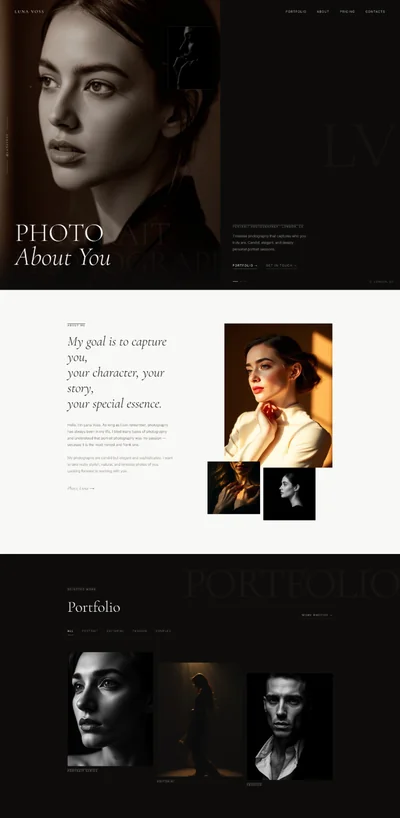
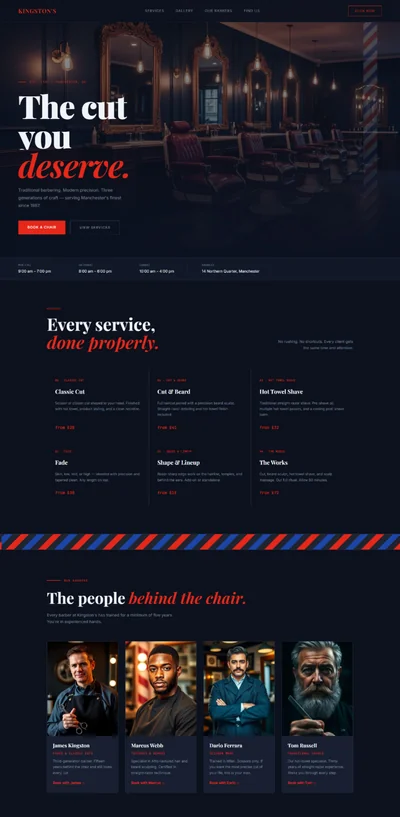
Personal Stylist Website Prompt — Ivory & Champagne Design for Bolt, v0 & Lovable
Personal stylist website prompt for Bolt, v0 & Lovable. Ivory & champagne, before/after wardrobe slider, polaroid moodboard, 10 sections, full copy.
# EDIT STUDIO — Personal Stylist Website Prompt ## For Bolt, v0, Lovable, Claude — React + Vite + TypeScript + Tailwind CSS + Framer Motion + shadcn/ui + lucide-react --- Build a complete, production-ready personal styling and wardrobe consultancy website for **EDIT STUDIO** — a London-based personal styling practice run by Sophie Laurent. The brand is refined, editorial, and intimate: warm ivory tones, champagne accents, and quiet confidence. Every section has fully written copy. All animations are fully implemented. --- ## DESIGN SYSTEM ### Colors — HSL custom properties in :root ```css @import url('https://fonts.googleapis.com/css2?family=Libre+Baskerville:ital,wght@1,400;1,700&family=Jost:wght@300;400&display=swap'); :root { --background: 38 36% 97%; --foreground: 24 8% 13%; --primary: 35 43% 64%; --primary-foreground: 24 8% 13%; --secondary: 340 20% 82%; --muted: 38 25% 93%; --card: 0 0% 100%; --border: 38 18% 86%; --muted-foreground: 24 6% 45%; } ``` ### Typography - **Headings**: Libre Baskerville italic — weights 400 italic and 700 italic. Refined, editorial, timeless. All headings use the italic variant exclusively. - **Body**: Jost — weights 300 (body text, flowing copy) and 400 (labels, buttons, UI elements). ### Signature Animation 1: Before/After Wardrobe Reveal Slider The hero section's right panel features an interactive comparison slider showing a "before" (cluttered wardrobe) and "after" (curated capsule wardrobe). The user drags a vertical divider to reveal the transformation. ```tsx // Implementation: const [sliderPosition, setSliderPosition] = useState(50) // percentage, 0–100 const isDragging = useRef(false) const containerRef = useRef<HTMLDivElement>(null) const handleMouseMove = (e: MouseEvent) => { if (!isDragging.current || !containerRef.current) return const rect = containerRef.current.getBoundingClientRect() const x = Math.max(0, Math.min(e.clientX - rect.left, rect.width)) setSliderPosition((x / rect.width) * 100) } const handleTouchMove = (e: TouchEvent) => { if (!containerRef.current) return const rect = containerRef.current.getBoundingClientRect() const x = Math.max(0, Math.min(e.touches[0].clientX - rect.left, rect.width)) setSliderPosition((x / rect.width) * 100) } // Container: // <div // ref={containerRef} // className="relative aspect-[4/5] rounded-3xl overflow-hidden cursor-ew-resize select-none" // onMouseDown={() => { isDragging.current = true }} // onMouseUp={() => { isDragging.current = false }} // onMouseLeave={() => { isDragging.current = false }} // onMouseMove={handleMouseMove} // onTouchMove={handleTouchMove} // > // Before image (full size, sits behind): // {/* Image: disorganised and overstuffed wardrobe with clothes spilling out, visible chaos — mismatched hangers, items on the floor, rails overloaded and buckling, the relatable reality of a morning wardrobe crisis, authentic documentary photography style */} // <img src="" alt="Disorganised wardrobe before styling edit" // className="absolute inset-0 w-full h-full object-cover" /> // After image (clipped by slider position): // {/* Image: beautifully curated capsule wardrobe — neatly spaced hangers in a calm neutral palette, organised by colour and category, visible through a clean white wardrobe interior, aspirational lifestyle wardrobe photography */} // <img src="" alt="Curated capsule wardrobe after Edit Studio styling" // className="absolute inset-0 w-full h-full object-cover" // style={{ clipPath: `inset(0 ${100 - sliderPosition}% 0 0)` }} /> // Divider line: // <div className="absolute top-0 bottom-0 w-0.5 bg-white shadow-lg z-10" // style={{ left: `${sliderPosition}%` }}> // {/* Handle circle */} // <div className="absolute top-1/2 left-1/2 -translate-x-1/2 -translate-y-1/2 // w-9 h-9 rounded-full bg-white shadow-xl flex items-center justify-center"> // <ChevronLeft className="w-3 h-3 text-[hsl(var(--foreground))]" /> // <ChevronRight className="w-3 h-3 text-[hsl(var(--foreground))]" /> // </div> // </div> // Labels: // <span className="absolute top-4 left-4 bg-black/40 text-white font-[Jost] font-light // text-[10px] uppercase tracking-wider px-2 py-1 rounded-sm z-10"> // BEFORE // </span> // <span className="absolute top-4 right-4 bg-[hsl(var(--primary))] text-white font-[Jost] font-light // text-[10px] uppercase tracking-wider px-2 py-1 rounded-sm z-10" // style={{ right: `${100 - sliderPosition + 1}%` }}> // AFTER // </span> ``` ### Signature Animation 2: Polaroid Moodboard Section 6 features 5 image cards arranged like Polaroids pinned to a mood board — each slightly rotated, overlapping naturally. On hover, the card straightens and lifts. ```tsx // Polaroid card component: // <motion.div // className="absolute bg-white p-3 pb-8 shadow-lg cursor-pointer" // style={{ rotate: card.rotate, top: card.top, left: card.left, width: card.width }} // whileHover={{ rotate: 0, scale: 1.05, zIndex: 20 }} // transition={{ type: 'spring', stiffness: 300, damping: 20 }} // > // <div className="overflow-hidden aspect-[4/5] bg-[hsl(var(--muted))]"> // {/* Image comment */} // <img src="" alt="..." className="w-full h-full object-cover" /> // </div> // </motion.div> ``` --- ## SECTION 1: NAVBAR ```tsx // Sticky navbar, ivory background, clean minimal // <nav className="fixed top-0 left-0 right-0 z-50 // bg-[hsl(var(--background)/0.97)] border-b border-[hsl(var(--border))] // backdrop-blur-sm"> // <div className="max-w-7xl mx-auto px-8 h-[72px] flex items-center justify-between"> // LOGO (left) — two-line stacked inline-block: // <a href="/" className="flex flex-col leading-none"> // <span className="font-[Libre_Baskerville] italic font-bold text-2xl text-[hsl(var(--foreground))]"> // EDIT // </span> // <span className="font-[Jost] font-light text-[10px] tracking-[0.35em] text-[hsl(var(--muted-foreground))] uppercase"> // STUDIO // </span> // </a> // NAV LINKS (center, hidden below lg): // <nav className="hidden lg:flex items-center gap-10"> // {['Services', 'About', 'The Process', 'Moodboard', 'Book'].map(item => ( // <a key={item} href={`#${item.toLowerCase().replace(' ', '-')}`} // className="font-[Jost] font-light text-sm text-[hsl(var(--muted-foreground))] // hover:text-[hsl(var(--foreground))] transition-colors tracking-wide"> // {item} // </a> // ))} // </nav> // CTA (right) — square (no border-radius): // <button className="bg-[hsl(var(--primary))] text-[hsl(var(--primary-foreground))] // font-[Jost] font-normal text-sm px-6 py-2.5 rounded-none // hover:bg-[hsl(var(--foreground))] hover:text-white transition-colors"> // Book a Consultation // </button> ``` --- ## SECTION 2: HERO ```tsx // <section className="min-h-screen bg-[hsl(var(--background))] grid lg:grid-cols-2 items-center"> // LEFT COLUMN — Text // <div className="px-8 lg:px-16 py-20 lg:py-0"> // Label: // <p className="font-[Jost] font-light text-[10px] tracking-[0.3em] uppercase // text-[hsl(var(--muted-foreground))] mb-6"> // LONDON-BASED PERSONAL STYLIST // </p> // Headline: // <motion.h1 // initial={{ opacity: 0, y: 30 }} // animate={{ opacity: 1, y: 0 }} // transition={{ duration: 1, ease: 'easeOut' }} // className="font-[Libre_Baskerville] italic font-bold // text-[72px] max-lg:text-[52px] max-sm:text-[40px] // text-[hsl(var(--foreground))] leading-[1.1] mb-5" // > // Dress like you mean it. // </motion.h1> // Subtext: // <motion.p // initial={{ opacity: 0 }} // animate={{ opacity: 1 }} // transition={{ duration: 0.8, delay: 0.5 }} // className="font-[Jost] font-light text-lg text-[hsl(var(--muted-foreground))] // leading-relaxed mb-8 max-w-md" // > // EDIT Studio helps individuals and executives build wardrobes that work — // effortlessly, intentionally, and completely true to who they are. // No more standing in front of a full wardrobe with nothing to wear. // </motion.p> // CTAs: // <motion.div // initial={{ opacity: 0 }} // animate={{ opacity: 1 }} // transition={{ duration: 0.6, delay: 0.8 }} // className="flex flex-wrap gap-4 mb-8" // > // <button className="bg-[hsl(var(--primary))] text-[hsl(var(--primary-foreground))] // font-[Jost] font-normal text-sm px-7 py-3 rounded-none // hover:bg-[hsl(var(--foreground))] hover:text-white transition-colors"> // Book a Discovery Call // </button> // <button className="font-[Jost] font-normal text-sm text-[hsl(var(--primary))] hover:underline px-2"> // See Services → // </button> // </motion.div> // Pull quote: // <motion.blockquote // initial={{ opacity: 0 }} // animate={{ opacity: 1 }} // transition={{ duration: 0.6, delay: 1.1 }} // className="border-l-2 border-[hsl(var(--primary))] pl-4 // font-[Libre_Baskerville] italic text-sm text-[hsl(var(--muted-foreground))] // leading-relaxed max-w-sm" // > // "The right wardrobe doesn't take more time. It saves it." // </motion.blockquote> // </div> // RIGHT COLUMN — Before/After Slider // <div className="px-8 lg:pr-16 py-16 lg:py-20"> // {/* Before/After slider implementation — see SIGNATURE ANIMATION 1 above */} // {/* Wrap in a motion.div for entrance animation: */} // <motion.div // initial={{ opacity: 0, x: 30 }} // animate={{ opacity: 1, x: 0 }} // transition={{ duration: 1, delay: 0.3 }} // > // {/* [Insert Before/After Slider component here] */} // </motion.div> // </div> ``` --- ## SECTION 3: SERVICES ```tsx // <section id="services" className="py-24 bg-white"> // <div className="max-w-7xl mx-auto px-8"> // Heading: // <motion.h2 // initial={{ opacity: 0, y: 20 }} // whileInView={{ opacity: 1, y: 0 }} // viewport={{ once: true }} // className="font-[Libre_Baskerville] italic font-bold text-[48px] max-md:text-[36px] // text-[hsl(var(--foreground))] leading-tight mb-3" // > // How I can help you. // </motion.h2> // <p className="font-[Jost] font-light text-base text-[hsl(var(--muted-foreground))] mb-14 max-w-lg"> // Every service starts with a conversation. No hard sells, no packages you don't need. // Just an honest assessment of what will make the biggest difference. // </p> const services = [ { name: 'Wardrobe Edit', price: '£250', duration: '3 hours · in your home', description: 'The most transformative place to start. We go through everything you own — pulling out what works, identifying gaps, and letting go of what no longer serves you. You leave with a clear, functional wardrobe and a targeted shopping list. Most clients are amazed by what they already have.', includes: [ 'Comprehensive closet audit', 'Colour analysis and seasonal palette', 'Occasion mapping (work, social, travel)', 'Shopping list PDF — gaps identified, budget-matched', ], note: 'London only. Zone 1–3 included. Zone 4–6: £20 supplement.', }, { name: 'Capsule Build', price: '£450', duration: 'Full-day personal shopping', description: 'A full-day personal shopping experience in London. We visit the stores that are actually right for you — not just the obvious high-street names. Budget-agnostic: I work to your numbers and find the best possible options within them. Everything we buy works with everything else.', includes: [ 'Pre-shopping consultation call (45 min)', 'Personal shopping day (up to 6 hours)', 'Alteration and tailoring referrals', 'Illustrated outfit guide document post-session', ], note: 'Transport between stores not included. Minimum budget recommendation: £400.', }, { name: 'Executive Styling', price: '£180', duration: '/ month · retainer service', description: 'For professionals who need to look consistently excellent without spending mental energy on it. A monthly wardrobe check-in, travel packing curation, event dressing advice, and on-call styling support via WhatsApp. This is what makes the difference when your role demands it.', includes: [ 'Monthly 2-hour in-home session', 'Event and occasion dressing advice', 'WhatsApp on-call styling support', 'Seasonal shopping shortlists', ], note: '3-month minimum. 4–6 week current wait time for new Executive clients.', }, { name: 'Online Styling', price: '£95', duration: '90-minute video consultation', description: "If you're not in London. Send photos of your current wardrobe, complete a detailed style questionnaire, and we'll spend 90 minutes on Zoom building your direction, identifying the gaps, and creating a clear action plan with specific shopping recommendations at your price point.", includes: [ 'Detailed style questionnaire sent in advance', '90-minute Zoom session', 'Post-session written summary with recommendations', 'Shopping list with links at your budget', ], note: 'Available worldwide. Sessions recorded with consent for future reference.', }, ] // 2×2 grid desktop, 1-col mobile // <div className="grid grid-cols-2 max-md:grid-cols-1 gap-6"> // {services.map((service, i) => ( // <motion.div // key={service.name} // initial={{ opacity: 0, y: 20 }} // whileInView={{ opacity: 1, y: 0 }} // viewport={{ once: true }} // transition={{ delay: i * 0.1 }} // className="border border-[hsl(var(--border))] rounded-none p-8 // hover:border-[hsl(var(--primary))] transition-colors duration-300 // bg-white group" // > // <div className="flex items-start justify-between mb-5"> // <div> // <h3 className="font-[Libre_Baskerville] italic font-bold text-2xl text-[hsl(var(--foreground))] mb-1"> // {service.name} // </h3> // <p className="font-[Jost] font-light text-xs text-[hsl(var(--muted-foreground))] uppercase tracking-wider"> // {service.duration} // </p> // </div> // <span className="font-[Libre_Baskerville] italic text-2xl text-[hsl(var(--primary))] shrink-0"> // {service.price} // </span> // </div> // <p className="font-[Jost] font-light text-sm text-[hsl(var(--muted-foreground))] leading-relaxed mb-6"> // {service.description} // </p> // <div className="border-t border-[hsl(var(--border))] pt-5 mb-4"> // <p className="font-[Jost] font-normal text-[10px] tracking-[0.2em] uppercase // text-[hsl(var(--muted-foreground))] mb-3"> // Includes // </p> // <ul className="space-y-2"> // {service.includes.map(item => ( // <li key={item} className="flex items-start gap-2"> // <span className="text-[hsl(var(--primary))] mt-0.5 text-xs">—</span> // <span className="font-[Jost] font-light text-xs text-[hsl(var(--foreground))] leading-relaxed"> // {item} // </span> // </li> // ))} // </ul> // </div> // <p className="font-[Jost] font-light text-[10px] text-[hsl(var(--muted-foreground))] italic"> // {service.note} // </p> // </motion.div> // ))} ``` --- ## SECTION 4: ABOUT ```tsx // <section id="about" className="py-24 bg-[hsl(var(--muted))]"> // <div className="max-w-7xl mx-auto px-8 grid lg:grid-cols-2 gap-16 items-start"> // LEFT — Image // {/* Image: Sophie Laurent, personal stylist — a woman in her late thirties, elegant and approachable, standing in a beautifully organised dressing room with a curated rail of neutral clothing behind her, warm natural window light, confident and warm expression, editorial portrait photography for a personal styling website */} // <motion.div // initial={{ opacity: 0, x: -20 }} // whileInView={{ opacity: 1, x: 0 }} // viewport={{ once: true }} // className="rounded-3xl overflow-hidden aspect-[3/4]" // > // <img src="" alt="Sophie Laurent, Edit Studio personal stylist" // className="w-full h-full object-cover" /> // </motion.div> // RIGHT — Bio text // <motion.div // initial={{ opacity: 0, x: 20 }} // whileInView={{ opacity: 1, x: 0 }} // viewport={{ once: true }} // className="py-8 lg:py-12" // > // <p className="font-[Jost] font-light text-[10px] tracking-[0.3em] uppercase // text-[hsl(var(--muted-foreground))] mb-5"> // ABOUT // </p> // <h2 className="font-[Libre_Baskerville] italic font-bold text-[40px] max-md:text-[32px] // text-[hsl(var(--foreground))] leading-tight mb-1"> // Sophie Laurent // </h2> // <p className="font-[Jost] font-light text-sm text-[hsl(var(--muted-foreground))] mb-8"> // Personal Stylist · Fashion Consultant // </p> // <div className="space-y-5"> // <p className="font-[Jost] font-light text-base text-[hsl(var(--muted-foreground))] leading-relaxed"> // I spent twelve years working in fashion PR and buying before I realised that what I // loved most wasn't fashion for fashion's sake — it was helping the real people around // me understand and use it. EDIT Studio was founded on the belief that personal style // isn't a luxury or an indulgence. It's a practical skill, and like all skills, it // can be learned. // </p> // <p className="font-[Jost] font-light text-base text-[hsl(var(--muted-foreground))] leading-relaxed"> // I work primarily with professional women who are excellent at their jobs but feel // as if their wardrobe hasn't kept up with who they've become. We fix that — // thoughtfully, efficiently, without spending a fortune, and always with the goal of // making getting dressed feel easier rather than more complicated. // </p> // </div> // {/* Credentials */} // <div className="grid grid-cols-2 gap-4 mt-10 border-t border-[hsl(var(--border))] pt-8"> // {[ // 'Former Fashion Director', // 'LCF Trained Stylist', // 'Regular contributor, The Guardian Style', // '200+ clients styled', // ].map(cred => ( // <div key={cred} className="flex items-start gap-2"> // <span className="text-[hsl(var(--primary))] text-xs mt-0.5">✦</span> // <span className="font-[Jost] font-light text-sm text-[hsl(var(--foreground))] leading-tight"> // {cred} // </span> // </div> // ))} // </div> // </motion.div> ``` --- ## SECTION 5: THE PROCESS ```tsx // <section id="the-process" className="py-24 bg-white"> // <div className="max-w-5xl mx-auto px-8"> // Heading: // <h2 className="font-[Libre_Baskerville] italic font-bold text-[44px] max-md:text-[32px] // text-[hsl(var(--foreground))] leading-tight mb-16"> // The Edit process. // </h2> const processSteps = [ { number: '1', title: 'Discovery Call (free, 20 minutes)', description: "We talk about where you are, where you want to be, and which service is the right fit. I'll ask about your lifestyle, your wardrobe frustrations, your budget, and your goals. No pressure, no obligation — just an honest conversation to see if we're the right fit for each other.", }, { number: '2', title: 'Style Questionnaire', description: 'Before any session, you complete a detailed questionnaire covering your lifestyle occasions (work, evenings, weekends, travel), your inspirations and frustrations, your colour instincts, your budget, and what success looks like for you. It means we hit the ground running rather than spending the session establishing basics.', }, { number: '3', title: 'The Session', description: "In person at your home (London, Zone 1–3) or online via Zoom. This is where the real work happens. Honest, structured, collaborative, and often surprising — most clients discover they own far more than they realise, and that the problem isn't quantity but curation.", }, { number: '4', title: 'The Edit Document', description: "After every session, you receive a detailed written guide: your colour palette, your capsule building blocks, outfit combination photographs (where relevant), and a curated shopping list with specific recommendations at your price point. This is yours to keep and refer back to.", }, ] // <div className="space-y-0 divide-y divide-[hsl(var(--border))]"> // {processSteps.map((step, i) => ( // <motion.div // key={step.number} // initial={{ opacity: 0, y: 20 }} // whileInView={{ opacity: 1, y: 0 }} // viewport={{ once: true }} // transition={{ delay: i * 0.1 }} // className="py-10 grid grid-cols-[auto_1fr] gap-8 items-start" // > // <span className="font-[Libre_Baskerville] italic font-bold text-[64px] leading-none // text-[hsl(var(--primary)/0.3)] w-14 shrink-0"> // {step.number} // </span> // <div> // <h3 className="font-[Libre_Baskerville] italic font-bold text-xl // text-[hsl(var(--foreground))] mb-3 leading-snug"> // {step.title} // </h3> // <p className="font-[Jost] font-light text-sm text-[hsl(var(--muted-foreground))] leading-relaxed"> // {step.description} // </p> // </div> // </motion.div> // ))} ``` --- ## SECTION 6: MOODBOARD (POLAROID LAYOUT) ```tsx // <section id="moodboard" className="py-24 bg-[hsl(var(--muted))]"> // <div className="max-w-7xl mx-auto px-8 text-center"> // Heading: // <h2 className="font-[Libre_Baskerville] italic font-bold text-[44px] max-md:text-[32px] // text-[hsl(var(--foreground))] leading-tight mb-4"> // The aesthetic. // </h2> // <p className="font-[Jost] font-light text-base text-[hsl(var(--muted-foreground))] mb-16 max-w-lg mx-auto"> // Every client's Edit is unique. Here's a glimpse of the direction we build toward — // elevated, effortless, and entirely your own. // </p> // Polaroid container — relative, fixed height on desktop, flex-wrap on mobile: // <div className="relative h-[600px] max-md:hidden max-w-3xl mx-auto"> const polaroids = [ { rotate: 3, top: '48px', left: '32px', width: '208px', imageComment: '/* Image: neutral toned capsule wardrobe flat lay — camel blazer, ivory silk blouse, navy tailored trousers, white tee, all laid out artistically on a white background, professional editorial styling photography */', alt: 'Neutral capsule wardrobe flat lay', }, { rotate: -2, top: '16px', left: '38%', width: '192px', imageComment: '/* Image: elegant woman in a tailored camel coat and wide-leg cream trousers, walking through a European city street, editorial fashion photography, refined and confident style */', alt: 'Styled outfit editorial', }, { rotate: 6, top: '80px', right: '32px', left: 'auto', width: '176px', imageComment: '/* Image: perfectly organised clothing rail in a home wardrobe room, neatly spaced hangers in a calm neutral palette — cream, sand, white, charcoal — bathed in morning sunlight, aspirational wardrobe lifestyle photography */', alt: 'Organised capsule wardrobe rail', }, { rotate: -4, bottom: '48px', top: 'auto', left: '64px', width: '224px', imageComment: '/* Image: luxury accessories flat lay — tan leather belt, structured handbag, pointed-toe heels, all in complementary warm neutrals against a white marble surface, high-end fashion product photography */', alt: 'Luxury accessories flat lay', }, { rotate: 2, bottom: '32px', top: 'auto', right: '48px', left: 'auto', width: '208px', imageComment: '/* Image: professional woman in polished workwear — tailored navy blazer, white shirt, sharply pressed trousers — standing confidently in a modern office, modern fashion editorial for a styling portfolio */', alt: 'Professional workwear styling', }, ] // Desktop Polaroid grid: // {polaroids.map((card, i) => ( // <motion.div // key={i} // initial={{ opacity: 0, scale: 0.9 }} // whileInView={{ opacity: 1, scale: 1 }} // viewport={{ once: true }} // transition={{ delay: i * 0.15, duration: 0.5 }} // whileHover={{ rotate: 0, scale: 1.05, zIndex: 20 }} // className="absolute bg-white p-3 pb-8 shadow-lg" // style={{ // rotate: `${card.rotate}deg`, // top: card.top, // left: card.left, // right: card.right, // bottom: card.bottom, // width: card.width, // zIndex: 10 - i, // }} // > // {card.imageComment} // <div className="overflow-hidden aspect-[4/5] bg-[hsl(var(--muted))]"> // <img src="" alt={card.alt} className="w-full h-full object-cover" /> // </div> // </motion.div> // ))} // Mobile fallback — regular grid: // <div className="md:hidden grid grid-cols-2 gap-4"> // {polaroids.map((card, i) => ( // <div key={i} className="bg-white p-2 pb-6 shadow-md"> // {card.imageComment} // <div className="aspect-[4/5] overflow-hidden"> // <img src="" alt={card.alt} className="w-full h-full object-cover" /> // </div> // </div> // ))} ``` --- ## SECTION 7: TESTIMONIALS ```tsx // <section className="py-24 bg-white"> // <div className="max-w-7xl mx-auto px-8"> // Heading: // <h2 className="font-[Libre_Baskerville] italic font-bold text-[44px] max-md:text-[34px] // text-[hsl(var(--foreground))] leading-tight mb-14 text-center"> // In their own words. // </h2> const testimonials = [ { quote: "Sophie transformed the way I think about getting dressed. I had a wardrobe full of things I never wore and a persistent sense that nothing suited me. Three hours with her and I now have half the clothes and look better — and feel better — than I ever have. The ROI is genuinely extraordinary. I tell everyone.", name: "Rebecca T.", role: "Marketing Director", service: "Wardrobe Edit", }, { quote: "I'd been promoted to partner and felt as if my wardrobe hadn't caught up with who I'd become professionally. Sophie understood that in about five minutes without me needing to articulate it in any depth. The Executive Styling package has been, without question, the best professional investment I've made this year. I look the part. More importantly, I feel it.", name: "Ananya M.", role: "Partner at a law firm", service: "Executive Styling", }, { quote: "I work remotely and live in Edinburgh, so I did the online consultation sceptically — could a Zoom session really change anything? It completely did. Sophie's questionnaire is so thorough that by the time we spoke she already had a clear picture of my wardrobe, my frustrations, and my goals. The shopping list she sent afterwards was specific, realistic, and entirely right.", name: "Niamh F.", role: "Remote software engineer", service: "Online Styling", }, ] // 3-col desktop, 1-col mobile // <div className="grid grid-cols-3 max-lg:grid-cols-1 gap-6"> // {testimonials.map((t, i) => ( // <motion.div // key={t.name} // initial={{ opacity: 0, y: 20 }} // whileInView={{ opacity: 1, y: 0 }} // viewport={{ once: true }} // transition={{ delay: i * 0.1 }} // className="bg-[hsl(var(--muted))] p-8 flex flex-col border border-[hsl(var(--border))]" // > // <p className="font-[Libre_Baskerville] italic text-base text-[hsl(var(--foreground))] // leading-relaxed mb-6 flex-1"> // "{t.quote}" // </p> // <div className="border-t border-[hsl(var(--border))] pt-5"> // <p className="font-[Jost] font-normal text-sm text-[hsl(var(--foreground))]">{t.name}</p> // <p className="font-[Jost] font-light text-xs text-[hsl(var(--muted-foreground))] mt-0.5">{t.role}</p> // <p className="font-[Jost] font-light text-[10px] text-[hsl(var(--primary))] mt-1 uppercase tracking-wider"> // {t.service} // </p> // </div> // </motion.div> // ))} ``` --- ## SECTION 8: PRICING ```tsx // <section className="py-24 bg-[hsl(var(--muted))]"> // <div className="max-w-3xl mx-auto px-8"> // Heading: // <h2 className="font-[Libre_Baskerville] italic font-bold text-[44px] max-md:text-[32px] // text-[hsl(var(--foreground))] leading-tight mb-4"> // Transparent pricing. // </h2> // <p className="font-[Jost] font-light text-base text-[hsl(var(--muted-foreground))] mb-14 leading-relaxed"> // No confusing packages, no hidden supplements. Here's exactly what each service costs // and what it includes. // </p> const priceRows = [ { service: 'Wardrobe Edit', detail: '3 hours · in your home (London, Zone 1–3)', price: '£250' }, { service: 'Capsule Build', detail: 'Personal shopping day · London stores (transport not included)', price: '£450' }, { service: 'Executive Styling', detail: 'Monthly retainer · 3-month minimum commitment', price: '£180 / month' }, { service: 'Online Styling', detail: '90-minute Zoom consultation', price: '£95' }, { service: 'Gift Vouchers', detail: 'Any value from £50, redeemable against any service', price: 'From £50' }, ] // <div className="bg-white border border-[hsl(var(--border))]"> // {priceRows.map((row, i) => ( // <div key={row.service} // className="flex justify-between items-start gap-6 px-8 py-6 // border-b border-[hsl(var(--border))] last:border-b-0"> // <div> // <p className="font-[Libre_Baskerville] italic font-bold text-lg text-[hsl(var(--foreground))]"> // {row.service} // </p> // <p className="font-[Jost] font-light text-xs text-[hsl(var(--muted-foreground))] mt-0.5"> // {row.detail} // </p> // </div> // <p className="font-[Libre_Baskerville] italic text-2xl text-[hsl(var(--primary))] shrink-0"> // {row.price} // </p> // </div> // ))} // </div> // Note: // <p className="font-[Jost] font-light text-sm text-[hsl(var(--muted-foreground))] mt-6 leading-relaxed"> // All prices include VAT. Travel to your home within Zone 3 is included in the above. // Zones 4–6: £20 travel supplement applies. Travel outside London available on request. // </p> ``` --- ## SECTION 9: FAQ ```tsx // <section className="py-24 bg-white"> // <div className="max-w-2xl mx-auto px-8"> // Heading: // <h2 className="font-[Libre_Baskerville] italic font-bold text-[40px] max-md:text-[30px] // text-[hsl(var(--foreground))] leading-tight mb-12"> // Questions & answers. // </h2> const faqs = [ { q: "I'm not interested in trends — will that be a problem?", a: "Not at all — in fact, that's usually where we start. My approach is explicitly anti-trend: we build a wardrobe based on who you actually are, what occasions you need to dress for, and what flatters your specific colouring and shape. Trends are discussed only when they happen to be relevant to your goals. Otherwise, we ignore them entirely.", }, { q: "My budget is quite limited. Is it still worth it?", a: "Yes. The first thing we do in any session is maximise what you already own — most clients discover they already have the basis of a really good wardrobe and just need help seeing it clearly. When we do shop, the recommendations I provide are always specific to your price points. I work with clients at every budget.", }, { q: "Do you work with men?", a: "At the moment, my client base is primarily professional women. For male clients seeking personal styling, I'm very happy to make a referral to a colleague who specialises in menswear — just get in touch and I'll point you in the right direction.", }, { q: "How far in advance should I book?", a: "For the Wardrobe Edit and Capsule Build, currently 2–3 weeks. The Executive Styling Retainer has a waiting list of 4–6 weeks for new clients. Online consultations are available within 1 week. If you need something sooner, please still get in touch — cancellations do occur.", }, { q: "What should I do before my wardrobe session?", a: "Nothing! Please resist the urge to tidy up or edit anything before I arrive. The more authentic the current state of your wardrobe, the better picture I get of what's actually happening. A neatly sorted wardrobe hides the exact information I need to do my best work.", }, ] // <Accordion type="single" collapsible className="space-y-0 divide-y divide-[hsl(var(--border))]"> // {faqs.map((faq, i) => ( // <AccordionItem key={i} value={`item-${i}`} className="border-none"> // <AccordionTrigger className="font-[Jost] font-normal text-base text-[hsl(var(--foreground))] // hover:no-underline py-6 text-left"> // {faq.q} // </AccordionTrigger> // <AccordionContent className="font-[Jost] font-light text-sm text-[hsl(var(--muted-foreground))] // leading-relaxed pb-6"> // {faq.a} // </AccordionContent> // </AccordionItem> // ))} // </Accordion> ``` --- ## SECTION 10: FOOTER ```tsx // <footer className="bg-[hsl(var(--foreground))] text-[hsl(var(--muted))] py-16"> // <div className="max-w-7xl mx-auto px-8"> // Top row: // <div className="flex flex-col lg:flex-row justify-between gap-12 pb-12 border-b border-white/10"> // {/* Brand */} // <div className="max-w-sm"> // <div className="mb-3"> // <p className="font-[Libre_Baskerville] italic font-bold text-3xl text-white">EDIT</p> // <p className="font-[Jost] font-light text-[10px] tracking-[0.4em] text-white/40 uppercase">STUDIO</p> // </div> // <p className="font-[Jost] font-light text-sm text-white/40 leading-relaxed mt-4"> // London-based personal styling. Wardrobes that work. Style that lasts. // </p> // </div> // {/* Nav */} // <nav className="flex flex-wrap gap-x-10 gap-y-3"> // {['Services', 'About', 'The Process', 'Moodboard', 'Testimonials', 'Book'].map(link => ( // <a key={link} href="#" // className="font-[Jost] font-light text-sm text-white/50 hover:text-white transition-colors"> // {link} // </a> // ))} // </nav> // </div> // Bottom row: // <div className="flex flex-col md:flex-row justify-between items-center gap-4 pt-8"> // <p className="font-[Jost] font-light text-xs text-white/30"> // 📍 London (in-home services, Zone 1–3 included) // </p> // <div className="flex items-center gap-5"> // <a href="mailto:hello@editstudio.co.uk" // className="font-[Jost] font-light text-xs text-white/40 hover:text-white transition-colors"> // hello@editstudio.co.uk // </a> // <a href="#" aria-label="Instagram" // className="text-white/40 hover:text-white transition-colors"> // <Instagram className="w-4 h-4" /> // </a> // <a href="#" aria-label="Pinterest" // className="text-white/40 hover:text-white transition-colors"> // <PinIcon className="w-4 h-4" /> // </a> // </div> // <p className="font-[Jost] font-light text-xs text-white/30"> // © 2025 Edit Studio. Sophie Laurent Styling Ltd. // </p> // </div> // </div> ``` --- ## DEPENDENCIES & IMPLEMENTATION NOTES ```bash npm install framer-motion lucide-react npx shadcn-ui@latest init npx shadcn-ui@latest add accordion button ``` ### Key React state variables: ```tsx const [sliderPosition, setSliderPosition] = useState(50) // Before/after slider (0–100%) const isDragging = useRef(false) const containerRef = useRef<HTMLDivElement>(null) const [scrolled, setScrolled] = useState(false) const [mobileNavOpen, setMobileNavOpen] = useState(false) ``` ### Global CSS: ```css * { font-family: 'Jost', sans-serif; } h1, h2, h3, blockquote { font-family: 'Libre Baskerville', serif; font-style: italic; } html { scroll-behavior: smooth; } ``` ### Before/After slider event binding: ```tsx // Attach to window to avoid mouseup being missed if cursor leaves container: useEffect(() => { const handleMouseMove = (e: MouseEvent) => { /* ... */ } const handleMouseUp = () => { isDragging.current = false } window.addEventListener('mousemove', handleMouseMove) window.addEventListener('mouseup', handleMouseUp) return () => { window.removeEventListener('mousemove', handleMouseMove) window.removeEventListener('mouseup', handleMouseUp) } }, []) ```