Interior Design Website Prompt — Portfolio Studio Design for Bolt, v0 & Lovable
Build a stunning interior design portfolio website with this AI prompt. Warm linen palette, masonry project grid, horizontal process scroll, and editorial hero — works in Bolt, v0 & Lovable instantly.
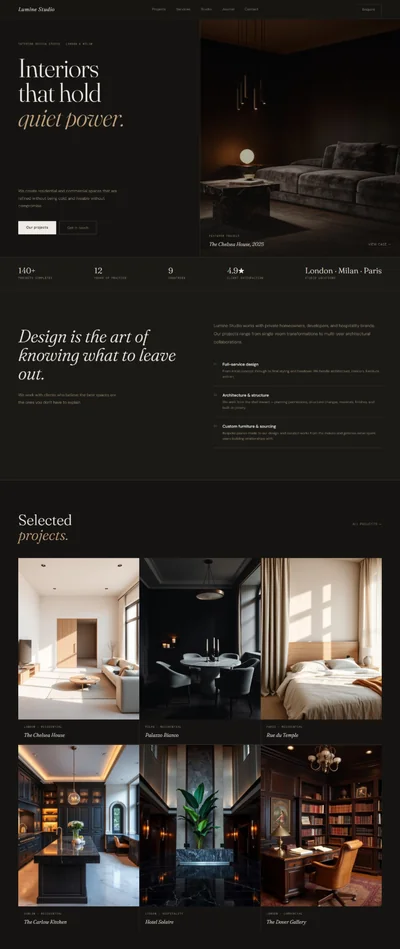
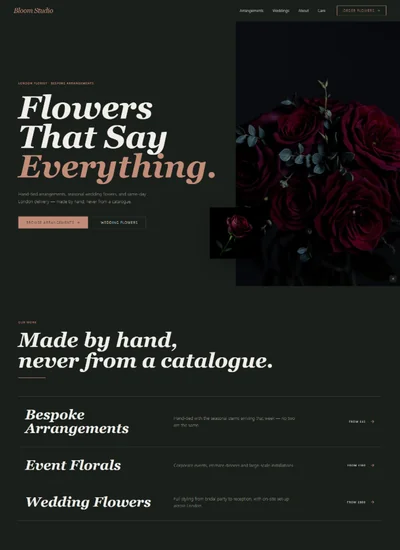
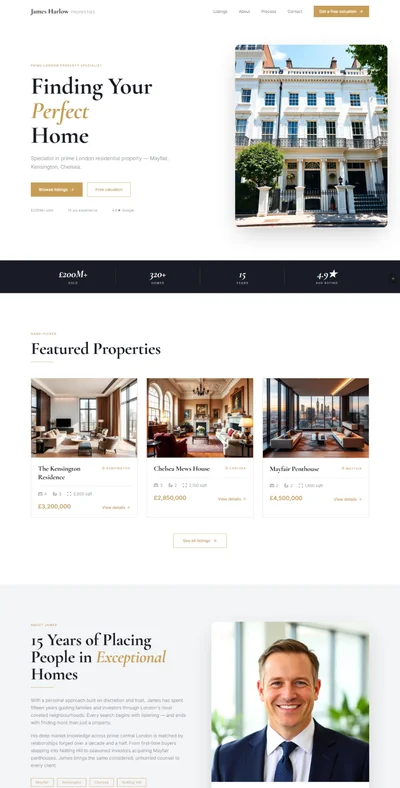
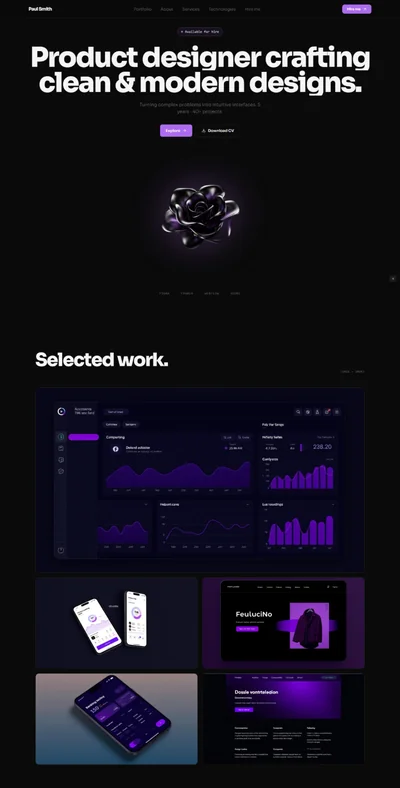
# Studio Noma — Interior Design Studio Website Prompt ## 1. Goal Statement Build a portfolio-forward, editorial interior design studio website for **Studio Noma**, defined by a warm linen and charcoal palette with terracotta accents, generous whitespace, and a masonry grid that makes every project feel like a gallery piece. --- ## 2. Tech Stack ``` React + Vite + TypeScript + Tailwind CSS + Framer Motion (motion/react) + shadcn/ui + lucide-react ``` --- ## 3. Design System — Colors ```css :root { --background: hsl(36, 30%, 95%); /* #f4efe8 warm linen */ --foreground: hsl(30, 8%, 16%); /* #2a2825 deep charcoal */ --primary: hsl(16, 51%, 49%); /* #c4673c terracotta */ --primary-foreground: hsl(36, 30%, 95%); /* linen — text on terracotta */ --muted-foreground: hsl(30, 8%, 50%); /* medium grey-brown */ --border: hsl(30, 12%, 85%); /* soft warm grey border */ --card: hsl(36, 25%, 98%); /* near-white card bg */ --accent: hsl(16, 51%, 49%); /* terracotta accent */ --overlay: rgba(42, 40, 37, 0.85); /* charcoal overlay for hover */ } ``` --- ## 4. Typography ```html <link href="https://fonts.googleapis.com/css2?family=Playfair+Display:ital,wght@0,700;0,900;1,700;1,900&family=DM+Sans:ital,opsz,wght@0,9..40,300;0,9..40,400;0,9..40,500;1,9..40,300&display=swap" rel="stylesheet" /> ``` - **H1 / hero display:** `font-family: 'Playfair Display', serif;` weight 700–900, italic variant for emphasis, letter-spacing: -0.02em - **H2 / section headings:** `font-family: 'Playfair Display', serif;` weight 700, letter-spacing: -0.01em - **H3 / card titles:** `font-family: 'Playfair Display', serif;` italic 700, size 20–24px - **Body / paragraphs:** `font-family: 'DM Sans', sans-serif;` weight 300, line-height: 1.8, letter-spacing: 0.01em - **UI labels / nav / section eyebrows:** DM Sans 400–500, uppercase, letter-spacing: 0.15em, size: 11–12px - **Terracotta accents:** terracotta color on dates, years, accent numbers --- ## 5. Visual Effects ### Effect 1 — Masonry Portfolio Grid with Hover Reveal ```tsx // CSS columns masonry approach <div className="w-full" style={{ columnCount: 3, columnGap: '12px', }} > {portfolioItems.map((item, i) => ( <motion.div key={item.id} className="relative overflow-hidden break-inside-avoid mb-3 group cursor-pointer" initial={{ opacity: 0, filter: 'blur(10px)', y: 30 }} animate={inView ? { opacity: 1, filter: 'blur(0px)', y: 0 } : {}} transition={{ delay: i * 0.07, duration: 0.65, ease: [0.22, 1, 0.36, 1] }} > <img src="" alt={item.name} className="w-full block transition-transform duration-700 group-hover:scale-105" style={{ display: 'block' }} /> {/* Hover overlay */} <div className="absolute inset-0 flex flex-col justify-end p-6 opacity-0 group-hover:opacity-100 transition-opacity duration-400" style={{ background: 'var(--overlay)' }}> <p className="text-[var(--primary)] text-xs uppercase tracking-widest font-sans mb-1">{item.year}</p> <h3 className="text-white font-serif italic text-xl leading-tight">{item.name}</h3> <p className="text-white/70 text-sm font-sans font-light mt-1">{item.type}</p> </div> </motion.div> ))} </div> ``` ### Effect 2 — Editorial Hero with Wide Letter-Spacing Fade-In ```tsx // Hero headline fades in word by word const words = ['Space', 'Shaped', 'with', 'Intention']; function HeroHeadline() { return ( <h1 className="text-[clamp(52px,10vw,140px)] font-serif font-black leading-none tracking-tight" style={{ letterSpacing: '-0.02em' }}> {words.map((word, i) => ( <motion.span key={word} className="inline-block mr-[0.2em]" initial={{ opacity: 0, y: 40, filter: 'blur(8px)' }} animate={{ opacity: 1, y: 0, filter: 'blur(0px)' }} transition={{ delay: 0.3 + i * 0.1, duration: 0.8, ease: [0.22, 1, 0.36, 1] }} > {i === 2 ? <em className="not-italic" style={{ color: 'var(--primary)' }}>{word}</em> : word} </motion.span> ))} </h1> ); } ``` ### Effect 3 — Horizontal Scroll Process Section ```tsx <section className="py-24"> <div className="px-6 md:px-16 mb-12"> <h2>Our Process</h2> </div> <div className="flex gap-8 overflow-x-auto snap-x snap-mandatory pb-8 px-6 md:px-16 scrollbar-hide" style={{ scrollbarWidth: 'none', msOverflowStyle: 'none' }} > {processSteps.map((step, i) => ( <div key={step.num} className="flex-shrink-0 w-[80vw] md:w-[420px] snap-start" > <div className="border-t-2 border-[var(--primary)] pt-6"> <span className="text-[80px] font-serif font-black text-[var(--foreground)] opacity-[0.06] leading-none block">{step.num}</span> <h3 className="font-serif italic text-2xl mt-2 text-[var(--foreground)]">{step.title}</h3> <p className="font-sans font-light text-[var(--muted-foreground)] mt-4 leading-relaxed">{step.description}</p> </div> </div> ))} </div> </section> ``` ### Effect 4 — Terracotta Accent Line on About Section ```tsx // Animated terracotta vertical line on About <motion.div initial={{ scaleY: 0 }} animate={inView ? { scaleY: 1 } : {}} transition={{ duration: 0.7, ease: [0.22, 1, 0.36, 1] }} style={{ originY: 0, width: '3px', backgroundColor: 'var(--primary)', height: '80px', marginBottom: '32px', }} /> ``` ### Effect 5 — Press Logo Row with Subtle Hover ```tsx // Grayscale logos, terracotta on hover <div className="flex flex-wrap justify-center items-center gap-10 md:gap-16"> {pressLogos.map(logo => ( <img key={logo} src="" alt={logo} className="h-6 opacity-40 grayscale hover:opacity-100 hover:grayscale-0 transition-all duration-400 cursor-default" style={{ filter: 'grayscale(1)', transition: 'filter 0.4s ease, opacity 0.4s ease' }} onMouseEnter={e => { (e.target as HTMLImageElement).style.filter = 'none'; }} onMouseLeave={e => { (e.target as HTMLImageElement).style.filter = 'grayscale(1)'; }} /> ))} </div> ``` --- ## 6. Component Breakdown ### Section 1 — Navbar (Wordmark Only, Minimal) - **Height:** 72px - **Position:** `fixed top-0 left-0 right-0 z-40` - **Background:** `rgba(244,239,232,0.92)` with `backdrop-filter: blur(16px)` always (linen semi-transparent) - **Bottom border:** 1px `--border` - **Left:** "STUDIO NOMA" in DM Sans 500, uppercase, letter-spacing: 0.25em, size: 13px, charcoal - **Right:** Portfolio · Services · Process · About · Contact — DM Sans 400, 12px uppercase, tracking-wider - **Far right:** "Get in Touch" — small terracotta text link with `→` arrow - **Mobile:** wordmark only + hamburger, slide-in right-side drawer ### Section 2 — Hero - **Background:** warm linen `--background` - **Layout:** two sub-areas stacked: - Top text area (full-width, padding: 140px top 48px bottom left 64px) - Bottom hero image (full-width, `h-[60vh] md:h-[75vh]`, no padding) - **Text area content:** - Small label (DM Sans, terracotta): `INTERIOR DESIGN STUDIO — AMSTERDAM` - H1: (see Effect 2) — `Space Shaped with Intention` - Tagline below: `We design spaces that feel inevitable.` - Two CTAs inline: "View Our Work" (terracotta button) + "Contact Studio" (text link with arrow) - **Hero image:** ```jsx {/* Image: beautifully designed Scandinavian-influenced living room, warm linen upholstery sofa, terracotta ceramic vases, oak shelving with books and objects, warm natural light from tall windows, interior design editorial photography, Kinfolk magazine aesthetic */} <img src="" alt="Studio Noma signature living space with linen and terracotta tones" className="w-full h-full object-cover object-center" /> ``` ### Section 3 — Portfolio Masonry Grid - **Padding:** `py-24 px-4 md:px-8` - **Heading area:** left-aligned, "Selected Work" + "01 — 12" counter (muted, terracotta), filter tabs above (All / Residential / Commercial / Staging) - **Grid:** 3 columns desktop, 2 columns tablet, 1 column mobile - **12 portfolio images** with staggered reveal - **Below grid:** "View All Projects →" centered terracotta link ### Section 4 — Services - **Background:** slightly lighter linen `--card` - **Layout:** 3 cards in a row (`grid grid-cols-1 md:grid-cols-3 gap-0` with dividers between) - **Each card:** top terracotta thin line (2px), large number (faded, serif), service name (Playfair italic), short description, "Learn more →" ### Section 5 — Process (Horizontal Scroll) - **Background:** warm linen `--background` - **Header:** left-padded, "How We Work" heading - **5 horizontally scrolling steps** (see Effect 3) - **Drag hint:** small "→ scroll to explore" label fades out after first scroll ### Section 6 — About - **Layout:** 2-col, 50/50, `gap-0` - **Left col:** - Animated terracotta vertical line (Effect 4) - Eyebrow: "FOUNDER — SARA ERIKSSON" - H2: "Design That Starts\nWith Listening" - 3 paragraphs - "Read our story →" terracotta link - **Right col:** ```jsx {/* Image: female interior designer in her studio, surrounded by material samples and design boards, natural light from skylight, warm minimalist workspace with plants and objects, candid editorial portrait */} <img src="" alt="Studio founder Sara Eriksson in her Amsterdam design studio" className="w-full h-full object-cover object-center" /> ``` ### Section 7 — Testimonials - **2-col layout** on desktop, 1-col mobile - **Large quotation mark** in terracotta (Playfair Display, 120px) as decorative element - **Quote text:** Playfair italic, 24px, charcoal - **Attribution:** DM Sans 400, small, muted ### Section 8 — Press / As Seen In - **Background:** charcoal `--foreground` - **Label:** "AS SEEN IN" in DM Sans uppercase, cream/muted - **Logo row:** grayscale publication logos with hover effect ### Section 9 — Contact - **Background:** warm linen - **Layout:** centered, max-width 640px - **Heading:** "Let's Create\nSomething Together" - **Minimal form:** Name, Email, Project Type (dropdown), Message - **CTA:** "Send Message" — full-width terracotta button - **Below:** "Or email us directly: hello@studionoma.com" ### Section 10 — Footer - **Background:** deep charcoal `--foreground` - **Text:** cream foreground - **Layout:** 3-col (desktop), stacked (mobile) - **Terracotta top border line 2px** - Col 1: STUDIO NOMA + tagline - Col 2: Nav links - Col 3: Address + Social (Instagram, Pinterest) --- ## 7. Animations ### Hero Text Fade-In (word by word) - Stagger: 0.3s initial delay, 0.1s between words - Each word: `opacity: 0, y: 40, filter: blur(8px)` → `opacity: 1, y: 0, filter: blur(0)` - Duration: 0.8s, ease: `[0.22, 1, 0.36, 1]` ### Hero Image Reveal - `initial={{ clipPath: 'inset(0 100% 0 0)' }}` → `animate={{ clipPath: 'inset(0 0% 0 0)' }}` - Duration: 1.2s, ease: `[0.77, 0, 0.18, 1]`, delay: 0.6s ### Portfolio Grid Stagger - 12 items, each: `delay: i * 0.07` - `opacity: 0, y: 30, filter: blur(10px)` → reversed - Triggered by `useInView({ once: true, margin: '-60px' })` ### Masonry Hover Overlay - Overlay `opacity: 0 → 1`, duration: 0.35s ease - Image `scale: 1 → 1.05`, duration: 0.7s ease ### Process Horizontal Scroll - Touch/mouse drag enabled natively via overflow-x - Snap points: `scroll-snap-type: x mandatory`, each item `scroll-snap-align: start` ### Terracotta Line (About) - `scaleY: 0 → 1`, origin top, duration: 0.7s, ease: `[0.22, 1, 0.36, 1]` ### Section Reveals (all non-hero sections) - `opacity: 0, y: 24` → `opacity: 1, y: 0` - Duration: 0.65s, ease: `[0.22, 1, 0.36, 1]` - Triggered once per section on scroll entry --- ## 8. Responsive ### Mobile (< 768px) - Navbar: wordmark + hamburger; slide-in right drawer with all links, staggered entrance - Hero: text area padding 24px 20px, H1 clamped to 52px, image below full-width h-[50vw] - Portfolio: 1-column, all 12 items listed - Services: 1-column stacked cards with terracotta top border - Process: horizontal scroll maintained, cards 88vw wide - About: image full-width on top, text below - Testimonials: 1-column ### Tablet (768px–1024px) - Portfolio: 2-column masonry - Services: 2-col (first 2) + 1 below, or 3-col tight - About: 2-col maintained ### Desktop (> 1024px) - Portfolio: 3-column masonry - Everything at full spec --- ## 9. Full Copy ### Brand **STUDIO NOMA** ### Tagline "Space Shaped with Intention" ### Navbar - Portfolio - Services - Process - About - Contact - [Text link] Get in Touch → ### Hero Section - Label: `INTERIOR DESIGN STUDIO — AMSTERDAM` - H1: `Space Shaped\nwith Intention` - Subline: `We design spaces that feel inevitable.` - CTA Primary: `View Our Work` - CTA Secondary: `Contact Studio →` ### Portfolio Section - Eyebrow: `SELECTED WORK` - Heading: `What We've Built` - Counter: `01 — 12` - Filter tabs: All / Residential / Commercial / Staging - Link below: `View All Projects →` **Portfolio item names (for hover overlays):** 1. The Prinsengracht Residence — 2024 — Residential 2. Studio Zwart — 2023 — Commercial 3. Villa Oud-Zuid — 2024 — Residential 4. Café Marges — 2023 — Commercial 5. The Jordaan Loft — 2024 — Residential 6. Haarlemmerstraat Showroom — 2022 — Commercial 7. The Canal House — 2024 — Residential 8. Hotel Bereken — 2023 — Commercial 9. Vondelpark Villa — 2023 — Residential 10. Studio De Pijp — 2024 — Commercial 11. The Stagings — Maasdam Street — 2024 — Staging 12. The Herengracht Apartment — 2022 — Residential **Portfolio image briefs (one per item):** ```jsx {/* Image 1: bright Scandinavian living room with floor-to-ceiling bookshelves, linen sofa, warm afternoon light, oak herringbone floor, editorial interior design photography */} {/* Image 2: minimalist commercial studio interior, concrete floors, natural wood desk, terracotta accent wall, soft diffused skylight */} {/* Image 3: large villa living area, double-height ceilings, exposed wooden beams, white walls, natural linen curtains, stone fireplace, warm and airy feel */} {/* Image 4: intimate café interior, warm clay plaster walls, rattan chairs, handcrafted ceramic tableware, ambient evening lighting, cozy European atmosphere */} {/* Image 5: industrial loft conversion, exposed brick, tall windows, mid-century furniture, warm textile layering, styled bookshelf */} {/* Image 6: high-end retail showroom, floating display shelves, warm track lighting, neutral palette with terracotta product accents */} {/* Image 7: renovated Amsterdam canal house interior, original wooden floors, modern linen furniture, dramatic window light reflecting off canal */} {/* Image 8: boutique hotel lobby, organic textured walls, hand-knotted rug, sculptural lighting fixtures, warm amber ambience */} {/* Image 9: garden-facing villa kitchen, Shaker white cabinetry, integrated brass hardware, stone island, blooming garden view through large window */} {/* Image 10: creative agency office, Scandinavian furniture, moss green accent partition, natural materials, diffused natural light */} {/* Image 11: staged bedroom interior, crisp linen bedding, terracotta throw pillow, oak bedside, soft morning light, clean and aspirational */} {/* Image 12: classic Amsterdam apartment, arched doorways, warm parquet floor, artwork on walls, curated styling objects, elevated minimalism */} ``` ### Services Section - Eyebrow: `WHAT WE DO` - Heading: `Our Services` **Card 1 — Residential Design** - Number: 01 - Description: Full-service interior design for homes and apartments. From concept to completion — we handle everything: spatial planning, material selection, furnishing, lighting, and styling. **Card 2 — Commercial Interiors** - Number: 02 - Description: Offices, studios, hospitality spaces, and retail environments designed to reflect your brand and create experiences your clients and teams will remember. **Card 3 — Property Staging** - Number: 03 - Description: Strategic staging that makes buyers fall in love. We transform empty or dated spaces into homes that photograph beautifully and sell faster, at better prices. ### Process Section - Eyebrow: `HOW WE WORK` - Heading: `Five Steps to a Space You Love` Steps: 1. **01 — Discovery** — We begin with a deep conversation. Your lifestyle, aesthetic instincts, how you move through space — all of it shapes what comes next. No templates. No formulas. 2. **02 — Concept** — We develop a visual and spatial concept: mood boards, material palettes, spatial plans. A clear direction before a single item is purchased or a single wall is painted. 3. **03 — Design Development** — Full technical drawings, supplier sourcing, custom piece briefing. Everything is specified and documented before your project enters execution. 4. **04 — Execution** — We coordinate every contractor, supplier, and delivery. Our project manager is on-site throughout. You don't have to manage anything. 5. **05 — Reveal & Styling** — Final install, art placement, object curation. We hand over a space that is complete — not just finished. - Scroll hint: `→ scroll to explore` ### About Section - Eyebrow: `FOUNDER — SARA ERIKSSON` - H2: `Design That Starts\nWith Listening` - Para 1: `Studio Noma was founded in Amsterdam in 2017 by Sara Eriksson, a Swedish-born designer trained at the Royal College of Art in London. Sara started the studio with a single conviction: good design is always preceded by good listening.` - Para 2: `We work slowly and intentionally. Our studio takes on a limited number of projects each year so that every client receives our full attention — not a delegated version of it.` - Para 3: `Our aesthetic is warm, restrained, and deeply considered. We love natural materials, imperfect textures, and rooms that feel lived-in before they're ever slept in. We design for real life — not for the photograph.` - Link: `Read our studio story →` ### Testimonials Section - Eyebrow: `CLIENT WORDS` - Heading: `What Our Clients Say` **Quote 1:** > "Sara and the Noma team understood our home from the first visit. They didn't impose a style — they drew out what was already there and made it coherent. It's more 'us' than it's ever been." > — *Lena & Thomas B., Jordaan Residence, Amsterdam* **Quote 2:** > "Our office went from a blank white box to the most beautiful creative space I've been in. Our team is more energized. Our clients notice immediately." > — *Marijn V., Studio Zwart, Amsterdam* ### Press Section - Label: `AS SEEN IN` - Publications: Architectural Digest · Kinfolk · Dezeen · Elle Decoration · Wallpaper* · Frame Magazine ### Contact Section - Eyebrow: `START A PROJECT` - H2: `Let's Create\nSomething Together` - Subline: `Every room tells a story — we help you find yours.` - Form labels: Your Name / Email Address / Project Type / Tell Us About Your Project - Project types: Residential · Commercial · Staging · Not Sure Yet - CTA: `Send Message` - Email fallback: `Or email us directly: hello@studionoma.com` ### Footer - Tagline: "Every space deserves intention." - Links: Portfolio · Services · Process · About · Contact · Privacy - Address: Prinsengracht 417, 1016 HP Amsterdam, The Netherlands - © 2024 Studio Noma. All rights reserved. --- ## 10. Key Dependencies ```json { "motion": "^12.0.0", "lucide-react": "^0.460.0", "@radix-ui/react-select": "^2.1.0", "@radix-ui/react-tabs": "^1.1.0", "clsx": "^2.1.0", "tailwind-merge": "^2.5.0" } ``` **Tailwind config additions:** ```js module.exports = { theme: { extend: { fontFamily: { serif: ['Playfair Display', 'Georgia', 'serif'], sans: ['DM Sans', 'system-ui', 'sans-serif'], }, colors: { 'noma-linen': '#f4efe8', 'noma-charcoal': '#2a2825', 'noma-terracotta': '#c4673c', }, }, }, }; ``` **CSS utility (hide scrollbar for horizontal process scroll):** ```css .scrollbar-hide::-webkit-scrollbar { display: none; } .scrollbar-hide { -ms-overflow-style: none; scrollbar-width: none; } ```