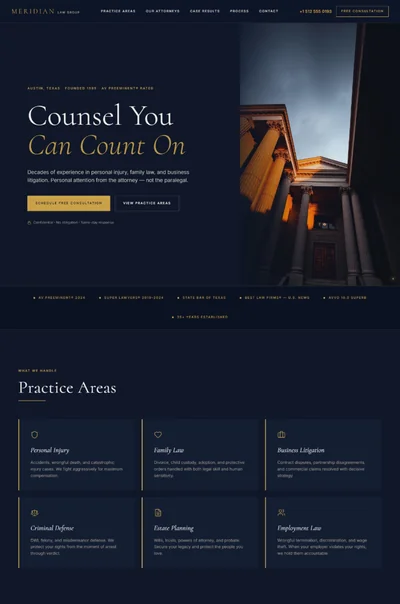
Finance Advisor Website Prompt — Premium Independent Advisory Site for Lovable, Claude, Bolt and More
Deep navy and warm gold, split hero with count-up stats, DM Serif Display headlines, 9 sections, FCA regulatory footer, all copy written — independent personal finance advisor site.
# Vance Advisory — Personal Finance Advisor Website Prompt ## For Lovable, Bolt, v0, Claude, Cursor --- ## 1. GOAL STATEMENT Build a full, production-ready single-page website for **Vance Advisory**, an independent personal finance advisory firm — deep navy and warm gold premium aesthetic, true split hero, nine fully-specified sections, all copy written, all animations exact, React + Vite + TypeScript + Tailwind CSS + Framer Motion + shadcn/ui. --- ## 2. TECH STACK - **React 18** + **Vite** + **TypeScript** - **Tailwind CSS** (JIT, custom config extending the design tokens below) - **Framer Motion** imported as `motion/react` — use `motion.div`, `AnimatePresence`, `useInView`, `useMotionValue`, `useTransform` - **shadcn/ui** for form inputs and button primitives only - **lucide-react** for all icons - Google Fonts loaded via `<link>` in `index.html` --- ## 3. DESIGN SYSTEM — CSS CUSTOM PROPERTIES Place all tokens in `src/index.css` inside `:root`: ```css :root { /* Brand colours */ --color-navy: hsl(210, 52%, 10%); /* #0d1b2a — deep background */ --color-navy-mid: hsl(210, 50%, 14%); /* #112236 — section variant */ --color-navy-card: hsl(210, 48%, 12%); /* #0f1e30 — card bg */ --color-gold: hsl(38, 49%, 57%); /* #c9a85a — primary accent */ --color-gold-muted: hsl(38, 40%, 52%); /* hover variant */ --color-white-warm: hsl(40, 27%, 96%); /* #f8f6f2 — body text on dark */ --color-white-soft: hsl(40, 20%, 88%); /* secondary text */ /* Opacity utilities */ --text-mid: rgba(248, 246, 242, 0.7); --text-low: rgba(248, 246, 242, 0.5); --text-dim: rgba(248, 246, 242, 0.3); --text-hint: rgba(248, 246, 242, 0.4); /* Spacing scale */ --space-section: clamp(64px, 8vw, 128px); /* Borders */ --border-gold: 1px solid rgba(201, 168, 90, 0.35); --border-gold-heavy: 1px solid rgba(201, 168, 90, 0.7); --border-radius: 0px; /* Entire site uses 0px border-radius */ /* Shadows */ --shadow-card: 0 4px 24px rgba(201, 168, 90, 0.12); --shadow-hover: 0 4px 24px rgba(201, 168, 90, 0.22); --shadow-glow: 0 0 40px rgba(201, 168, 90, 0.08); } ``` Extend `tailwind.config.ts`: ```ts theme: { extend: { colors: { navy: 'hsl(210 52% 10%)', 'navy-mid': 'hsl(210 50% 14%)', 'navy-card':'hsl(210 48% 12%)', gold: 'hsl(38 49% 57%)', 'gold-muted':'hsl(38 40% 52%)', warm: 'hsl(40 27% 96%)', }, fontFamily: { serif: ['"DM Serif Display"', 'Georgia', 'serif'], sans: ['"Plus Jakarta Sans"', 'system-ui', 'sans-serif'], }, }, } ``` --- ## 4. TYPOGRAPHY Add this `<link>` to `index.html` `<head>`: ```html <link href="https://fonts.googleapis.com/css2?family=DM+Serif+Display:ital@0;1&family=Plus+Jakarta+Sans:wght@300;400;600&display=swap" rel="stylesheet" /> ``` **Typography usage:** | Element | Font | Weight | Size | Color | |--------------------------|--------------------|--------|-------------------------------|--------------------| | Hero H1 | DM Serif Display | 700 | `clamp(38px, 5.5vw, 96px)` | `var(--color-white-warm)` | | Section headings (H2) | DM Serif Display | 700 | `clamp(28px, 3.5vw, 56px)` | `var(--color-white-warm)` | | Card headings (H3) | DM Serif Display | 700 | 20px | `var(--color-white-warm)` | | Testimonial quotes | DM Serif Display | italic | 18px | `var(--color-white-warm)` | | Body copy | Plus Jakarta Sans | 300 | 16px / line-height 1.7 | `var(--text-mid)` | | Small / captions | Plus Jakarta Sans | 300 | 13–14px | `var(--text-low)` | | CTAs / labels | Plus Jakarta Sans | 600 | 14–15px | varies | | Stat numbers | DM Serif Display | 700 | 56px (trust strip) / 36px (hero) | `var(--color-gold)` | | Stat labels | Plus Jakarta Sans | 300 | 12–14px | `var(--text-low)` | | Step numbers (bg) | DM Serif Display | 700 | 100px | gold at 6% opacity | | Watermark | DM Serif Display | 700 | `clamp(180px, 26vw, 420px)` | gold at 2% opacity | | Nav links | Plus Jakarta Sans | 400 | 14px | `var(--text-mid)` | | Footer body | Plus Jakarta Sans | 300 | 14px | `var(--text-low)` | | Regulatory text | Plus Jakarta Sans | 300 | 11px | `var(--text-dim)` | --- ## 5. VISUAL EFFECTS ### Effect 1 — Split Hero Gradient Fade The hero left panel (48% width) uses a `background` that is pure `var(--color-navy)`. The right panel (52%) holds the photo. Between them, apply an absolutely-positioned `<div>` on top of the join, width 200px, using: ```css background: linear-gradient( to right, rgba(13,27,42,1) 0%, rgba(13,27,42,0.95) 55%, rgba(13,27,42,0.5) 80%, transparent 100% ); ``` This bleeds from the left panel edge into the photo — text is always legible regardless of photo composition. ### Effect 2 — "VANCE" Background Watermark In the hero right panel (behind the photo gradient), render an absolutely-positioned `<span>` containing the text "VANCE" in DM Serif Display at `clamp(180px, 26vw, 420px)`, color `var(--color-gold)` at `opacity: 0.02`, `pointer-events: none`, `user-select: none`, `z-index: 0`. Position: vertically centered, horizontally right-aligned with `right: -2%`. This creates a subtle brand mark visible through the gradient's transparent tail on desktop. ### Effect 3 — Gold Border Glow on Cards All service cards and blog cards start with `border: 1px solid rgba(201,168,90,0.30)`. On `:hover`, transition 0.25s ease to `border: 2px solid rgba(201,168,90,0.75)` + `box-shadow: 0 4px 24px rgba(201,168,90,0.22)`. Use CSS transition, not motion — this keeps hover instant and snappy. ### Effect 4 — Sticky Navbar Border Reveal On scroll past 60px, the navbar gains `border-bottom: 0.5px solid rgba(201,168,90,0.40)` via a JS scroll listener toggling a `scrolled` class. Transition: `border-color 0.4s ease`. Above 60px: transparent border. ### Effect 5 — Section Entry Blur-Fade Hero headline, subhead, and CTAs each animate from `filter: blur(10px); opacity: 0; transform: translateY(30px)` to cleared values. This uses Framer Motion `initial` / `animate` on the hero elements. Exact timings in Section 7. --- ## 6. COMPONENT BREAKDOWN --- ### Section 1 — Navbar (`src/components/Navbar.tsx`) **Layout:** Full-width sticky bar, `position: sticky; top: 0; z-index: 50`. Background: `var(--color-navy)`. Height: 72px desktop / 60px mobile. Inner container: `max-w-7xl mx-auto px-6 flex items-center justify-between`. **Logo (left):** ```jsx <span className="font-serif text-gold text-xl tracking-tight">Vance Advisory</span> ``` **Nav links (center, hidden on mobile):** ```jsx <nav className="hidden md:flex items-center gap-8"> {['Services', 'How It Works', 'About', 'Resources', 'Contact'].map(link => ( <a key={link} href={`#${link.toLowerCase().replace(' ', '-')}`} className="font-sans font-normal text-sm text-warm/70 hover:text-gold transition-colors duration-200"> {link} </a> ))} </nav> ``` **CTA button (right):** ```jsx <button className="hidden md:block bg-gold text-navy font-sans font-semibold text-sm px-5 py-2.5 border-radius-0 hover:bg-gold-muted transition-colors duration-200"> Free Consultation </button> ``` **Scroll behaviour:** Add `useEffect` with `window.addEventListener('scroll', ...)`. At scroll Y > 60px, toggle class `border-b border-gold/40`. Below 60px: `border-b border-transparent`. Transition on the border color: `transition: border-color 0.4s ease`. **Mobile hamburger:** Below `md` breakpoint, show a `Menu` (lucide) icon button that opens a full-screen mobile menu (`fixed inset-0 bg-navy z-50`) with stacked nav links and the CTA button. Close button top-right. --- ### Section 2 — Hero (`src/components/Hero.tsx`) **Outer container:** `min-h-screen flex` (no max-width constraint — full bleed). `background: var(--color-navy)`. **Left panel (content):** - Width: `w-[48%]` on desktop, `w-full` on mobile - Background: `var(--color-navy)` - Padding: `pt-32 pb-20 pl-[max(24px,calc((100vw-1280px)/2+48px))] pr-12` - `position: relative; z-index: 10` **Right panel (photo):** - Width: `w-[52%]` on desktop, `w-full h-[60vw]` on mobile (photo appears above content on mobile) - `position: relative; overflow: hidden` Inside right panel: ```jsx {/* Image: Two professionals reviewing financial documents at a premium dark-wood desk. Large floor-to-ceiling windows behind them reveal a blurred city skyline. Warm afternoon golden-hour light falls across the papers and their hands. One person (advisor, 40s, male, navy suit) points to a graph. Client (female, 40s, attentive, cream blouse) leans forward. Understated wealth. Shallow depth of field. Shot on 85mm, editorial lifestyle photography style. */} <img src="" alt="Independent financial advisor James Vance consulting with a client over a financial plan" className="w-full h-full object-cover object-center" /> ``` **Gradient overlay div (on right panel, absolutely positioned):** ```jsx <div className="absolute inset-0 pointer-events-none" style={{background: 'linear-gradient(to right, rgba(13,27,42,1) 0%, rgba(13,27,42,0.92) 30%, rgba(13,27,42,0.5) 60%, transparent 100%)'}}> </div> ``` **Watermark (inside right panel, behind gradient):** ```jsx <span className="absolute right-[-2%] top-1/2 -translate-y-1/2 font-serif pointer-events-none select-none z-0" style={{fontSize:'clamp(180px,26vw,420px)', color:'var(--color-gold)', opacity:0.02, lineHeight:1}}> VANCE </span> ``` **Content inside left panel (in order, each a `motion.div`):** ``` [Eyebrow chip] "INDEPENDENT FINANCIAL ADVICE" — Plus Jakarta 600, 11px, letter-spacing 0.15em, color gold, with 1px gold border, 0px radius, inline-flex, px-3 py-1 [H1] "Your Financial Future, Clarified." DM Serif Display 700, clamp(38px,5.5vw,96px), warm white, line-height 1.05 Two lines via <br /> between "Future," and "Clarified." [Subhead] "Independent financial advice — retirement planning, investments, and protection for individuals and families." Plus Jakarta Sans 300, 18px, var(--text-mid), max-width 480px, line-height 1.6 [CTA row] <div className="flex flex-wrap gap-4 mt-8"> <button className="bg-gold text-navy font-sans font-semibold text-sm px-7 py-3.5 hover:bg-gold-muted transition-colors duration-200"> Book a Free Consultation </button> <button className="border border-gold/60 text-gold font-sans font-semibold text-sm px-7 py-3.5 bg-transparent hover:bg-gold/10 transition-colors duration-200"> View Our Services → </button> </div> [Stats strip — immediately below CTAs, same panel] <div className="flex gap-8 mt-10 pt-8 border-t border-gold/20"> {[ {stat:'£500M+', label:'Assets Advised'}, {stat:'200+', label:'Clients'}, {stat:'18 Years', label:'Experience'}, ].map(({stat, label}, i) => ( <div key={i} className="flex flex-col gap-1"> <CountUp to={stat} className="font-serif text-gold" style={{fontSize:'36px'}} /> <span className="font-sans font-light text-xs tracking-wide" style={{color:'var(--text-low)'}}>{label}</span> </div> ))} </div> ``` **CountUp component spec:** See Section 7 for animation timing. The component accepts a `to` string that may contain non-numeric chars (£, M+, Years). Parse the numeric part, animate 0 → target in 2000ms, then append the suffix. For "18 Years", animate "0 Years" → "18 Years". --- ### Section 3 — Services (`src/components/Services.tsx`) **Container:** `id="services"`, `background: var(--color-navy)`, `padding: var(--space-section) 0`. **Section header:** ``` "What We Offer" — eyebrow chip (same style as hero eyebrow, centered) "Expert Advice Across Every Area of Your Financial Life" — H2, DM Serif 700, clamp(28px,3.5vw,56px), warm white, text-center, max-w-2xl mx-auto ``` **Grid:** `grid grid-cols-2 gap-6 max-w-5xl mx-auto px-6 mt-14` → mobile: `grid-cols-1` **4 cards — data:** ```ts const services = [ { icon: TrendingUp, title: 'Retirement Planning', description: 'Understand exactly how much you need, when you can retire, and how to make your money last. We model multiple scenarios so you retire with confidence, not guesswork.', link: 'Learn more →', }, { icon: BarChart2, title: 'Investment Management', description: 'Build a diversified portfolio aligned to your goals, timeline, and attitude to risk. Independent advice means we recommend what\'s right for you — not what earns us the highest commission.', link: 'Learn more →', }, { icon: Shield, title: 'Protection Insurance', description: 'Ensure your family and income are protected if the unexpected happens. We review the market to find the right level of cover at the right price.', link: 'Learn more →', }, { icon: FileText, title: 'Estate Planning', description: 'Minimise inheritance tax and ensure your assets go exactly where you intend. We work alongside solicitors to make sure your wishes are legally protected.', link: 'Learn more →', }, ] ``` **Card markup:** ```jsx <motion.div className="group p-8 flex flex-col gap-5 cursor-pointer" style={{ background: 'var(--color-navy-card)', border: '1px solid rgba(201,168,90,0.30)', borderRadius: '0px', transition: 'border 0.25s ease, box-shadow 0.25s ease', }} whileHover={{ boxShadow: '0 4px 24px rgba(201,168,90,0.22)' }} initial={{opacity:0, y:24}} whileInView={{opacity:1, y:0}} transition={{duration:0.5, delay: index * 0.1, ease:[0.25,0.46,0.45,0.94]}} viewport={{once:true, margin:'-60px'}} > <div className="p-2.5 inline-flex" style={{border:'1px solid rgba(201,168,90,0.30)', width:'fit-content'}}> <Icon className="text-gold" size={24} /> </div> <h3 className="font-serif text-warm" style={{fontSize:'20px'}}>{title}</h3> <p className="font-sans font-light text-sm leading-relaxed" style={{color:'var(--text-mid)'}}>{description}</p> <a href="#contact" className="font-sans font-semibold text-sm text-gold hover:text-gold-muted transition-colors mt-auto"> {link} </a> </motion.div> ``` CSS hover border fix — apply via a class since Framer doesn't do border colour: ```css .service-card:hover { border: 2px solid rgba(201,168,90,0.75) !important; } ``` --- ### Section 4 — How It Works (`src/components/HowItWorks.tsx`) **Container:** `id="how-it-works"`, `background: var(--color-navy-mid)`, `padding: var(--space-section) 0`. **Header:** Same eyebrow + H2 pattern, centered. H2: "A Simple, Transparent Process" **3-step layout:** `flex flex-row gap-0 max-w-6xl mx-auto px-6 mt-16` → mobile: `flex-col` Each step is a `div` with `flex-1 relative px-8 pt-4 pb-10`. **Step internal structure:** ```jsx {/* Background step number */} <span className="absolute top-0 left-6 font-serif leading-none pointer-events-none select-none z-0" style={{fontSize:'100px', color:'var(--color-gold)', opacity:0.06}}> {stepNumber} {/* "01", "02", "03" */} </span> {/* Gold circle marker */} <div className="relative z-10 w-8 h-8 border-2 border-gold flex items-center justify-center mb-6"> <div className="w-2 h-2 bg-gold rounded-full" /> </div> {/* Connecting line between steps (not on last) */} {/* position: absolute, top: 16px (center of circle), left: calc(100% - ...), right: ..., height: 1px, bg: gold at 20% opacity */} <h3 className="font-serif text-warm mb-4" style={{fontSize:'22px'}}>{stepTitle}</h3> <p className="font-sans font-light text-sm leading-relaxed" style={{color:'var(--text-mid)', maxWidth:'300px'}}> {stepBody} </p> ``` **Step data:** ```ts const steps = [ { number: '01', title: 'Free Initial Consultation', body: 'We spend 30 minutes understanding your goals, current situation, and what\'s keeping you up at night — no commitment required.', }, { number: '02', title: 'Your Personalised Plan', body: 'We research, model, and build a financial strategy tailored precisely to your situation — not a generic off-the-shelf product.', }, { number: '03', title: 'Ongoing Partnership', body: 'Life changes. We review your plan regularly and adapt it as your circumstances evolve.', }, ] ``` **Connecting line between steps:** `position: absolute; top: 19px; left: calc(32px + 1rem); right: 0; height: 1px; background: rgba(201,168,90,0.2)` — only rendered between steps 1–2 and 2–3 (not after step 3). Animation: `whileInView` stagger 0.15s, `initial={{opacity:0,y:24}}`, `animate={{opacity:1,y:0}}`, `duration:0.55s`. --- ### Section 5 — Trust Metrics (`src/components/TrustMetrics.tsx`) **Container:** Full bleed, `background: var(--color-navy-mid)`, `padding: 64px 0`. Tight section — no header. **Inner layout:** `max-w-6xl mx-auto px-6 grid grid-cols-4 gap-8 text-center` → mobile: `grid-cols-2 gap-y-10`. **4 metrics:** ```ts const metrics = [ { value: 500, prefix: '£', suffix: 'M+', label: 'Assets Advised' }, { value: 200, prefix: '', suffix: '+', label: 'Clients' }, { value: 18, prefix: '', suffix: '', label: 'Years Experience' }, { value: null, display: 'FCA', suffix: '', label: 'Regulated' }, // static, no count-up ] ``` **Each metric cell:** ```jsx <div className="flex flex-col items-center gap-2"> <span ref={countRef} className="font-serif text-gold" style={{fontSize:'56px', lineHeight:1}}> {/* Count-up renders here */} </span> <span className="font-sans font-light text-sm tracking-wide uppercase" style={{color:'var(--text-low)', letterSpacing:'0.1em'}}>{label}</span> </div> ``` **Count-up implementation:** Use `IntersectionObserver` on the section container. When `isIntersecting`, start `requestAnimationFrame` loop for each metric. Duration 2000ms. Easing: `easeOutQuart = (t) => 1 - Math.pow(1 - t, 4)`. "FCA Regulated" is static — no animation. Thin 1px gold/20% vertical dividers between cells on desktop using `divide-x divide-gold/20`. --- ### Section 6 — About James Vance (`src/components/About.tsx`) **Container:** `id="about"`, `background: var(--color-navy)`, `padding: var(--space-section) 0`. **Layout:** `max-w-7xl mx-auto flex flex-row` — `w-[50%]` each panel. Mobile: `flex-col`. **Left panel — portrait photo:** ```jsx {/* Image: Professional portrait of a male financial advisor in his mid-40s. He wears a well-tailored navy-blue suit with a subtle white shirt. Confident, warm, approachable expression — slight smile, direct eye contact. Neutral premium background (warm grey/charcoal), soft natural light from the left. Corporate editorial photography style. Shot on 85mm, shallow depth of field. The subject conveys trustworthiness and calm authority, not corporate coldness. */} <img src="" alt="James Vance, Chartered Financial Planner and founder of Vance Advisory" className="w-full h-full object-cover object-center" style={{minHeight:'560px'}} /> ``` **Right panel — editorial bio:** `padding: 64px 56px; position: relative; border-left: 3px solid var(--color-gold)`. ``` [Eyebrow chip] "ABOUT US" [H2] "Independent Advice. No Conflicts. No Compromises." DM Serif Display 700, clamp(26px,3vw,44px), warm white, line-height 1.1 [Body — 2 paragraphs, Plus Jakarta 300, 16px, var(--text-mid), line-height 1.75] Paragraph 1: "James Vance has been helping families and individuals build financial security for over 18 years. After a decade at Merrill Lynch, he founded Vance Advisory in 2006 to offer genuinely independent advice — without commission bias or corporate targets." Paragraph 2: "Today, James advises clients across retirement planning, investment management, and estate planning. He holds the Chartered Financial Planner designation and is a Fellow of the Chartered Insurance Institute." [Credentials — flex-wrap gap-2 mt-8] Each badge: inline-flex, px-3 py-1.5, border: 1px solid rgba(201,168,90,0.5), font-sans 600 text-xs text-gold, 0px radius, tracking-wide. Badges: "FCA Authorised" "Chartered Financial Planner" "PFS Member" "CII Fellow" ``` Animation: right panel text `whileInView`, `initial={{opacity:0,x:40}}`, `animate={{opacity:1,x:0}}`, `duration:0.65s, ease:[0.25,0.46,0.45,0.94]`. --- ### Section 7 — Testimonials (`src/components/Testimonials.tsx`) **Container:** `id="testimonials"`, `background: var(--color-navy-mid)`, `padding: var(--space-section) 0`. **Header:** Centered, H2: "What Our Clients Say" **Grid:** `grid grid-cols-3 gap-6 max-w-6xl mx-auto px-6 mt-14` → mobile: `grid-cols-1` **3 testimonials:** ```ts const testimonials = [ { quote: '"Working with James gave me clarity I didn\'t think was possible. I finally understand my pension and know exactly when I can retire."', attribution: '— David M., 52, Business Owner', }, { quote: '"James helped us navigate a complex inheritance situation. His advice saved us a significant amount in tax and gave us real peace of mind."', attribution: '— Sarah & Tom K., 40s, Professional Couple', }, { quote: '"I\'d put off sorting my finances for years. One conversation with James and I had a clear plan. Wish I\'d done it sooner."', attribution: '— Rachel P., 38, Freelance Consultant', }, ] ``` **Card markup:** ```jsx <motion.div className="p-8 flex flex-col gap-6" style={{ background: 'var(--color-navy-card)', borderLeft: '3px solid var(--color-gold)', borderTop: '1px solid rgba(201,168,90,0.25)', borderRight: '1px solid rgba(201,168,90,0.25)', borderBottom: '1px solid rgba(201,168,90,0.25)', borderRadius: '0px', }} initial={{opacity:0, y:20}} whileInView={{opacity:1, y:0}} transition={{duration:0.5, delay: index * 0.12, ease:[0.25,0.46,0.45,0.94]}} viewport={{once:true, margin:'-50px'}} > {/* 5 gold stars */} <div className="flex gap-1"> {[...Array(5)].map((_,i) => <Star key={i} size={14} className="text-gold fill-gold" />)} </div> <blockquote className="font-serif italic text-warm leading-relaxed" style={{fontSize:'18px'}}> {quote} </blockquote> <p className="font-sans font-light text-sm mt-auto" style={{color:'var(--text-low)'}}> {attribution} </p> </motion.div> ``` --- ### Section 8 — Resources / Blog Teaser (`src/components/Resources.tsx`) **Container:** `id="resources"`, `background: var(--color-navy)`, `padding: var(--space-section) 0`. **Header:** Eyebrow "RESOURCES" + H2 "Insights to Help You Make Better Financial Decisions" **Grid:** `grid grid-cols-3 gap-6 max-w-6xl mx-auto px-6 mt-14` → mobile: `grid-cols-1` **3 articles:** ```ts const articles = [ { category: 'Retirement', title: 'How Much Do You Really Need to Retire?', date: 'March 2025', imageDesc: 'Older couple walking on a sunlit coastal path, relaxed and happy, lifestyle photography, warm golden hour light, blurred background, shallow DOF, editorial style', imageAlt: 'A retired couple enjoying financial freedom on a coastal walk', }, { category: 'Investments', title: 'The Case for Independent Financial Advice in 2025', date: 'February 2025', imageDesc: 'Close-up of financial charts and graphs on a modern laptop screen on a premium desk, warm ambient light, depth of field, neutral editorial photography', imageAlt: 'Financial charts and investment data on a laptop screen', }, { category: 'Taxes', title: '5 Common Investment Mistakes (and How to Avoid Them)', date: 'January 2025', imageDesc: 'A person reviewing financial documents with a pen and coffee mug on a marble desk, calm and focused, natural window light, lifestyle editorial photography', imageAlt: 'Person reviewing investment documents and financial plan', }, ] ``` **Card markup:** ```jsx <motion.article className="group flex flex-col overflow-hidden cursor-pointer" style={{ background: 'var(--color-navy-card)', border: '1px solid rgba(201,168,90,0.25)', borderRadius: '0px', transition: 'border-color 0.2s ease', }} initial={{opacity:0, y:20}} whileInView={{opacity:1, y:0}} transition={{duration:0.5, delay: index * 0.1, ease:[0.25,0.46,0.45,0.94]}} viewport={{once:true, margin:'-50px'}} > {/* Photo — fixed aspect ratio container */} <div className="relative overflow-hidden" style={{aspectRatio:'16/9'}}> {/* Image: [imageDesc from data above] */} <img src="" alt={imageAlt} className="w-full h-full object-cover object-center group-hover:scale-105 transition-transform duration-700 ease-out" /> <div className="absolute inset-0" style={{background:'linear-gradient(to top, rgba(13,27,42,0.5) 0%, transparent 60%)'}} /> </div> <div className="p-6 flex flex-col gap-3 flex-1"> {/* Category chip */} <span className="font-sans font-semibold text-xs tracking-widest text-gold uppercase"> {category} </span> <h3 className="font-serif text-warm leading-snug" style={{fontSize:'18px'}}>{title}</h3> <p className="font-sans font-light text-xs mt-auto" style={{color:'var(--text-hint)'}}>{date}</p> <a href="#" className="font-sans font-semibold text-sm text-gold hover:text-gold-muted transition-colors mt-2 self-start"> Read → </a> </div> </motion.article> ``` On article hover, border becomes: `border: 1px solid rgba(201,168,90,0.70)`. --- ### Section 9 — Consultation CTA (`src/components/ConsultationCTA.tsx`) **Container:** `id="contact"`, `background: var(--color-gold)`, `padding: var(--space-section) 0`. **Inner layout:** `max-w-3xl mx-auto px-6 flex flex-col items-center text-center gap-6` **Text:** ```jsx <h2 className="font-serif text-navy" style={{fontSize:'clamp(36px,5.5vw,88px)', lineHeight:1.0, fontWeight:700}}> Take Control of Your Financial Future </h2> <p className="font-sans font-light text-navy/75" style={{fontSize:'18px', maxWidth:'480px'}}> Book a free 30-minute consultation — no obligation, no sales pressure. </p> ``` **Form:** `max-w-lg w-full text-left mt-4 flex flex-col gap-4` All inputs: `background: rgba(13,27,42,0.08); border: 1px solid rgba(13,27,42,0.25); padding: 14px 16px; font-family: Plus Jakarta Sans, 300; font-size: 15px; color: var(--color-navy); border-radius: 0px; width: 100%; outline: none;` Focus: `border-color: rgba(13,27,42,0.7)`. ```jsx <input type="text" placeholder="Your Name" /> <input type="email" placeholder="Email Address" /> <input type="tel" placeholder="Phone Number" /> <textarea rows={4} placeholder="What are you looking to discuss?" style={{resize:'none'}} /> <button type="submit" className="w-full bg-navy text-warm font-sans font-semibold text-sm py-4 hover:bg-navy/90 transition-colors duration-200" style={{borderRadius:'0px', letterSpacing:'0.03em'}}> Book Free Consultation </button> ``` Below form: ```jsx <p className="font-sans font-light text-xs text-navy/50 text-center mt-2"> Your details are kept strictly confidential and will never be shared with third parties. </p> ``` Form animation: `whileInView initial={{opacity:0,y:32}} animate={{opacity:1,y:0}} duration:0.65s delay:0.2s`. --- ### Section 10 — Footer (`src/components/Footer.tsx`) **Container:** `background: hsl(210,55%,7%)` (slightly darker than navy), `padding: 64px 0 32px`. **Grid:** `max-w-7xl mx-auto px-6 grid grid-cols-4 gap-12` → mobile: `grid-cols-2 gap-8` **Column 1 — Brand:** ``` "Vance Advisory" — DM Serif Display, 20px, gold "Independent financial advice for individuals and families." — Plus Jakarta 300, 14px, warm/60% [Social icons row — 24px each, warm/40% hover gold] LinkedIn icon / Twitter (X) icon ``` **Column 2 — Services:** ``` Heading: "Services" — Plus Jakarta 600, 13px, gold, uppercase, letter-spacing 0.1em Links (each 14px, Plus Jakarta 300, warm/60%, hover warm): Retirement Planning Investment Management Protection Insurance Estate Planning ``` **Column 3 — Resources:** ``` Heading: "Resources" Links: How It Works About James Vance Client Testimonials Free Consultation Blog ``` **Column 4 — Contact:** ``` Heading: "Contact" Body (Plus Jakarta 300, 14px, warm/60%): Vance Advisory Limited 14 King William Street London, EC4N 7BP hello@vanceadvisory.co.uk +44 (0)20 7000 1234 FCA Registration: 123456 ``` **Divider + regulatory:** ```jsx <div className="max-w-7xl mx-auto px-6 mt-12 pt-8" style={{borderTop:'1px solid rgba(201,168,90,0.15)'}}> <p className="font-sans font-light leading-relaxed" style={{fontSize:'11px', color:'var(--text-dim)'}}> Vance Advisory is authorised and regulated by the Financial Conduct Authority. FCA Registration No. 123456. The value of investments can fall as well as rise. Past performance is not a guide to future returns. Vance Advisory Limited is registered in England and Wales, Company No. 05891234. </p> <p className="font-sans font-light mt-3" style={{fontSize:'11px', color:'var(--text-dim)'}}> © 2025 Vance Advisory Limited. All rights reserved. </p> </div> ``` --- ## 7. ANIMATIONS — EXACT SPECIFICATIONS ### Hero Entry Sequence (Framer Motion `animate` on mount) ```ts // Shared easing const ease = [0.25, 0.46, 0.45, 0.94] // 1. Eyebrow chip initial={{ opacity: 0, y: 20, filter: 'blur(6px)' }} animate={{ opacity: 1, y: 0, filter: 'blur(0px)' }} transition={{ duration: 0.5, delay: 0.1, ease }} // 2. Hero H1 initial={{ opacity: 0, y: 30, filter: 'blur(10px)' }} animate={{ opacity: 1, y: 0, filter: 'blur(0px)' }} transition={{ duration: 0.7, delay: 0.2, ease }} // 3. Hero subhead initial={{ opacity: 0, y: 30, filter: 'blur(10px)' }} animate={{ opacity: 1, y: 0, filter: 'blur(0px)' }} transition={{ duration: 0.7, delay: 0.35, ease }} // 4. CTA row initial={{ opacity: 0, y: 30, filter: 'blur(10px)' }} animate={{ opacity: 1, y: 0, filter: 'blur(0px)' }} transition={{ duration: 0.7, delay: 0.5, ease }} // 5. Stats strip (the containing div) initial={{ opacity: 0 }} animate={{ opacity: 1 }} transition={{ duration: 0.5, delay: 0.65 }} // CountUp animations inside start at delay 0.7s (see below) ``` ### Hero Count-Up (Stats strip — £500M+, 200+, 18 Years) Use `setTimeout(startCountUp, 700)` after mount (matching delay 0.7s). ```ts function countUp( el: HTMLElement, target: number, prefix: string, suffix: string, duration: number = 2000 ) { const startTime = performance.now() function tick(now: number) { const elapsed = now - startTime const progress = Math.min(elapsed / duration, 1) const eased = 1 - Math.pow(1 - progress, 3) // easeOutCubic const value = Math.round(eased * target) el.textContent = `${prefix}${value}${suffix}` if (progress < 1) requestAnimationFrame(tick) } requestAnimationFrame(tick) } // Stagger: start each stat 300ms after the previous // Stat 1 (£500M+): starts at delay 700ms // Stat 2 (200+): starts at delay 1000ms // Stat 3 (18 Yrs): starts at delay 1300ms ``` For "£500M+": target=500, prefix='£', suffix='M+' For "200+": target=200, prefix='', suffix='+' For "18 Years": target=18, prefix='', suffix=' Years' ### Trust Metrics Count-Up (Section 5) ```ts // IntersectionObserver triggers when section enters viewport (threshold: 0.3) // Same easeOutQuart easing: (t) => 1 - Math.pow(1 - t, 4) // Duration: 2000ms per counter // Stagger: 0ms (all start simultaneously on section enter) ``` ### Services Cards (Section 3) ```ts initial={{ opacity: 0, y: 24 }} whileInView={{ opacity: 1, y: 0 }} transition={{ duration: 0.5, delay: index * 0.10, ease: [0.25,0.46,0.45,0.94] }} viewport={{ once: true, margin: '-60px' }} ``` ### How It Works Steps (Section 4) ```ts initial={{ opacity: 0, y: 24 }} whileInView={{ opacity: 1, y: 0 }} transition={{ duration: 0.55, delay: index * 0.15, ease: [0.25,0.46,0.45,0.94] }} viewport={{ once: true, margin: '-60px' }} ``` ### About Panel (Section 6) ```ts // Left image panel initial={{ opacity: 0, x: -40 }} whileInView={{ opacity: 1, x: 0 }} transition={{ duration: 0.65, delay: 0, ease: [0.25,0.46,0.45,0.94] }} viewport={{ once: true, margin: '-80px' }} // Right text content initial={{ opacity: 0, x: 40 }} whileInView={{ opacity: 1, x: 0 }} transition={{ duration: 0.65, delay: 0.15, ease: [0.25,0.46,0.45,0.94] }} viewport={{ once: true, margin: '-80px' }} ``` ### Testimonials (Section 7) ```ts initial={{ opacity: 0, y: 20 }} whileInView={{ opacity: 1, y: 0 }} transition={{ duration: 0.5, delay: index * 0.12, ease: [0.25,0.46,0.45,0.94] }} viewport={{ once: true, margin: '-50px' }} ``` ### Blog Cards (Section 8) ```ts initial={{ opacity: 0, y: 20 }} whileInView={{ opacity: 1, y: 0 }} transition={{ duration: 0.5, delay: index * 0.10, ease: [0.25,0.46,0.45,0.94] }} viewport={{ once: true, margin: '-50px' }} ``` ### CTA Form (Section 9) ```ts initial={{ opacity: 0, y: 32 }} whileInView={{ opacity: 1, y: 0 }} transition={{ duration: 0.65, delay: 0.2, ease: [0.25,0.46,0.45,0.94] }} viewport={{ once: true, margin: '-80px' }} ``` --- ## 8. RESPONSIVE BREAKPOINTS All breakpoints via Tailwind (`sm: 640px`, `md: 768px`, `lg: 1024px`). ### Navbar - Desktop (`md+`): horizontal links + CTA button visible - Mobile (`<md`): links hidden, hamburger `Menu` icon shown. Tap opens `<AnimatePresence>` `motion.div` slide-in from top (`y: -100% → 0`, `duration: 0.35s`). Full-screen navy overlay. Links stacked with 48px touch targets. `X` close button top-right. ### Hero - Desktop: `flex-row`, left `w-[48%]` content, right `w-[52%]` photo. Min-height `100vh`. - Mobile: `flex-col-reverse` — photo on top (`w-full h-[60vw]`), content below (`w-full`). Padding reduces to `px-5 py-12`. Watermark hidden on mobile (`hidden md:block`). CTA buttons stack to `flex-col`. - Stats strip: on mobile, keep horizontal but reduce font sizes. Stat number: 28px on mobile. Allow wrap if needed. ### Services Grid - Desktop: `grid-cols-2` - Mobile: `grid-cols-1` ### How It Works - Desktop: `flex-row`, horizontal connecting lines visible - Mobile: `flex-col`, connecting lines hidden, vertical layout, left-aligned ### Trust Metrics - Desktop: `grid-cols-4`, vertical dividers - Mobile: `grid-cols-2`, no dividers ### About - Desktop: `flex-row`, 50/50 split, min-height `600px` - Mobile: `flex-col`, photo top (`w-full h-72 object-cover`), text below. `border-left` becomes `border-top` on mobile. ### Testimonials - Desktop: `grid-cols-3` - Mobile: `grid-cols-1`, cards swipeable (add `overflow-x-auto flex snap-x snap-mandatory` on mobile, each card `snap-start min-w-[85vw]`) ### Resources / Blog - Desktop: `grid-cols-3` - Mobile: `grid-cols-1` ### CTA Section - Desktop: centered, max-width form - Mobile: full-width form, headline at clamp(28px,8vw,48px) ### Footer - Desktop: `grid-cols-4` - Mobile: `grid-cols-2` - Extra-small (`<sm`): `grid-cols-1` --- ## 9. FULL COPY ### Navbar - Logo: **Vance Advisory** - Links: **Services** · **How It Works** · **About** · **Resources** · **Contact** - CTA: **Free Consultation** ### Hero - Eyebrow: **INDEPENDENT FINANCIAL ADVICE** - H1: **Your Financial Future,** **Clarified.** - Subhead: **Independent financial advice — retirement planning, investments, and protection for individuals and families.** - CTA 1: **Book a Free Consultation** - CTA 2: **View Our Services →** - Stats: **£500M+** / Assets Advised · **200+** / Clients · **18 Years** / Experience ### Services Section - Eyebrow: **WHAT WE OFFER** - H2: **Expert Advice Across Every Area of Your Financial Life** - Card 1 — **Retirement Planning:** "Understand exactly how much you need, when you can retire, and how to make your money last. We model multiple scenarios so you retire with confidence, not guesswork." - Card 2 — **Investment Management:** "Build a diversified portfolio aligned to your goals, timeline, and attitude to risk. Independent advice means we recommend what's right for you — not what earns us the highest commission." - Card 3 — **Protection Insurance:** "Ensure your family and income are protected if the unexpected happens. We review the market to find the right level of cover at the right price." - Card 4 — **Estate Planning:** "Minimise inheritance tax and ensure your assets go exactly where you intend. We work alongside solicitors to make sure your wishes are legally protected." - All cards link: **Learn more →** ### How It Works Section - Eyebrow: **THE PROCESS** - H2: **A Simple, Transparent Process** - Step 01 — **Free Initial Consultation:** "We spend 30 minutes understanding your goals, current situation, and what's keeping you up at night — no commitment required." - Step 02 — **Your Personalised Plan:** "We research, model, and build a financial strategy tailored precisely to your situation — not a generic off-the-shelf product." - Step 03 — **Ongoing Partnership:** "Life changes. We review your plan regularly and adapt it as your circumstances evolve." ### Trust Metrics Section - **£500M+** / Assets Advised - **200+** / Clients - **18 Years** / Experience - **FCA** / Regulated ### About Section - Eyebrow: **ABOUT US** - H2: **Independent Advice.** **No Conflicts. No Compromises.** - Body 1: "James Vance has been helping families and individuals build financial security for over 18 years. After a decade at Merrill Lynch, he founded Vance Advisory in 2006 to offer genuinely independent advice — without commission bias or corporate targets." - Body 2: "Today, James advises clients across retirement planning, investment management, and estate planning. He holds the Chartered Financial Planner designation and is a Fellow of the Chartered Insurance Institute." - Badges: **FCA Authorised** · **Chartered Financial Planner** · **PFS Member** · **CII Fellow** ### Testimonials Section - Eyebrow: **CLIENT STORIES** - H2: **What Our Clients Say** - Testimonial 1: *"Working with James gave me clarity I didn't think was possible. I finally understand my pension and know exactly when I can retire."* — David M., 52, Business Owner - Testimonial 2: *"James helped us navigate a complex inheritance situation. His advice saved us a significant amount in tax and gave us real peace of mind."* — Sarah & Tom K., 40s, Professional Couple - Testimonial 3: *"I'd put off sorting my finances for years. One conversation with James and I had a clear plan. Wish I'd done it sooner."* — Rachel P., 38, Freelance Consultant ### Resources Section - Eyebrow: **RESOURCES** - H2: **Insights to Help You Make Better Financial Decisions** - Article 1: **How Much Do You Really Need to Retire?** — Category: Retirement · Date: March 2025 - Article 2: **The Case for Independent Financial Advice in 2025** — Category: Investments · Date: February 2025 - Article 3: **5 Common Investment Mistakes (and How to Avoid Them)** — Category: Taxes · Date: January 2025 - All articles link: **Read →** ### CTA Section - H2: **Take Control of Your Financial Future** - Sub: **Book a free 30-minute consultation — no obligation, no sales pressure.** - Form labels: **Your Name** · **Email Address** · **Phone Number** · **What are you looking to discuss?** - Submit CTA: **Book Free Consultation** - Privacy note: **Your details are kept strictly confidential and will never be shared with third parties.** ### Footer - Tagline: **Independent financial advice for individuals and families.** - Column headings: **Services** · **Resources** · **Contact** - Contact details: Vance Advisory Limited · 14 King William Street · London, EC4N 7BP · hello@vanceadvisory.co.uk · +44 (0)20 7000 1234 · FCA Registration: 123456 - Regulatory text: **Vance Advisory is authorised and regulated by the Financial Conduct Authority. FCA Registration No. 123456. The value of investments can fall as well as rise. Past performance is not a guide to future returns. Vance Advisory Limited is registered in England and Wales, Company No. 05891234.** - Copyright: **© 2025 Vance Advisory Limited. All rights reserved.** --- ## 10. KEY DEPENDENCIES ```json { "dependencies": { "react": "^18.3.0", "react-dom": "^18.3.0", "motion": "^11.0.0", "lucide-react": "^0.400.0", "clsx": "^2.1.0", "tailwind-merge": "^2.3.0" }, "devDependencies": { "@types/react": "^18.3.0", "@types/react-dom": "^18.3.0", "@vitejs/plugin-react": "^4.3.0", "autoprefixer": "^10.4.0", "postcss": "^8.4.0", "tailwindcss": "^3.4.0", "typescript": "^5.4.0", "vite": "^5.3.0" } } ``` **shadcn/ui components needed:** `Input`, `Textarea`, `Button` — installed via `npx shadcn@latest add input textarea button`. **lucide-react icons used:** - `TrendingUp` — Retirement Planning - `BarChart2` — Investment Management - `Shield` — Protection Insurance - `FileText` — Estate Planning - `Star` — Testimonial stars - `Menu` — Mobile hamburger - `X` — Mobile menu close - `Linkedin` — Footer social - `Twitter` — Footer social **Framer Motion import:** Always `import { motion, AnimatePresence, useInView } from 'motion/react'` (not `framer-motion`). **Google Fonts:** Loaded via `<link>` in `index.html`. Do not use `@import` in CSS (performance). --- ## IMPLEMENTATION NOTES 1. **0px border-radius everywhere** — This is brand-critical. No rounded corners on any interactive element, card, button, input, or badge. Set `border-radius: 0` globally and never override. 2. **Images:** All `<img>` tags have `src=""`. The JSX comment immediately above each image describes what photo to use. AI tools generating this site will either leave placeholders or use the descriptions to source/generate images. Do not invent `src` URLs. 3. **Form:** No backend required — submit button can show a success state swap: replace form with `<div>` containing DM Serif text "Thank you. James will be in touch within one business day." in navy on gold background. 4. **Section IDs:** `#services`, `#how-it-works`, `#about`, `#resources`, `#contact` — all navbar links scroll smoothly to these. Add `scroll-behavior: smooth` to `:root`. 5. **FCA regulatory footer copy is fixed text** — do not move it, truncate it, or make it collapsible. It must always be visible. 6. **File structure suggested:** ``` src/ components/ Navbar.tsx Hero.tsx Services.tsx HowItWorks.tsx TrustMetrics.tsx About.tsx Testimonials.tsx Resources.tsx ConsultationCTA.tsx Footer.tsx index.css App.tsx main.tsx ```