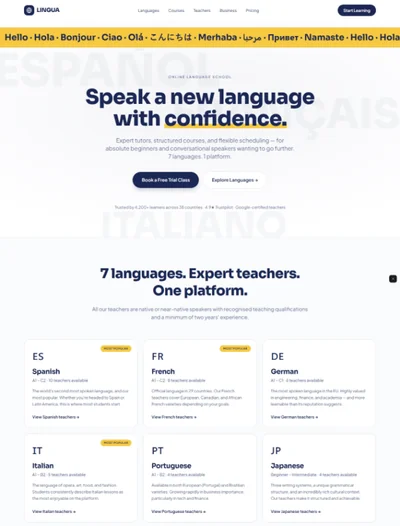
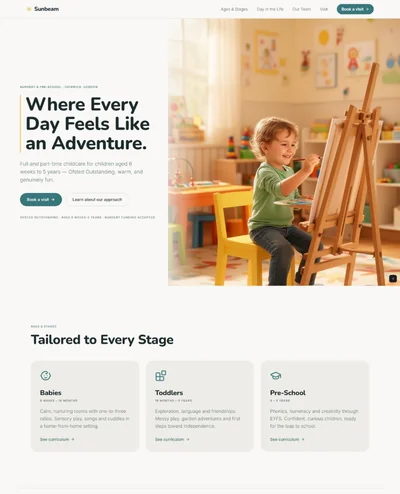
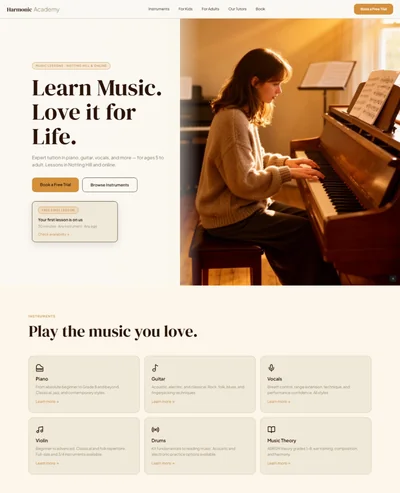
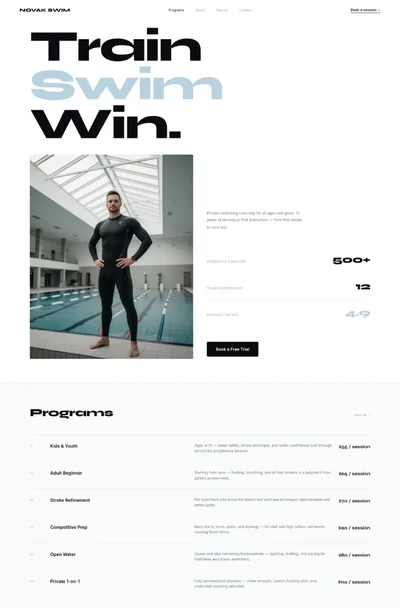
Tutoring Website Prompt — Friendly, Trust-First Design with Tutor Profiles and Free Session CTA

A friendly tutoring website prompt with subject grid, tutor profile cards, before/after grade results, and a free trial session CTA. Works in Lovable, Bolt, and v0.

Build a friendly, trustworthy tutoring service website called "Bright Path Tutoring" in Boston, MA. Tech stack: React + Vite + TypeScript + Tailwind CSS + Framer Motion. Design: clean white background, warm royal blue primary (#2563EB), sunshine yellow accent (#FCD34D), mint green secondary (#34D399), light blue surface (#EFF6FF). Typography: friendly rounded bold Nunito-style headings, clean readable body 16px, uppercase blue labels. Sections: white navbar with yellow "Book Free Session" CTA, split hero (left: "Finally Understand It. Really." headline + 3 social proof badges + dual CTA; right: friendly student-and-tutor-at-desk illustration-style image), 8-subject icon grid (Math, Science, English, History, SAT/ACT Prep, Spanish, Computer Science, Elementary), 3-step process with mint green connector line (Tell Us Your Goals 2-min quiz > Get Matched With Your Tutor > Start Your First Session), 4 tutor profile cards (photo, name, university, hourly rate, 4.9-star rating, specialty), 3 before/after grade result cards (C to A format with subject and timeframe), 3-tier monthly pricing (Starter 4 sessions $189/mo, Standard 8 sessions $329/mo most popular yellow border, Unlimited 20 sessions $599/mo, each with session length + recordings + progress reports), 4 parent review cards, 5-question FAQ accordion, full-width blue "Your First Session Is On Us" CTA band ("No commitment. No credit card."), 3 study tips blog preview cards, warm footer. Animations: hero illustration gentle float 3s loop, stats count up on scroll, tutor card stagger. Mobile: stacked hero, 2-col subject grid, scrollable tutor row, full-width pricing stack.

The generated results may vary

Categories

Categories

FAQ

What subjects and grade levels does this tutoring prompt cover?

8 subject categories covering grades K–12 and college. Add AP classes, LSAT, or coding bootcamp prep by adding icon grid items and updating the hero subline. For a test-prep-focused version, see the SAT/ACT prep prompt.

Can this work for an online-only tutoring service?

Yes — remove 'in-person in Boston' from the hero subline, update How It Works to reference video sessions (Zoom, Google Meet), and adjust the FAQ. The site already defaults to 'online and in-person' so it's a minor edit.

Can I use this prompt for a single freelance tutor?

Yes — replace 'Bright Path Tutoring' with your name, collapse the tutor section to a single bio, and change step 2 from 'get matched' to 'schedule your session.' Switch pricing from monthly subscriptions to per-session and package rates.

Can I add online booking or a scheduling calendar?

Use a follow-up Lovable prompt to embed Calendly or Acuity Scheduling. TutorBird is a tutoring-specific option with built-in student management. Existing CTA button placements are easy to connect to any scheduling embed.

Full tutoring website design: friendly hero, subjects, tutor profiles, grade results, pricing

FAQ

What subjects and grade levels does this tutoring prompt cover?

8 subject categories covering grades K–12 and college. Add AP classes, LSAT, or coding bootcamp prep by adding icon grid items and updating the hero subline. For a test-prep-focused version, see the SAT/ACT prep prompt.

Can this work for an online-only tutoring service?

Yes — remove 'in-person in Boston' from the hero subline, update How It Works to reference video sessions (Zoom, Google Meet), and adjust the FAQ. The site already defaults to 'online and in-person' so it's a minor edit.

Can I use this prompt for a single freelance tutor?

Yes — replace 'Bright Path Tutoring' with your name, collapse the tutor section to a single bio, and change step 2 from 'get matched' to 'schedule your session.' Switch pricing from monthly subscriptions to per-session and package rates.

Can I add online booking or a scheduling calendar?

Use a follow-up Lovable prompt to embed Calendly or Acuity Scheduling. TutorBird is a tutoring-specific option with built-in student management. Existing CTA button placements are easy to connect to any scheduling embed.

Similar prompts

Frequently asked questions

What is websiteprompts.ai?

websiteprompts.ai is a free library of AI website prompts. Each prompt is a ready-to-use text instruction that generates a complete website design when used with an AI website builder like Lovable, Claude, Bolt, v0, or similar tools.

How do I use these prompts?

Copy any prompt from websiteprompts.ai, open your AI website builder of choice — Lovable, Bolt, v0, Claude, ChatGPT, or any other tool — paste the prompt, and let the AI generate your website. No coding or design experience needed.

Are the prompts free?

Yes — every prompt on websiteprompts.ai is completely free. Copy and use them as many times as you like, for personal or commercial projects.

Which AI tools do the prompts work with?

The prompts are designed primarily for Lovable and Bolt, but they work with any AI tool that can generate websites — including v0, Claude, ChatGPT, Cursor, Framer AI, and others.

How often are new prompts added?

New prompts are added every day. The library is constantly growing with prompts for different industries, website types, and design styles.

Do I need any technical skills to use these prompts?

No technical skills required. Copy the prompt, paste it into any AI website builder, and the AI handles the rest. websiteprompts.ai is built for anyone who wants a professional website without writing code.

Frequently asked questions

What is websiteprompts.ai?

websiteprompts.ai is a free library of AI website prompts. Each prompt is a ready-to-use text instruction that generates a complete website design when used with an AI website builder like Lovable, Claude, Bolt, v0, or similar tools.

How do I use these prompts?

Copy any prompt from websiteprompts.ai, open your AI website builder of choice — Lovable, Bolt, v0, Claude, ChatGPT, or any other tool — paste the prompt, and let the AI generate your website. No coding or design experience needed.

Are the prompts free?

Yes — every prompt on websiteprompts.ai is completely free. Copy and use them as many times as you like, for personal or commercial projects.

Which AI tools do the prompts work with?

The prompts are designed primarily for Lovable and Bolt, but they work with any AI tool that can generate websites — including v0, Claude, ChatGPT, Cursor, Framer AI, and others.

How often are new prompts added?

New prompts are added every day. The library is constantly growing with prompts for different industries, website types, and design styles.

Do I need any technical skills to use these prompts?

No technical skills required. Copy the prompt, paste it into any AI website builder, and the AI handles the rest. websiteprompts.ai is built for anyone who wants a professional website without writing code.

Frequently asked questions

What is websiteprompts.ai?

websiteprompts.ai is a free library of AI website prompts. Each prompt is a ready-to-use text instruction that generates a complete website design when used with an AI website builder like Lovable, Claude, Bolt, v0, or similar tools.

How do I use these prompts?

Copy any prompt from websiteprompts.ai, open your AI website builder of choice — Lovable, Bolt, v0, Claude, ChatGPT, or any other tool — paste the prompt, and let the AI generate your website. No coding or design experience needed.

Are the prompts free?

Yes — every prompt on websiteprompts.ai is completely free. Copy and use them as many times as you like, for personal or commercial projects.

Which AI tools do the prompts work with?

The prompts are designed primarily for Lovable and Bolt, but they work with any AI tool that can generate websites — including v0, Claude, ChatGPT, Cursor, Framer AI, and others.

How often are new prompts added?

New prompts are added every day. The library is constantly growing with prompts for different industries, website types, and design styles.

Do I need any technical skills to use these prompts?

No technical skills required. Copy the prompt, paste it into any AI website builder, and the AI handles the rest. websiteprompts.ai is built for anyone who wants a professional website without writing code.

Get new AI website prompts every week — straight to your inbox.

Every Friday we drop a fresh batch of AI website prompts and tips to help you build better websites faster.

Join 1,000+ AI enthusiasts

liquid metallic gradient

Get new AI website prompts every week — straight to your inbox.

Every Friday we drop a fresh batch of AI website prompts and tips to help you build better websites faster.

Join 1,000+ AI enthusiasts

liquid metallic gradient

Get new AI website prompts every week — straight to your inbox.

Every Friday we drop a fresh batch of AI website prompts and tips to help you build better websites faster.

Join 1,000+ AI enthusiasts