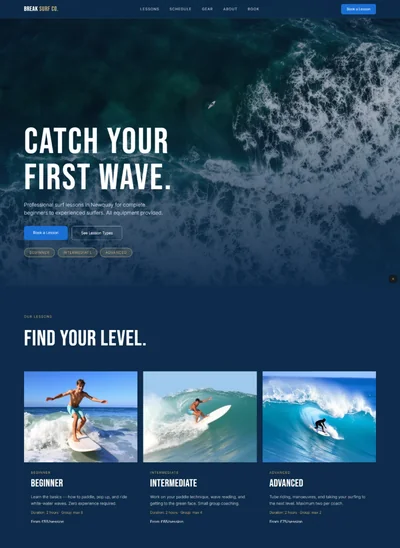
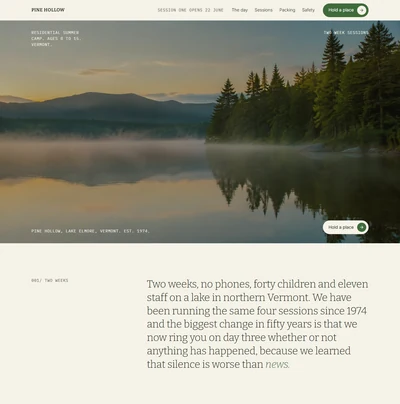
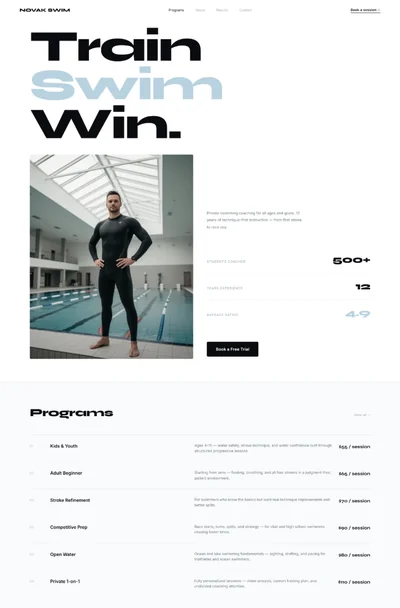
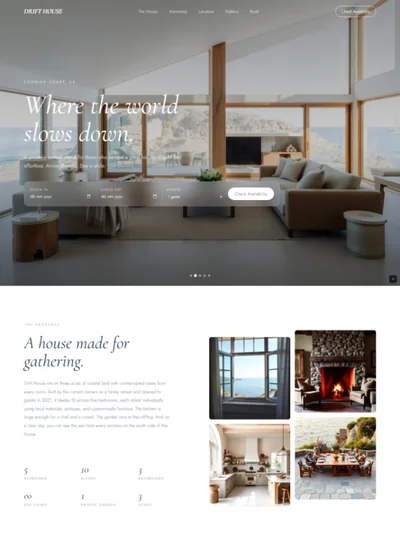
Ski School Website Prompt: Snow White Alpine Design with a Full Bleed Mountain Hero for Bolt, v0 & Lovable
Ski school website prompt for Bolt, v0 and Lovable. Snow white and glacier blue, a full bleed mountain photo, lessons, a piste level key and full copy.
# Col Bleu: Ski School Website Prompt ## 1. Goal Build a bright, crisp, photo led website for **Col Bleu**, a small British run ski school in Méribel in the French Alps, teaching adults and children in groups of no more than six, with English speaking instructors. Snow white pages, deep alpine ink and glacier blue. A huge mountain photograph opens the page and big, generous photography carries the rest. Rounded, friendly shapes. It should feel like the first clear morning of a holiday. ## 2. Tech Stack ``` React + Vite + TypeScript + Tailwind CSS + Framer Motion (motion/react) + lucide-react ``` Single page. No component libraries, no booking calendar, no weather widget, no carousel library. Booking links go out. ## 3. Design system ```css :root { --paper: #F7FAFC; /* snow white */ --ink: #0E2A3B; /* alpine ink, 14.2 to 1 on paper */ --accent: #1B6699; /* glacier blue, 5.9 to 1 on paper, white text on it 6.2 to 1 */ --on-accent: #FFFFFF; --surface: #DCEBF5; /* ice */ --muted: #4E6676; /* 5.8 to 1 on paper, 5.0 to 1 on ice */ --line: rgba(14,42,59,0.14); --piste-green: #17763F; --piste-blue: #1F5FBF; --piste-red: #C8202F; --piste-black: #111111; } ``` The four piste colours are used only for the level key, as small filled circles and squares with white text inside (all clear 5.6 to 1). Glacier blue text on ice uses `--accent`, which still clears 5.0 to 1. Every text colour, including muted captions, must reach at least 4.5 to 1 against its own background, and nothing is set under 14px. Corners are soft: 20px on photographs and panels, fully rounded on buttons. ## 4. Typography ```html <link href="https://fonts.googleapis.com/css2?family=Schibsted+Grotesk:wght@400;500;700;900&display=swap" rel="stylesheet" /> ``` One family at four weights. - **Display:** Schibsted Grotesk 900, clamp(56px, 9vw, 148px), line-height 0.92, letter-spacing -0.035em, sentence case - **Section headings:** Schibsted Grotesk 700, clamp(36px, 4.6vw, 64px), line-height 1 - **Body:** Schibsted Grotesk 400, 18px, line-height 1.6 - **Labels:** Schibsted Grotesk 700, 14px, uppercase, letter-spacing 0.12em - **Prices:** Schibsted Grotesk 700, tabular numbers ## 5. Buttons Fully rounded and friendly: - **Primary on photographs:** white pill, ink text, Schibsted 700 16px, padding 17px 30px. Hover: background turns ice. - **Primary on white:** glacier blue pill with white text. Hover: darkens to ink. - **Secondary:** text with a 2px glacier blue underline offset 5px, no box. - No square buttons, no outline boxes, no arrows inside circles. ## 6. Sections 1. **Navbar:** transparent over the hero photo, white text. `Col Bleu` in 900 weight left, five links centred, white pill `Book lessons` right. Past the hero it turns snow white with ink text. 2. **Hero, full bleed:** the mountain photograph fills the full width edge to edge with no frame, clamp min-height 640px to 900px. The heading sits bottom left over a soft dark band at the bottom quarter of the photo (a flat semi transparent ink band at 62 percent, not a gradient), white text, then one sentence and the white pill with the underline link beside it. A small white label sits above the heading. *Photograph: a wide high alpine view on a clear blue morning, fresh corduroy piste curving down from the foreground, two skiers in bright jackets carving turns, sharp snowy peaks behind.* 3. **What we promise:** snow white. Three short statements in a single row, each a big 900 weight number word (`Six`, `English`, `Half`) and one sentence. No icons. 4. **Lessons:** three large rows, not cards. Each row is a photograph at 3:2 with 20px radius on one side and text on the other, alternating sides: name, who it is for, length, price from, two short lines and the blue pill. *Photographs: a small adult group laughing on a gentle blue run with an instructor in a navy jacket; a child in a striped helmet snowplough turning between small cones; a private lesson on a steep red run, instructor pointing down the slope.* 5. **Find your level:** ice surface panel with 20px radius. A piste key: four rows, each with a coloured circle for green, blue, red and black runs, the level name and two sentences on what you can already do. 6. **Instructors:** snow white. Three people in a row, each a portrait at 4:5 with 20px radius, name, home town, years teaching and one line in their words. *Portraits: three smiling instructors in navy ski jackets and goggles pushed up, snow behind, natural light.* 7. **A day in ski school:** a simple timeline of four times down the left, each with one sentence. Glacier blue dots on a thin vertical line. 8. **Prices:** ice panel. A clean table of four rows: lesson, length, price per person, next to a note about lift passes and equipment. Hairline rules. 9. **Book:** glacier blue full width block, white text. Heading, one sentence, white pill. Then a three line footer below it on snow white: address, phone and email, links and company line. ## 7. Motion - The hero photograph settles from scale 1.04 to 1 over 1.6s on load. The heading lines rise 24px with a 0.1s stagger. - Lesson rows slide in 32px from their photo side as they enter view. - Timeline dots fill from white to glacier blue in order as the section scrolls into view. - Respect `prefers-reduced-motion`. ## 8. Responsive - **Mobile under 768px:** the hero keeps full bleed, clamp min-height 560px, heading at 56px, buttons stack. The promise row stacks. Lesson rows stack with the photo first. Instructors stack. The price table becomes stacked rows. A `Menu` button opens a full screen ice panel. A white pill `Book lessons` is fixed bottom centre with safe area padding. - **Desktop:** max-width 1280px, photographs run wider. Section padding 110px. ## 9. Full copy **Name:** Col Bleu **Nav:** Lessons, Levels, Instructors, Day, Prices. Button: `Book lessons` **Hero** - Label: `MÉRIBEL · 3 VALLEYS` - Heading: `Ski better by Wednesday.` - Sentence: `Small group and private lessons in English, for nervous first timers, confident teenagers and everyone in between.` - Button: `Book lessons` · Link: `Find your level` **What we promise** - `Six` `Never more than six people in a group, so you ski more and queue less.` - `English` `Every instructor is fully qualified and a native English speaker.` - `Half` `Not improving by day three? Half the week back as a private lesson.` **Lessons** - `Adult groups` `For adults from complete beginner to confident red runs.` `Five mornings, 9:15 to 12:15` `From £310` · `Grouped by level on Monday` · `Video feedback on day four` - `Kids club` `For children aged 5 to 12, grouped by age and ability.` `Five mornings, 9:30 to 12:00` `From £280` · `A medal and report card on Friday` · `Helmets lent free` - `Private lessons` `For one to four people who want to move faster or ski off piste.` `Two hours, any time` `From £180` · `Choose your instructor` · `Avalanche kit included off piste` **Find your level** - Green: `First timer` `You have never skied, or want to start again properly.` - Blue: `Getting there` `You snowplough turn on gentle runs and want your skis together.` - Red: `Confident` `You ski parallel on reds and want steeper slopes and poor snow.` - Black: `Strong` `You ski every piste and want bumps, powder or off piste.` **Instructors** - `Hattie Morgan` `Keswick` `11 seasons` `"I teach nervous adults. Thursday is when they stop asking if it is too steep."` - `Callum Reid` `Aviemore` `8 seasons` `"Kids learn by copying, so we play follow the leader."` - `Priya Shah` `Bristol` `6 seasons` `"I came for one winter in 2019 and stayed."` **A day in ski school** - `08:45` `Coffee and boot fitting at our hut by the Chaudanne lift.` - `09:15` `Warm up on the nursery slope, then up the lift as a group.` - `11:00` `The skill of the day, on runs that suit the group.` - `12:15` `Back at the hut with tips for the afternoon.` **Prices** - `Adult group, five mornings` `£310` - `Kids club, five mornings` `£280` - `Private, two hours` `£180` - `First timer taster, one morning` `£75` - Note: `Prices are per person for the 2026 to 27 season. Lift passes and hire are extra, with 15 percent off hire at Ski Méribel Sport.` **Book** - Heading: `First lift at quarter past nine.` - Sentence: `Booking for the 2026 to 27 season is open. Christmas and February half term fill first.` - Button: `Book lessons` **Footer** `Col Bleu Ski School, Route de la Chaudanne, 73550 Méribel, France` · `+44 20 5550 1872` · `hello@colbleu.ski` · `Instagram`, `Terms`, `Privacy` · `Col Bleu Snowsports Ltd, registered in England 11283746` ## 10. Never Gradients, glow, neon, glassmorphism, snowflake clip art, a weather widget, a booking calendar, a carousel, emoji, icon grids, square buttons, dashes of any kind in the copy, lorem ipsum, `100vh` heroes, text on a photo without the ink band. ## 11. Dependencies ```json { "motion": "^12.0.0", "lucide-react": "^0.460.0", "clsx": "^2.1.0" } ```