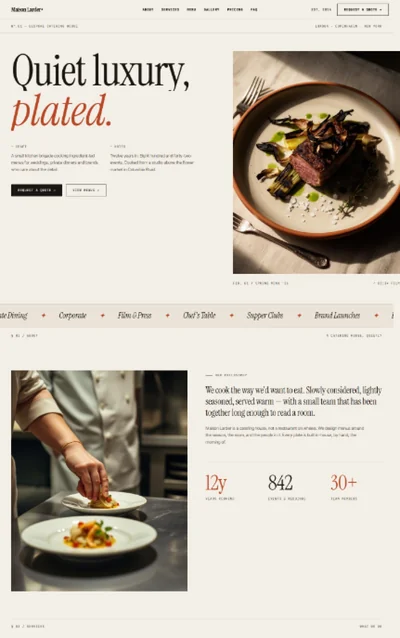
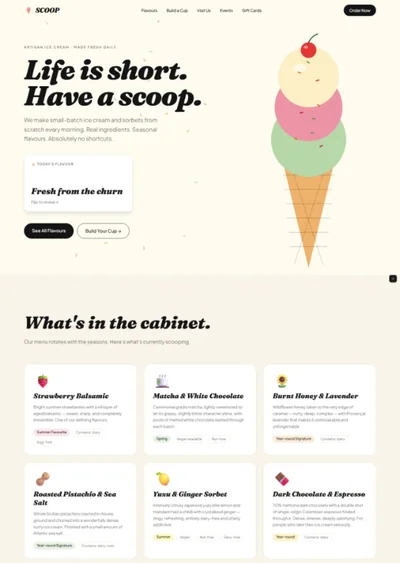
Restaurant Website Prompt — Dark Elegant Fine Dining Restaurant & Bar Website Design for Lovable, Claude, Bolt and more

Restaurant website prompt — near-black and warm gold, Cormorant Garamond, full-bleed hero, menu teaser rows, chef section, press marquee, full copy. Works in Lovable and Bolt.

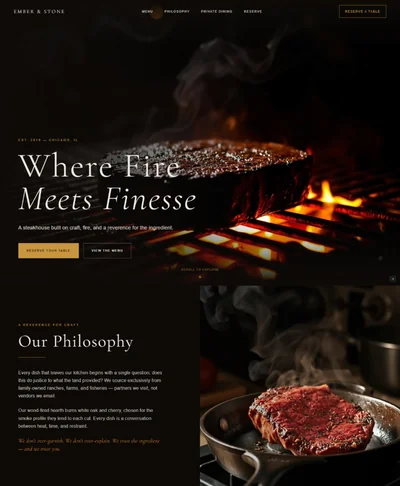
# Restaurant / Fine Dining Website Prompt # websiteprompts.ai Build a dark, elegant fine dining restaurant website called "Maison Noir" using React + Vite + TypeScript + Tailwind CSS + Framer Motion (motion/react) + shadcn/ui + lucide-react. ## Design System ### Colors ```css :root { --background: 30 8% 6%; /* near-black warm #0c0b0a */ --foreground: 40 20% 92%; /* warm off-white */ --primary: 42 65% 58%; /* warm gold #d4a853 */ --primary-foreground: 30 8% 6%; --surface: 30 8% 10%; --muted-foreground: 30 8% 55%; --border: 30 8% 18%; } ``` ### Typography - Import: `https://fonts.googleapis.com/css2?family=Cormorant+Garamond:ital,wght@0,400;0,600;0,700;1,400;1,600&family=Inter:wght@300;400;500&display=swap` - Headlines: Cormorant Garamond 600–700 — italic gold accents - Body: Inter 300–400 - Prices/data: Inter 500 ## Sections ### 1. Navbar - Micro-bar above navbar: "Open Tue–Sat · 18:00–23:00 · +44 20 7123 4567" in Inter 10px muted centered - Sticky dark bg with blur backdrop - Left: Cormorant italic wordmark "Maison Noir" in gold - Right: Menu · About · Reservations · Events + "Reserve a table →" gold button ### 2. Hero - Full-screen, dark background - Full-bleed image with composition-independent gradient overlay: `linear-gradient(to top, rgba(12,11,10,0.98) 0%, rgba(12,11,10,0.55) 45%, rgba(12,11,10,0.25) 100%)` - Content z-10 at bottom of hero, left-aligned in padded container - Gold Cormorant italic badge pill: "Est. 2018 · Mayfair, London" - Cormorant 700 `clamp(56px, 8vw, 120px)`: "A Dining\nExperience\nBeyond\nOrdinary" - Inter 300 sub: "Contemporary French cuisine in the heart of Mayfair" - Two CTAs: "Reserve a table" (gold bg, dark text) + "View menu →" (ghost gold outline) {/* Image brief: fine dining table setting, elegantly plated dish, warm candlelight, dark moody restaurant interior, shallow depth of field */} ### 3. Philosophy Strip - Full-width dark surface strip, `border-top: 1px solid hsl(var(--border))` - Centered Cormorant italic 28px: "Every plate is a conversation between the seasons and the chef." - Two 48px gold horizontal rules either side, scaleX 0→1 from center on scroll ### 4. Menu Teaser - "The Menu" in Cormorant 700 with gold underline rule - Two columns: Starters (3 dishes) / Mains (3 dishes) - Each dish row: Cormorant 600 name left + Inter 500 gold price right + Inter 300 description below - Border-bottom separator between rows with hover: background raises to surface - "Download full menu →" gold outlined button centered below - Stagger fade-up entrance on scroll ### 5. Chef Section - Split: left portrait, right text - Gold chip badge: "Executive Chef" - Cormorant 700: "Chef Laurent Moreau" - Inter 300 bio: 2 paragraphs — seasonal philosophy, local suppliers, Michelin background - Three gold chips: "Michelin Trained · Seasonal Menu · Local Suppliers" {/* Image brief: male executive chef portrait, dark kitchen, white chef jacket, confident pose, dramatic side lighting */} ### 6. Experiences - 3 dark surface cards: Private Dining · Tasting Menu · Wine Pairing - Each: gold lucide icon, Cormorant 600 title, Inter 300 description, "Enquire →" gold link - Hover: gold border + `box-shadow: 0 0 24px hsl(42 65% 58% / 0.12)` ### 7. Press Strip - "As Featured In" Inter 500 uppercase muted label - Continuous marquee: "The Guardian · Evening Standard · Michelin Guide · Condé Nast Traveller · Time Out" in Cormorant italic, 5 opacity - 20s CSS scroll, seamless loop ### 8. Testimonials - 3 dark surface cards: gold 5-star row, Cormorant 400 italic quote, diner name + visit date in Inter 10px muted - Stagger fade-up on scroll ### 9. Reservation CTA - Full-width dark with subtle noise texture overlay (opacity 0.03) - Cormorant 700 italic centered: "Reserve Your Table" - Inter 300 sub: "We recommend booking 2–4 weeks in advance for weekends" - Large gold "Make a reservation →" button - "Or call: +44 20 7123 4567" Inter 300 muted below ### 10. Footer - Dark surface, 3 columns: Brand (wordmark + tagline) · Hours (Tue–Sat 18:00–23:00) · Contact (address, phone, email) - Bottom: "© 2026 Maison Noir · 14 Curzon Street, Mayfair, London W1J 5HP" ## Animations - Hero text: stagger fade-up on mount (y: 30→0, 0.7s), badge first - Menu rows: stagger fade-up on scroll, 0.06s delay per row - Gold rules: scaleX 0→1 from center, 0.5s - Press marquee: continuous CSS scroll ## Responsive - Mobile: single column menu, stacked hero, hero type clamp(44px, 10vw, 80px), hamburger nav ## Full Copy - Wordmark: "Maison Noir" - Tagline: "Contemporary French cuisine · Mayfair, London" - Hero: "A Dining Experience Beyond Ordinary" / "Contemporary French cuisine in the heart of Mayfair" - Menu sample: Foie Gras Torchon £18 · Beef Tartare £16 · Aged Duck Breast £34 · Sea Bass £32 · Chocolate Fondant £12 - Chef bio: "Laurent trained under three Michelin-starred chefs before opening Maison Noir in 2018. His menu changes with the seasons — built around relationships with local farmers and coastal suppliers." - Testimonial: "The tasting menu was simply extraordinary. Every course told a story." — Marcus T., April 2026 - Reservation: "Reserve Your Table" / "We recommend booking 2–4 weeks in advance" - Hours: Tuesday–Saturday · 18:00–23:00

The generated results may vary

Categories

Categories

FAQ

What sections are included in the Restaurant Website Prompt?

The prompt includes 10 fully specified sections: micro-bar above navbar with opening hours and reservation link, sticky near-black navbar, full-bleed hero with composition-independent gradient overlay, philosophy strip with animated gold horizontal rules, 2-column menu teaser with dish names and gold prices, chef section with portrait and credential chips, 3 experience cards (Private Dining · Chef’s Table · Events), continuous press marquee strip, 3-testimonial row, and a reservation CTA with texture overlay. Every section includes layout specs, Framer Motion animations, and complete copy.

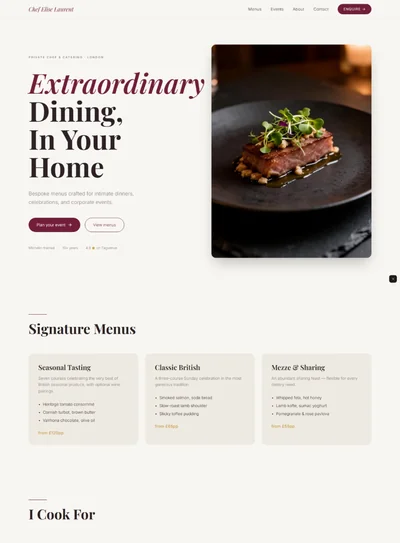
For a related food-service format with an intimate private focus, see the Personal Chef website prompt.

Who is this restaurant website prompt designed for?

It’s designed for independent restaurants, fine dining establishments, wine bars, and chef-patron restaurants who want a website that projects culinary seriousness and atmospheric quality before the menu is even read. The near-black palette, Cormorant Garamond typography, and editorial layout make it especially effective for restaurants where the experience — not just the food — is the product.

For a format targeting private events and bespoke catering rather than a restaurant setting, see the Personal Chef website prompt.

Which AI tools can I use this prompt with?

The prompt works with Lovable, Claude, Bolt, v0, Cursor, and any other AI web builder that accepts a text prompt. The continuous press marquee animation, animated gold rule scaleX reveals, and hero gradient overlay render best in Lovable and Bolt. The menu teaser, chef section, experience cards, and testimonials render cleanly in all tools.

Can I change the restaurant name, menu, and hours?

Yes — everything is written to be swapped. Replace "Ember" with the real restaurant name throughout, update the menu teaser with real dish names and prices, replace the chef bio and portrait brief with real chef information, update the press citations with real publications, and change the 3 experience cards to match actual offering. The warm gold #d4a853 accent swaps via a single CSS variable.

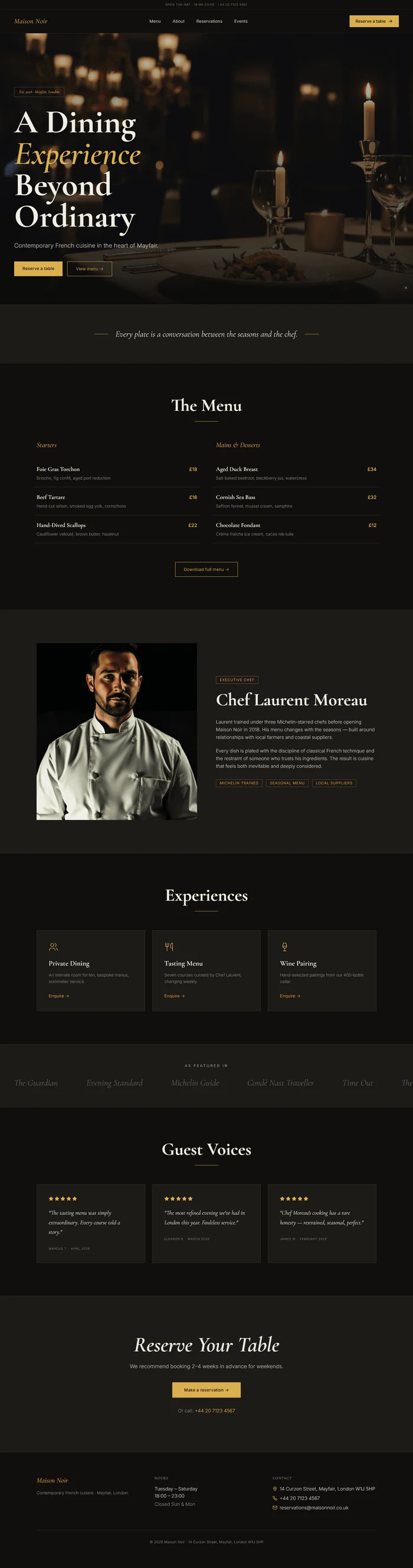
Restaurant website prompt full preview — near-black #0c0b0a background with warm gold #d4a853 accent, Cormorant Garamond 700 hero headline anchored to bottom of full-bleed dish photo with composition-independent gradient overlay, centered philosophy quote flanked by animated gold horizontal rules, two-column menu teaser with dish names and gold prices, and continuous Cormorant italic press publication marquee strip

FAQ

What sections are included in the Restaurant Website Prompt?

The prompt includes 10 fully specified sections: micro-bar above navbar with opening hours and reservation link, sticky near-black navbar, full-bleed hero with composition-independent gradient overlay, philosophy strip with animated gold horizontal rules, 2-column menu teaser with dish names and gold prices, chef section with portrait and credential chips, 3 experience cards (Private Dining · Chef’s Table · Events), continuous press marquee strip, 3-testimonial row, and a reservation CTA with texture overlay. Every section includes layout specs, Framer Motion animations, and complete copy.

For a related food-service format with an intimate private focus, see the Personal Chef website prompt.

Who is this restaurant website prompt designed for?

It’s designed for independent restaurants, fine dining establishments, wine bars, and chef-patron restaurants who want a website that projects culinary seriousness and atmospheric quality before the menu is even read. The near-black palette, Cormorant Garamond typography, and editorial layout make it especially effective for restaurants where the experience — not just the food — is the product.

For a format targeting private events and bespoke catering rather than a restaurant setting, see the Personal Chef website prompt.

Which AI tools can I use this prompt with?

The prompt works with Lovable, Claude, Bolt, v0, Cursor, and any other AI web builder that accepts a text prompt. The continuous press marquee animation, animated gold rule scaleX reveals, and hero gradient overlay render best in Lovable and Bolt. The menu teaser, chef section, experience cards, and testimonials render cleanly in all tools.

Can I change the restaurant name, menu, and hours?

Yes — everything is written to be swapped. Replace "Ember" with the real restaurant name throughout, update the menu teaser with real dish names and prices, replace the chef bio and portrait brief with real chef information, update the press citations with real publications, and change the 3 experience cards to match actual offering. The warm gold #d4a853 accent swaps via a single CSS variable.

Frequently asked questions

What is websiteprompts.ai?

websiteprompts.ai is a free library of AI website prompts. Each prompt is a ready-to-use text instruction that generates a complete website design when used with an AI website builder like Lovable, Claude, Bolt, v0, or similar tools.

How do I use these prompts?

Copy any prompt from websiteprompts.ai, open your AI website builder of choice — Lovable, Bolt, v0, Claude, ChatGPT, or any other tool — paste the prompt, and let the AI generate your website. No coding or design experience needed.

Are the prompts free?

Yes — every prompt on websiteprompts.ai is completely free. Copy and use them as many times as you like, for personal or commercial projects.

Which AI tools do the prompts work with?

The prompts are designed primarily for Lovable and Bolt, but they work with any AI tool that can generate websites — including v0, Claude, ChatGPT, Cursor, Framer AI, and others.

How often are new prompts added?

New prompts are added every day. The library is constantly growing with prompts for different industries, website types, and design styles.

Do I need any technical skills to use these prompts?

No technical skills required. Copy the prompt, paste it into any AI website builder, and the AI handles the rest. websiteprompts.ai is built for anyone who wants a professional website without writing code.

Frequently asked questions

What is websiteprompts.ai?

websiteprompts.ai is a free library of AI website prompts. Each prompt is a ready-to-use text instruction that generates a complete website design when used with an AI website builder like Lovable, Claude, Bolt, v0, or similar tools.

How do I use these prompts?

Copy any prompt from websiteprompts.ai, open your AI website builder of choice — Lovable, Bolt, v0, Claude, ChatGPT, or any other tool — paste the prompt, and let the AI generate your website. No coding or design experience needed.

Are the prompts free?

Yes — every prompt on websiteprompts.ai is completely free. Copy and use them as many times as you like, for personal or commercial projects.

Which AI tools do the prompts work with?

The prompts are designed primarily for Lovable and Bolt, but they work with any AI tool that can generate websites — including v0, Claude, ChatGPT, Cursor, Framer AI, and others.

How often are new prompts added?

New prompts are added every day. The library is constantly growing with prompts for different industries, website types, and design styles.

Do I need any technical skills to use these prompts?

No technical skills required. Copy the prompt, paste it into any AI website builder, and the AI handles the rest. websiteprompts.ai is built for anyone who wants a professional website without writing code.

Frequently asked questions

What is websiteprompts.ai?

websiteprompts.ai is a free library of AI website prompts. Each prompt is a ready-to-use text instruction that generates a complete website design when used with an AI website builder like Lovable, Claude, Bolt, v0, or similar tools.

How do I use these prompts?

Copy any prompt from websiteprompts.ai, open your AI website builder of choice — Lovable, Bolt, v0, Claude, ChatGPT, or any other tool — paste the prompt, and let the AI generate your website. No coding or design experience needed.

Are the prompts free?

Yes — every prompt on websiteprompts.ai is completely free. Copy and use them as many times as you like, for personal or commercial projects.

Which AI tools do the prompts work with?

The prompts are designed primarily for Lovable and Bolt, but they work with any AI tool that can generate websites — including v0, Claude, ChatGPT, Cursor, Framer AI, and others.

How often are new prompts added?

New prompts are added every day. The library is constantly growing with prompts for different industries, website types, and design styles.

Do I need any technical skills to use these prompts?

No technical skills required. Copy the prompt, paste it into any AI website builder, and the AI handles the rest. websiteprompts.ai is built for anyone who wants a professional website without writing code.

Get new AI website prompts every week — straight to your inbox.

Every Friday we drop a fresh batch of AI website prompts and tips to help you build better websites faster.

Join 1,000+ AI enthusiasts

liquid metallic gradient

Get new AI website prompts every week — straight to your inbox.

Every Friday we drop a fresh batch of AI website prompts and tips to help you build better websites faster.

Join 1,000+ AI enthusiasts

liquid metallic gradient

Get new AI website prompts every week — straight to your inbox.

Every Friday we drop a fresh batch of AI website prompts and tips to help you build better websites faster.

Join 1,000+ AI enthusiasts