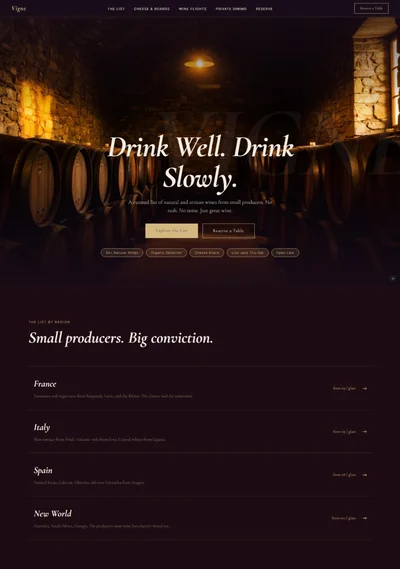
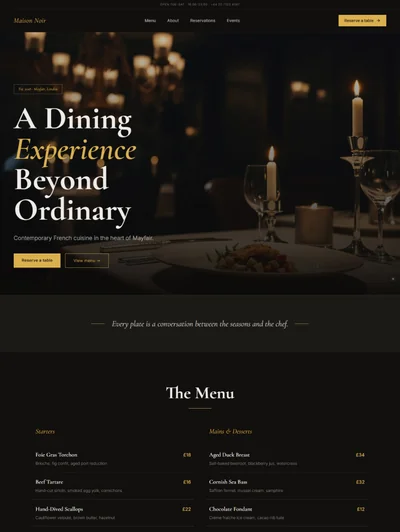
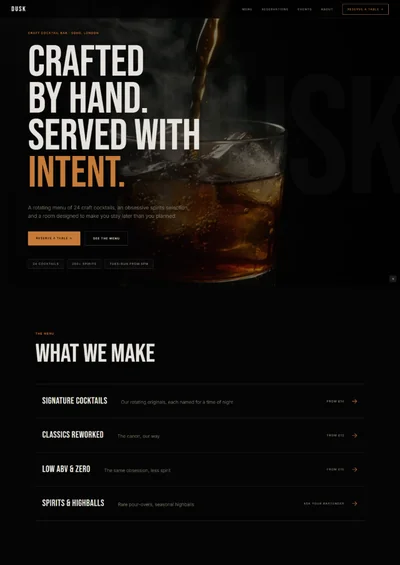
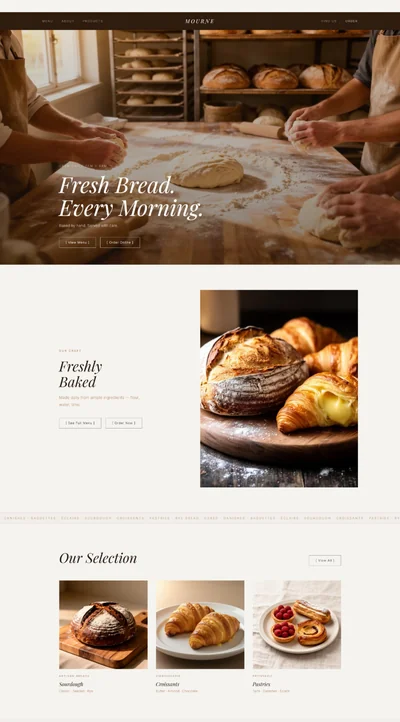
Coffee Shop Website Prompt — Warm Cream and Espresso Artisan Coffee Shop & Café Website Design for Lovable, Claude, Bolt and more

Coffee shop website prompt — warm cream and espresso, Playfair Display, menu highlights grid, gallery strip, brew methods, events, full copy. Works in Lovable, Bolt and more.

# Coffee Shop Website Prompt # websiteprompts.ai Build a warm, artisanal coffee shop and café website called "Groundwork Coffee" using React + Vite + TypeScript + Tailwind CSS + Framer Motion (motion/react) + shadcn/ui + lucide-react. ## Design System ### Colors ```css :root { --background: 35 30% 97%; /* warm cream #faf6ef */ --foreground: 22 40% 12%; /* espresso near-black */ --primary: 22 55% 28%; /* espresso brown #6b3a1f */ --primary-foreground: 35 30% 97%; --accent: 38 65% 55%; /* warm amber #c9833a */ --surface: 35 25% 91%; /* warm oat */ --muted-foreground: 22 15% 50%; --border: 35 20% 82%; } ``` ### Typography - Import: `https://fonts.googleapis.com/css2?family=Playfair+Display:ital,wght@0,600;0,700;1,400;1,600&family=DM+Sans:wght@300;400;500&display=swap` - Headlines: Playfair Display 600–700 — italic amber accents - Body: DM Sans 300–400 - Labels: DM Sans 500 uppercase 10px letter-spacing 0.12em ## Sections ### 1. Navbar - Sticky warm cream background, `backdrop-filter: blur(10px)` - Left: Playfair italic wordmark "Groundwork" in espresso + small lucide Coffee icon in amber - Right: Menu · Our Coffee · About · Find Us + "Order ahead →" espresso button ### 2. Hero - Full-viewport height, warm cream background - Full-bleed café image, 68% viewport height, no border radius - Gradient bottom fade: `linear-gradient(to top, rgba(250,246,239,1) 0%, transparent 45%)` - Content z-10 below image in page flow, centered: - DM Sans 500 uppercase 10px muted label: "Specialty Coffee · Dalston, London" - Playfair Display 700 `clamp(52px, 7vw, 110px)`: "Good Coffee.\nGood People.\nGreat Days." - Italic amber accent on "Great Days." - DM Sans 300: "Single-origin espresso, seasonal filter, and everything baked from scratch" - CTAs: "See our menu →" (espresso filled) + "Find us" (ghost) - Trust chips: "Specialty Roaster · Organic Milk · Dog Friendly" {/* Image brief: warm independent coffee shop interior, wooden tables, Edison bulbs, exposed brick, morning light, cozy inviting atmosphere */} ### 3. Menu Highlights - "What's On" — Playfair 700 with amber underline rule (scaleX 0→1) - 4 cards in 2×2 grid, warm surface background: - Espresso Drinks (flat white, cortado, oat latte — from £3.20) - Filter Coffee (V60, Chemex, cold brew — from £3.50) - All-Day Brunch (avocado toast, eggs, granola — from £8) - Baked Goods (croissants, banana bread, seasonal cakes — from £2.80) - Each card: large image (4/3 aspect), Playfair 600 name, DM Sans 300 description, amber price tag - Hover: espresso border + image scale 1.02 {/* Image brief: close-up of flat white with latte art on warm wooden table, natural morning light */} {/* Image brief: V60 pour over coffee being brewed, ceramic dripper, steam, editorial close-up */} {/* Image brief: avocado toast brunch plate, artisan bread, eggs, café table setting */} {/* Image brief: fresh croissants and pastries on marble counter, warm light, artisan bakery feel */} ### 4. Brew Methods Strip - Full-width warm amber `hsl(var(--accent))` strip with opacity 15% background (stays light) - 4 brew method icons with DM Sans 500 names: Espresso · V60 · Chemex · Cold Brew - Playfair italic below each: short description (1 line) - Slide-in from left on scroll, stagger 0.1s ### 5. Our Coffee - "From Farm to Cup" — Playfair 700 - Split: left text, right stacked image pair - Playfair 300 italic quote: "Every bag tells the story of the farmer who grew it." - DM Sans 300: 2 paragraphs — direct trade sourcing, single-origin focus, 3 rotating seasonal origins. Roasted in East London. - Espresso chips: "Direct Trade · Single Origin · Seasonal Rotating" - "Shop our beans →" espresso outlined button {/* Image brief: coffee beans being poured from burlap sack, warm studio lighting, rustic artisan atmosphere */} ### 6. About - Split: right café/founder image, left text - Playfair 700: "Opened with One Machine and a Big Idea" - DM Sans 300 bio: 2 paragraphs — founded 2019 by Jamie Walsh, former accountant who quit to open the café he always wanted. Community first, coffee second (but the coffee is exceptional). - Amber chips: "Est. 2019 · Specialty SCA · Community Hub" {/* Image brief: coffee shop owner behind the bar, smiling, casual apron, warm café background, natural light */} ### 7. Gallery Strip - 5 images, 280px height, horizontal strip, scale on hover, no border radius {/* Image brief: latte art being poured into ceramic cup, skilled barista hands, close-up */} {/* Image brief: cozy coffee shop corner, two friends chatting over coffee, warm afternoon light */} {/* Image brief: coffee shop exterior, independent shopfront, plants, chalkboard sign */} {/* Image brief: barista grinding coffee beans, morning routine, café equipment */} {/* Image brief: seasonal filter coffee served in glass, ice, summer menu editorial */} ### 8. Events & Space - "Hire the Space" — Playfair 700 - Centered warm surface section - DM Sans 300: "Available for private hire evenings and weekends — coffee cuppings, team breakfasts, and popup events" - Two option chips: Private Hire · Coffee Cuppings - "Enquire about events →" espresso button ### 9. Testimonials - Warm surface section - 3 cards: Playfair italic quote, customer name + visit type in DM Sans 10px muted, 5-star row in amber - Stagger fade-up on scroll ### 10. Find Us CTA - Full-width espresso `#6b3a1f` background - Playfair 700 italic cream: "Come and Say Hello" - DM Sans 300 cream: "Monday–Friday 7am–5pm · Saturday–Sunday 8am–5pm" - "Get directions →" cream button - "Order ahead on our app · Free WiFi · Dog friendly" DM Sans 10px cream 70% below ### 11. Footer - Espresso background, Playfair italic wordmark in amber - Instagram · TikTok · Google Maps icons - "© 2026 Groundwork Coffee · 14 Kingsland Road, Dalston, London E8" ## Animations - Hero: stagger fade-up on mount (y: 30→0, 0.7s) - Menu cards: stagger fade-up on scroll - Amber rules: scaleX 0→1, 0.5s - Brew strip: slide-in from left, stagger on scroll - All hover: 0.2s ease ## Responsive - Mobile: single-column menu grid, stacked hero, hamburger nav ## Full Copy - Wordmark: "Groundwork Coffee" - Hero: "Good Coffee. Good People. Great Days." / "Single-origin espresso, seasonal filter, and everything baked from scratch" - Menu: Espresso from £3.20 · Filter from £3.50 · Brunch from £8 · Baked from £2.80 - Hours: Mon–Fri 7am–5pm · Sat–Sun 8am–5pm - Testimonial: "Best flat white in Dalston, no competition. The banana bread is dangerous." — @coffeelover, Google Review - CTA: "Come and Say Hello" / "Order ahead on our app"

The generated results may vary

Categories

Categories

FAQ

What sections are included in the Coffee Shop Website Prompt?

The prompt includes 11 fully specified sections: sticky cream navbar with coffee icon and order-ahead button, full-bleed hero with gradient fade, 4-card menu highlights grid (espresso drinks, filter, brunch, baked goods), brew methods strip with 4 methods, From Farm to Cup origin story split, founder about section, 5-image gallery strip, events and private hire section, testimonials, espresso full-width find us CTA, and footer. Every section includes layout specs, Framer Motion animations, and complete copy.

Looking for something different? Also see the Dog Groomer Website Prompt and Barber Shop Website Prompt for more local business designs.

Who is this coffee shop website prompt designed for?

It's designed for independent specialty coffee shops, artisan cafés, brunch spots, and community-focused coffee businesses that want a website that feels as warm and considered as the drinks they serve. The cream and espresso palette, Playfair Display editorial typography, and menu highlights grid communicate craft and character — well suited for owner-operated cafés targeting coffee-curious customers who value quality over chains.

Which AI tools can I use this prompt with?

The prompt works with Lovable, Claude, Bolt, v0, Cursor, and any other AI web builder that accepts a text prompt. The brew methods strip stagger animation, hero gradient fade, and gallery hover effects render best in Lovable and Bolt. The menu cards, about section, and events CTA render cleanly in all tools.

Can I change the shop name, menu, and location?

Yes — everything is written to be swapped. Replace "Groundwork Coffee" throughout, update the 4 menu categories with real items and prices, replace the founder story with your own story, update the hours and address in the CTA and footer, and swap the brew methods if your offering differs. The amber #c9833a accent and espresso #6b3a1f primary both swap via single CSS variables.

Coffee shop website prompt full preview — warm cream #faf6ef background with espresso brown #6b3a1f primary and amber #c9833a accent, Playfair Display 700 hero headline over full-bleed café interior image fading to cream background, four-card menu highlights grid with large images and amber price tags, brew methods strip in soft amber tint, and five-image horizontal gallery strip at fixed height

FAQ

What sections are included in the Coffee Shop Website Prompt?

The prompt includes 11 fully specified sections: sticky cream navbar with coffee icon and order-ahead button, full-bleed hero with gradient fade, 4-card menu highlights grid (espresso drinks, filter, brunch, baked goods), brew methods strip with 4 methods, From Farm to Cup origin story split, founder about section, 5-image gallery strip, events and private hire section, testimonials, espresso full-width find us CTA, and footer. Every section includes layout specs, Framer Motion animations, and complete copy.

Looking for something different? Also see the Dog Groomer Website Prompt and Barber Shop Website Prompt for more local business designs.

Who is this coffee shop website prompt designed for?

It's designed for independent specialty coffee shops, artisan cafés, brunch spots, and community-focused coffee businesses that want a website that feels as warm and considered as the drinks they serve. The cream and espresso palette, Playfair Display editorial typography, and menu highlights grid communicate craft and character — well suited for owner-operated cafés targeting coffee-curious customers who value quality over chains.

Which AI tools can I use this prompt with?

The prompt works with Lovable, Claude, Bolt, v0, Cursor, and any other AI web builder that accepts a text prompt. The brew methods strip stagger animation, hero gradient fade, and gallery hover effects render best in Lovable and Bolt. The menu cards, about section, and events CTA render cleanly in all tools.

Can I change the shop name, menu, and location?

Yes — everything is written to be swapped. Replace "Groundwork Coffee" throughout, update the 4 menu categories with real items and prices, replace the founder story with your own story, update the hours and address in the CTA and footer, and swap the brew methods if your offering differs. The amber #c9833a accent and espresso #6b3a1f primary both swap via single CSS variables.

Frequently asked questions

What is websiteprompts.ai?

websiteprompts.ai is a free library of AI website prompts. Each prompt is a ready-to-use text instruction that generates a complete website design when used with an AI website builder like Lovable, Claude, Bolt, v0, or similar tools.

How do I use these prompts?

Copy any prompt from websiteprompts.ai, open your AI website builder of choice — Lovable, Bolt, v0, Claude, ChatGPT, or any other tool — paste the prompt, and let the AI generate your website. No coding or design experience needed.

Are the prompts free?

Yes — every prompt on websiteprompts.ai is completely free. Copy and use them as many times as you like, for personal or commercial projects.

Which AI tools do the prompts work with?

The prompts are designed primarily for Lovable and Bolt, but they work with any AI tool that can generate websites — including v0, Claude, ChatGPT, Cursor, Framer AI, and others.

How often are new prompts added?

New prompts are added every day. The library is constantly growing with prompts for different industries, website types, and design styles.

Do I need any technical skills to use these prompts?

No technical skills required. Copy the prompt, paste it into any AI website builder, and the AI handles the rest. websiteprompts.ai is built for anyone who wants a professional website without writing code.

Frequently asked questions

What is websiteprompts.ai?

websiteprompts.ai is a free library of AI website prompts. Each prompt is a ready-to-use text instruction that generates a complete website design when used with an AI website builder like Lovable, Claude, Bolt, v0, or similar tools.

How do I use these prompts?

Copy any prompt from websiteprompts.ai, open your AI website builder of choice — Lovable, Bolt, v0, Claude, ChatGPT, or any other tool — paste the prompt, and let the AI generate your website. No coding or design experience needed.

Are the prompts free?

Yes — every prompt on websiteprompts.ai is completely free. Copy and use them as many times as you like, for personal or commercial projects.

Which AI tools do the prompts work with?

The prompts are designed primarily for Lovable and Bolt, but they work with any AI tool that can generate websites — including v0, Claude, ChatGPT, Cursor, Framer AI, and others.

How often are new prompts added?

New prompts are added every day. The library is constantly growing with prompts for different industries, website types, and design styles.

Do I need any technical skills to use these prompts?

No technical skills required. Copy the prompt, paste it into any AI website builder, and the AI handles the rest. websiteprompts.ai is built for anyone who wants a professional website without writing code.

Frequently asked questions

What is websiteprompts.ai?

websiteprompts.ai is a free library of AI website prompts. Each prompt is a ready-to-use text instruction that generates a complete website design when used with an AI website builder like Lovable, Claude, Bolt, v0, or similar tools.

How do I use these prompts?

Copy any prompt from websiteprompts.ai, open your AI website builder of choice — Lovable, Bolt, v0, Claude, ChatGPT, or any other tool — paste the prompt, and let the AI generate your website. No coding or design experience needed.

Are the prompts free?

Yes — every prompt on websiteprompts.ai is completely free. Copy and use them as many times as you like, for personal or commercial projects.

Which AI tools do the prompts work with?

The prompts are designed primarily for Lovable and Bolt, but they work with any AI tool that can generate websites — including v0, Claude, ChatGPT, Cursor, Framer AI, and others.

How often are new prompts added?

New prompts are added every day. The library is constantly growing with prompts for different industries, website types, and design styles.

Do I need any technical skills to use these prompts?

No technical skills required. Copy the prompt, paste it into any AI website builder, and the AI handles the rest. websiteprompts.ai is built for anyone who wants a professional website without writing code.

Get new AI website prompts every week — straight to your inbox.

Every Friday we drop a fresh batch of AI website prompts and tips to help you build better websites faster.

Join 1,000+ AI enthusiasts

liquid metallic gradient

Get new AI website prompts every week — straight to your inbox.

Every Friday we drop a fresh batch of AI website prompts and tips to help you build better websites faster.

Join 1,000+ AI enthusiasts

liquid metallic gradient

Get new AI website prompts every week — straight to your inbox.

Every Friday we drop a fresh batch of AI website prompts and tips to help you build better websites faster.

Join 1,000+ AI enthusiasts