Martial Arts Academy Website Prompt — Bold Dark Dojo Design for Bolt, v0 & Lovable
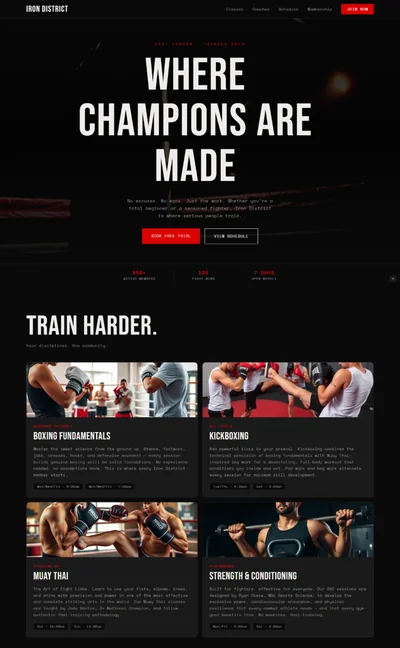
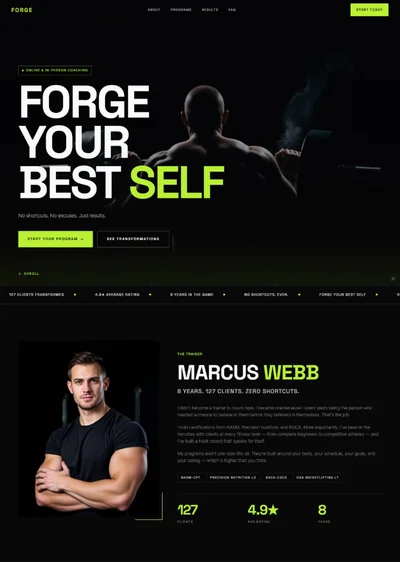
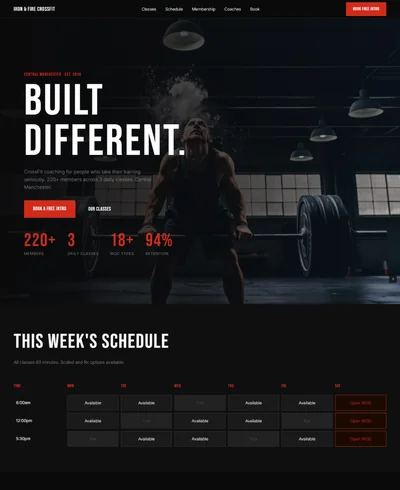
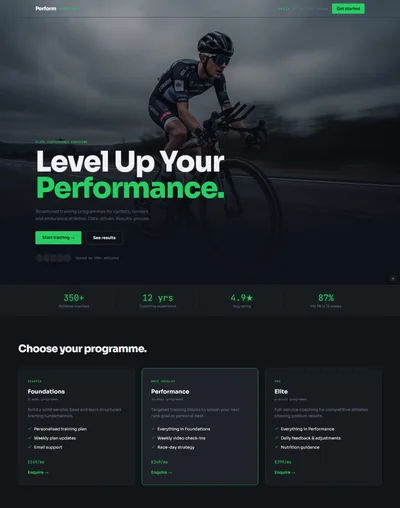
Martial arts website prompt for Bolt, v0 and Lovable — near-black and crimson, condensed display type, animated belt progression, filterable class schedule, full copy.
# Ironwood Martial Arts — Martial Arts Academy Website Prompt ## 1. Goal Statement Build a disciplined, high-intensity martial arts academy website for **Ironwood Martial Arts**, defined by near-black charcoal, crimson accents, and heavy condensed typography that communicates rigor, lineage, and a training floor where beginners are genuinely welcome. --- ## 2. Tech Stack ``` React + Vite + TypeScript + Tailwind CSS + Framer Motion (motion/react) + shadcn/ui + lucide-react ``` --- ## 3. Design System — Colors ```css :root { --background: hsl(0, 0%, 7%); /* #121212 near-black */ --foreground: hsl(30, 12%, 94%); /* #f2efec warm off-white */ --primary: hsl(354, 70%, 45%); /* #c4232f crimson */ --primary-foreground: hsl(30, 12%, 96%); --muted-foreground: hsl(30, 6%, 58%); /* muted warm grey */ --border: hsl(0, 0%, 18%); --card: hsl(0, 0%, 11%); --card-elevated: hsl(0, 0%, 14%); --accent-chalk: hsl(38, 30%, 82%); /* chalk/tatami tone */ } ``` --- ## 4. Typography ```html <link href="https://fonts.googleapis.com/css2?family=Oswald:wght@400;500;600;700&family=Inter:wght@300;400;500;600&display=swap" rel="stylesheet" /> ``` - **H1 / hero display:** `font-family: 'Oswald', sans-serif;` weight 700, uppercase, letter-spacing: -0.01em, line-height: 0.92 - **H2 / section headings:** Oswald 600, uppercase, letter-spacing: 0.02em - **H3 / card titles:** Oswald 500, uppercase, 18–22px - **Body:** `font-family: 'Inter', sans-serif;` weight 300–400, line-height: 1.75 - **Eyebrows / UI labels:** Inter 600, uppercase, letter-spacing: 0.18em, 11px - **Numerals (belt ranks, class times, stats):** Oswald 700, tabular --- ## 5. Visual Effects ### Effect 1 — Diagonal Crimson Slash Divider ```jsx {/* Sits between hero and the section below — a hard diagonal cut */} <div className="relative h-16 md:h-24 w-full overflow-hidden" style={{ background: 'var(--primary)', clipPath: 'polygon(0 0, 100% 45%, 100% 100%, 0 55%)', }} /> ``` ### Effect 2 — Belt Rank Progression Bar (animated fill on scroll) ```tsx import { motion, useInView } from 'motion/react'; import { useRef } from 'react'; const belts = [ { name: 'White', color: '#f2efec', months: 0 }, { name: 'Blue', color: '#2f5fa8', months: 12 }, { name: 'Purple', color: '#6b3fa0', months: 30 }, { name: 'Brown', color: '#6b4423', months: 54 }, { name: 'Black', color: '#121212', months: 84 }, ]; function BeltProgression() { const ref = useRef(null); const inView = useInView(ref, { once: true, margin: '-80px' }); return ( <div ref={ref} className="w-full"> <div className="relative h-3 w-full rounded-full bg-[var(--card-elevated)] overflow-hidden"> <motion.div initial={{ scaleX: 0 }} animate={inView ? { scaleX: 1 } : {}} transition={{ duration: 1.6, ease: [0.22, 1, 0.36, 1] }} style={{ originX: 0, height: '100%', background: 'linear-gradient(to right, #f2efec, #2f5fa8, #6b3fa0, #6b4423, #121212)' }} /> </div> <div className="mt-4 flex justify-between"> {belts.map((b, i) => ( <motion.div key={b.name} initial={{ opacity: 0, y: 12 }} animate={inView ? { opacity: 1, y: 0 } : {}} transition={{ duration: 0.5, delay: 0.4 + i * 0.12 }} className="text-center" > <div className="h-4 w-4 rounded-sm mx-auto border border-[var(--border)]" style={{ background: b.color }} /> <div className="mt-2 font-display text-xs uppercase tracking-wider">{b.name}</div> <div className="text-[10px] text-[var(--muted-foreground)]">{b.months === 0 ? 'Day one' : `~${b.months} mo`}</div> </motion.div> ))} </div> </div> ); } ``` ### Effect 3 — Class Schedule Table with Day Filter ```tsx const [day, setDay] = useState('Mon'); const days = ['Mon','Tue','Wed','Thu','Fri','Sat']; <div className="flex gap-2 overflow-x-auto pb-2"> {days.map(d => ( <button key={d} onClick={() => setDay(d)} className="px-5 py-2 font-display uppercase text-sm tracking-wider transition-colors duration-200" style={{ background: day === d ? 'var(--primary)' : 'transparent', color: day === d ? 'var(--primary-foreground)' : 'var(--muted-foreground)', border: `1px solid ${day === d ? 'var(--primary)' : 'var(--border)'}`, }} > {d} </button> ))} </div> {/* Rows animate with AnimatePresence keyed on `day` */} ``` ### Effect 4 — Staggered Discipline Card Entrance ``` initial={{ opacity: 0, y: 36, filter: 'blur(8px)' }} animate={{ opacity: 1, y: 0, filter: 'blur(0px)' }} transition={{ duration: 0.65, delay: i * 0.1, ease: [0.22, 1, 0.36, 1] }} ``` --- ## 6. Component Breakdown ### Section 1 — Navbar - **Height:** 76px desktop / 60px mobile, `fixed top-0 z-40` - **Background:** `rgba(18,18,18,0.94)` with `backdrop-filter: blur(10px)`; crimson 2px bottom border appears after `scrollY > 60` - **Left:** "IRONWOOD" (Oswald 700, tracking 0.12em) + thin crimson rule + "MARTIAL ARTS" (Inter 600, 9px) - **Center:** Disciplines · Schedule · Instructors · Pricing · Contact - **Right:** "Free Trial Class" — crimson filled button, sharp corners (no radius) - **Mobile:** wordmark + hamburger; full-screen overlay menu, crimson links, Oswald 32px ### Section 2 — Hero (Full-Bleed, Type-Dominant) - **Height:** 100vh, content bottom-left aligned with `pb-24 pl-6 md:pl-16` ```jsx {/* Image: martial arts training hall interior, worn tatami mats, dramatic side light through high windows, dust in the air, dark moody atmosphere, high contrast, desaturated with warm highlights */} <img src="" alt="Martial arts training hall in dramatic side light" className="absolute inset-0 w-full h-full object-cover object-center" /> <div className="absolute inset-0" style={{ background: 'linear-gradient(to top, rgba(18,18,18,0.96) 0%, rgba(18,18,18,0.55) 45%, rgba(18,18,18,0.7) 100%)' }} /> ``` - Eyebrow: `PORTLAND, OR · ESTABLISHED 2009 · ALL LEVELS WELCOME` - H1: `DISCIPLINE\nIS BUILT,\nNOT BORN.` (Oswald 700, clamp(56px, 9vw, 128px), uppercase) - Subline (Inter 300, max-w-xl): `Brazilian jiu-jitsu, Muay Thai, and boxing in Southeast Portland. No contracts, no egos on the mat — just structured training that meets you where you are.` - CTA row: `Book a Free Trial Class` (crimson filled) + `See the Schedule` (ghost, chalk border) - Stat strip: `600+ Active Students` · `14 Black Belts Produced` · `Beginner Class Every Day` ### Section 3 — Diagonal Crimson Divider (Effect 1) ### Section 4 — Disciplines - Padding `py-24 px-6 md:px-16`, background `--background` - Eyebrow `WHAT WE TRAIN` + H2 `Four Disciplines. One Standard.` - **4-col grid** desktop / 2-col tablet / 1-col mobile - Each card: `--card` background, 1px border, crimson top border 3px on hover, lucide icon, title, 2-sentence description, "Best for:" line in crimson ### Section 5 — Belt Progression (Effect 2) - Background `--card`, `py-20` - Eyebrow `THE PATH` + H2 `What Progress Actually Looks Like` - Intro paragraph setting honest expectations about time-to-rank - Belt progression bar with 5 milestones - Note below: `Timelines are typical, not promised. Consistency beats talent — we have watched it happen for fifteen years.` ### Section 6 — Class Schedule (Effect 3) - Background `--background` - Eyebrow `WEEKLY SCHEDULE` + H2 `Find Your Mat Time` - Day filter row, then table: Time · Class · Instructor · Level badge - Level badges: `All Levels` (chalk), `Fundamentals` (crimson), `Advanced` (dark outline) - Mobile: table becomes stacked cards ### Section 7 — Instructors - Background `--card` - Eyebrow `WHO YOU LEARN FROM` + H2 `The Coaches` - 3-col grid, staggered entrance ```jsx {/* Image: martial arts instructor portrait, athletic build, gi or rash guard, serious focused expression, dark studio background, dramatic single-source lighting, editorial sports portrait */} <img src="" alt="Head instructor portrait" className="w-full aspect-[4/5] object-cover object-center grayscale hover:grayscale-0 transition-all duration-500" /> ``` - Each: name (Oswald 600), rank line (crimson, Inter 600 uppercase 11px), 2-sentence bio, credential list with small check icons ### Section 8 — Beginner Reassurance - Background `--background`, 2-col split - Left: H2 `Never Trained Before? Start Here.` + 4 short reassurance blocks with icons (What to wear · What happens in class one · Do I need to be fit · Will I get hurt) - Right: full-bleed image ```jsx {/* Image: beginner adult student learning a basic technique with a patient coach, warm gym lighting, encouraging atmosphere, candid documentary style */} ``` ### Section 9 — Pricing - Background `--card`, 3 tiers, middle tier elevated with crimson border and `MOST POPULAR` ribbon - Tiers: Single Discipline · Unlimited · Family - Each: price (Oswald 700, 56px), billing note, 5 feature lines, CTA button - Below grid: `No contracts. Cancel any time with 30 days notice. First class is always free.` ### Section 10 — Testimonials - Background `--background`, 3-col quote cards with crimson opening quote mark (Oswald 72px, opacity 0.25) - Each: quote, name, discipline + time training ### Section 11 — Final CTA - Full-bleed dark image with heavy top/bottom gradient - H2 `Your First Class Is Free. The Rest Is Up to You.` - Large crimson CTA + phone number ### Section 12 — Footer - Background `hsl(0, 0%, 4%)`, crimson top border 2px - 4 columns: brand + tagline / Disciplines / Schedule + Pricing / Contact + socials - Bottom strip: address, © line --- ## 7. Animations - **Navbar:** crimson border-bottom fades in at `scrollY > 60`, `transition: 0.35s ease` - **Hero:** H1 lines reveal individually with `clipPath: inset(0 0 100% 0) → inset(0 0 0% 0)`, 0.9s, stagger 0.12s; subline and CTAs fade-up 0.6s at 0.5s delay - **Discipline cards:** stagger `i * 0.1`, blur-fade (Effect 4); hover raises crimson top border from 0 → 3px height - **Belt bar:** `scaleX 0 → 1` over 1.6s, belt markers fade-up staggered 0.12s after - **Schedule rows:** `AnimatePresence mode="wait"` on day change, `opacity 0→1, y 8→0`, 0.3s - **Instructor cards:** grayscale → color on hover, 0.5s; entrance stagger 0.15s - **Pricing cards:** middle card scales `1.04` at rest on desktop; all lift `-6px` on hover - **Stat numbers:** count-up on `useInView`, 1600ms, ease-out - **All section headings:** `opacity 0, y 24 → 1, 0`, 0.6s, ease `[0.22, 1, 0.36, 1]` --- ## 8. Responsive ### Mobile (< 768px) - Navbar: wordmark + hamburger, full-screen overlay menu - Hero: H1 clamps to 56px, stat strip becomes 1-col stacked list, CTAs full-width stacked - Disciplines: 1-col - Belt progression: bar stays horizontal, labels shrink to 9px, months line hidden below 380px - Schedule: day filter horizontally scrollable, rows become stacked cards (time + class on row one, instructor + level on row two) - Instructors: 1-col, image aspect `3/4` - Pricing: 1-col, popular tier first - Testimonials: 1-col ### Tablet (768–1024px) - Disciplines 2-col, Instructors 2-col (third centered), Pricing 3-col with tighter padding ### Desktop (> 1024px) - Full spec, max content width 1200px, generous `px-16` --- ## 9. Full Copy ### Brand **IRONWOOD MARTIAL ARTS** — Portland, Oregon ### Navbar Disciplines · Schedule · Instructors · Pricing · Contact · [Button] Free Trial Class ### Hero - Eyebrow: `PORTLAND, OR · ESTABLISHED 2009 · ALL LEVELS WELCOME` - H1: `DISCIPLINE IS BUILT, NOT BORN.` - Subline: `Brazilian jiu-jitsu, Muay Thai, and boxing in Southeast Portland. No contracts, no egos on the mat — just structured training that meets you where you are.` - CTA 1: `Book a Free Trial Class` · CTA 2: `See the Schedule` - Stats: `600+ Active Students` · `14 Black Belts Produced` · `Beginner Class Every Day` ### Disciplines Eyebrow: `WHAT WE TRAIN` — H2: `Four Disciplines. One Standard.` 1. **Brazilian Jiu-Jitsu** (icon: `Layers`) — Grappling, positional control, and submissions taught from the ground up. Our fundamentals track assumes you have never touched a mat. *Best for: problem-solvers who want a lifelong skill.* 2. **Muay Thai** (icon: `Zap`) — The art of eight limbs: punches, elbows, knees, and kicks, with clinch work every session. Conditioning is built into the class, not bolted on. *Best for: anyone who wants to get in shape and actually learn to strike.* 3. **Boxing** (icon: `Target`) — Footwork, head movement, and combinations drilled until they become reflex. Sparring is optional and always supervised. *Best for: sharp technical training with the lowest barrier to entry.* 4. **Kids Program** (icon: `Users`) — Ages 5–14, split into two age groups. Focus on discipline, anti-bullying skills, and confidence — not competition. *Best for: parents who want structure without pressure.* ### Belt Progression Eyebrow: `THE PATH` — H2: `What Progress Actually Looks Like` Intro: `Nobody earns a black belt in two years, and any gym that tells you otherwise is selling something. Here is the honest timeline our students follow — roughly seven years of consistent training, with real milestones along the way.` Note: `Timelines are typical, not promised. Consistency beats talent — we have watched it happen for fifteen years.` ### Schedule Eyebrow: `WEEKLY SCHEDULE` — H2: `Find Your Mat Time` Monday sample rows: - `6:00 AM · BJJ Fundamentals · Coach Reyes · Fundamentals` - `12:00 PM · Boxing Technique · Coach Duval · All Levels` - `5:00 PM · Kids BJJ (5–9) · Coach Marsh · All Levels` - `6:15 PM · Muay Thai · Coach Suwan · All Levels` - `7:30 PM · BJJ Advanced + Open Mat · Coach Reyes · Advanced` ### Instructors Eyebrow: `WHO YOU LEARN FROM` — H2: `The Coaches` 1. **Marco Reyes** — Head Coach · BJJ Black Belt, 3rd Degree — Marco has trained for twenty-two years and has coached at Ironwood since it opened. He is known for breaking complex positions into steps a first-week student can follow. Credentials: IBJJF Certified · Master Cycle Instructor · 200+ competition corners. 2. **Suwan Prasert** — Muay Thai Coach — Suwan fought professionally in Bangkok for nine years before moving to Portland. His classes are demanding, precise, and surprisingly welcoming to beginners. Credentials: 47 professional bouts · WMC Certified Trainer · Kru-level lineage. 3. **Alicia Duval** — Boxing Coach — A former national amateur medalist, Alicia coaches footwork and defense before anything else. Her fundamentals class fills up every week for a reason. Credentials: USA Boxing Certified · 3x Regional Champion · Youth Coach of the Year 2022. ### Beginner Section H2: `Never Trained Before? Start Here.` - **What do I wear?** Shorts and a t-shirt for your first class. No gi or gloves needed — we lend everything you need until you decide to stay. - **What happens in class one?** A coach meets you ten minutes early, walks you through the room, and pairs you with an experienced student. You will drill, not spar. - **Do I need to be fit first?** No. This is the single most common reason people delay starting, and it is backwards. You get in shape by training, not before it. - **Will I get hurt?** Every class is supervised, sparring is optional, and tapping early is taught on day one as a skill, not a weakness. ### Pricing Eyebrow: `MEMBERSHIP` — H2: `Simple Pricing, No Contracts` - **Single Discipline — $129/mo** — Unlimited classes in one discipline · Open mat access · Free loaner gear · Two guest passes per year · Cancel any time - **Unlimited — $169/mo** *(MOST POPULAR)* — Every class, every discipline · Open mat and sparring nights · Free gi on your third month · Four guest passes per year · Seminar discounts - **Family — $249/mo** — Two adults plus all children under 15 · Unlimited across all programs · Free loaner gear for everyone · Priority kids camp registration · Cancel any time Note: `No contracts. Cancel any time with 30 days notice. First class is always free.` ### Testimonials 1. `I walked in at 41 years old, overweight and completely intimidated. Eighteen months later I have a blue belt and I have not missed a week. Nobody here ever made me feel like I did not belong.` — **Daniel K.**, BJJ · 18 months 2. `My son was getting pushed around at school. He does not talk about it anymore — not because he fights back, but because he stopped being afraid. That is what this place did.` — **Rebecca M.**, Parent · Kids Program 3. `I came from a gym where sparring on day one was normal. Ironwood spent six weeks teaching me to defend myself before anyone threw a punch at me. Night and day.` — **Tomas V.**, Muay Thai · 2 years ### Final CTA H2: `Your First Class Is Free. The Rest Is Up to You.` Subline: `Drop in any day of the week. Bring shorts and a t-shirt — we handle the rest.` CTA: `Book Your Free Trial` · Phone: `(503) 555-0164` ### Footer - IRONWOOD MARTIAL ARTS · `Discipline is built, not born.` - Address: `2140 SE Belmont Street, Portland, OR 97214` - Hours: `Mon–Fri 6am–9pm · Sat 8am–2pm · Sun closed` - © 2026 Ironwood Martial Arts. All rights reserved. --- ## 10. Key Dependencies ```json { "motion": "^12.0.0", "lucide-react": "^0.460.0", "clsx": "^2.1.0", "tailwind-merge": "^2.5.0" } ``` **Tailwind config additions:** ```js module.exports = { theme: { extend: { fontFamily: { display: ['Oswald', 'Impact', 'sans-serif'], sans: ['Inter', 'system-ui', 'sans-serif'], }, colors: { 'iron-black': '#121212', 'iron-crimson': '#c4232f', 'iron-chalk': '#f2efec', }, borderRadius: { none: '0px' }, }, }, }; ```