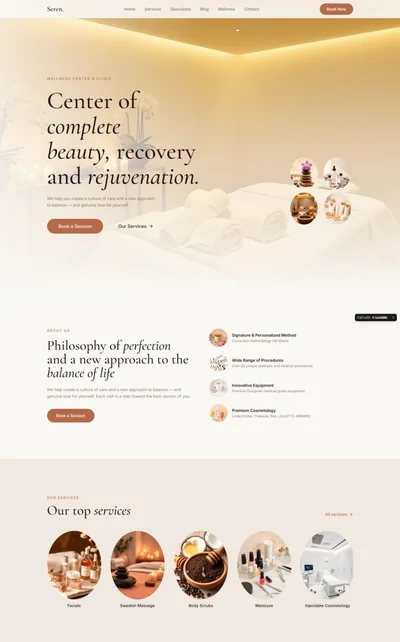
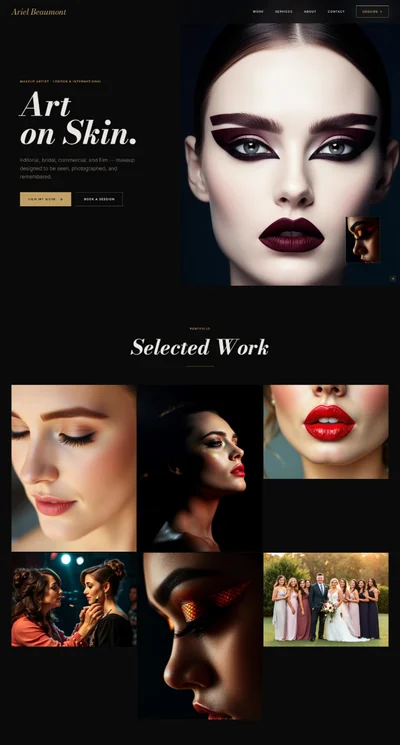
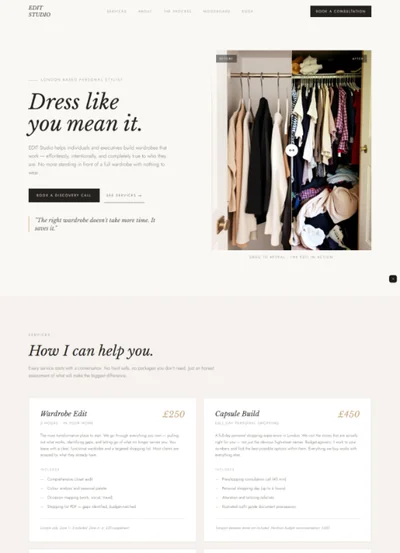
Lash Studio Website Prompt: Blush and Espresso Design with Arch Framed Close Ups for Bolt, v0 & Lovable
Lash studio website prompt for Bolt, v0 and Lovable. Blush and espresso, arch framed lash close ups, three sets, a treatment menu, aftercare and full copy.
# Soft Hour: Lash Studio Website Prompt ## 1. Goal Build a soft, pastel website for **Soft Hour Lash Studio**, a one room lash and brow studio above a florist on Regent Street, Leamington Spa, run by lash artist Priya Mistry. Blush pink grounds, deep espresso text, one espresso section and close up photography of lashes that is sharp enough to see every fibre. It should feel calm, precise and a little luxurious, not like a beauty bar. Airy, with soft rounded shapes and photos framed in tall arches. ## 2. Tech Stack ``` React + Vite + TypeScript + Tailwind CSS + Framer Motion (motion/react) + lucide-react ``` Single page. No component libraries, no booking widget, no carousel, no before and after slider. Booking links out to the studio's booking page. ## 3. Design system ```css :root { --paper: #F8E9E6; /* blush, main background */ --ink: #3A2620; /* espresso */ --accent: #E8BFB8; /* deeper blush, used as panels */ --on-accent: #3A2620; --surface: #F1DAD5; --muted: #6E5148; --line: rgba(58,38,32,0.20); --espresso: #3A2620; /* the one dark section */ --on-espresso: #F8E9E6; --espresso-muted: #D9B3A9; } ``` Text on the deeper blush accent panels is always espresso ink (8.5 to 1), never muted. Muted reaches 6.1 to 1 on paper and 5.4 to 1 on surface, espresso muted reaches 7.4 to 1 on espresso. Every text colour, including captions and prices, must reach at least 4.5 to 1 against the surface it sits on, and nothing goes under 14px. Photos sit in arch frames: `border-radius: 999px 999px 24px 24px`. Panels use a 24px radius. ## 4. Typography ```html <link href="https://fonts.googleapis.com/css2?family=Italiana&family=Manrope:wght@400;500;700&display=swap" rel="stylesheet" /> ``` - **Headings:** Italiana 400, clamp(44px, 6.4vw, 104px), line-height 1.0, letter-spacing 0.01em. Its thin strokes only appear at 32px and above. - **Body:** Manrope 400, 17px, line-height 1.7. - **Small labels:** Manrope 700, 14px, uppercase, letter-spacing 0.18em, muted. - **Prices and times:** Manrope 500, tabular numbers. ## 5. Buttons Soft outlined pills: - **Primary:** 1px espresso border, transparent fill, espresso text, fully rounded, Manrope 500 16px, padding 14px 30px. Hover: fills espresso, text turns blush, 0.25s. - **On the espresso section:** the same pill with a blush border and blush text, filling blush on hover. - Secondary actions are plain espresso text links with a thin underline. - No solid filled buttons, no arrow circles, no icons inside buttons. ## 6. Sections 1. **Navbar:** paper, 84px, sticky with a hairline after scrolling. Links on the left, wordmark `Soft Hour` centred in Italiana 32px, outline pill `Book` on the right. 2. **Hero, split:** left 45%, right 55%. Left: a small label, the heading on three lines, one sentence and the primary pill, vertically centred. Right: one tall arch framed photograph, 4 to 5 ratio, set slightly lower than the text so its bottom runs past the text column. Min-height clamp(640px, 90vh, 940px). *Photograph: an extreme close up of a closed eye with a fresh set of soft hybrid lash extensions, fine brown brow above, warm natural skin with visible texture, soft window light, a blush pink towel just in frame.* 3. **Three sets:** paper. Three arch photographs side by side, each with the set name in Italiana 40px below, a sentence about the look, and a line with the time and price. No cards, no borders. *Photographs: close ups of three closed eyes from the same angle, the first with natural classic lashes, the second with a soft textured hybrid set, the third with a full fluffy volume set, all on warm skin in the same light.* 4. **Your first appointment:** the espresso section, blush text. A two column layout: the heading on the left, on the right four numbered steps with blush hairlines, each with a short heading and one sentence. The outline pill in blush underneath. 5. **The menu:** surface. A centred column 680px wide, like a printed treatment card. Three groups, Lashes, Refills and Brows, each with a label and rows of treatment name left and price right in tabular numbers, a 1px hairline under each row and the time in muted under the name. 6. **Aftercare:** paper. Asymmetric: a small arch photo on the left, about a third of the width, and on the right five short aftercare lines set large in Italiana 30px, one per line, with a hairline between. *Photograph: a soft spoolie brush and a small bottle of lash cleanser on a blush ceramic dish, shot from above.* 7. **Priya:** an accent blush panel with 24px radius inset in the page. Left a circular portrait 280px, right a short bio, her training and a quote in Italiana. *Photograph: a woman in her thirties with dark hair tied back, a simple black top, smiling slightly, standing by a window in a pale pink studio.* 8. **Book:** paper, centred. Heading, one sentence, the primary pill, then address, phone and opening hours in three short centred lines. The footer is one single line under a hairline: name, Instagram and copyright. ## 7. Motion - Hero text fades in from 12px below, 0.7s. The arch photo fades in and settles from scale 1.04 to 1 over 1.2s. - The three set photos fade up one after another, 0.12s apart. - Menu rows fade in with a 0.03s stagger. - Arch photos scale to 1.02 on hover. Nothing loops. - Respect `prefers-reduced-motion`. ## 8. Responsive - **Mobile under 768px:** the hero stacks with the arch photo first at full width, then the text. Headings drop to 44px. The three sets become a horizontal scroll row with snap points, each arch 78% of the screen wide. First appointment and aftercare stack. The menu keeps two columns, name and price, at full width. The Priya panel stacks with the portrait centred. The navbar shows the wordmark centred and a `Menu` text link right that opens a full screen blush panel. A slim espresso `Book an appointment` bar is fixed at the bottom with safe area padding. - **Desktop:** max-width 1200px, section padding 128px. ## 9. Full copy **Name:** Soft Hour Lash Studio **Nav:** Sets, Menu, Aftercare, About. Button: `Book` **Hero** - Label: `LASHES AND BROWS, LEAMINGTON SPA` - Heading: `Lashes that look like yours, only more so.` - Text: `Classic, hybrid and volume sets applied one lash at a time in a quiet room above Regent Street. Two hours, a blanket and nothing to do but rest your eyes.` - Button: `Book an appointment` **Three sets** - `Classic` `One extension on each natural lash. Defined, soft and the best place to start.` `2 hours · £65` - `Hybrid` `A mix of single lashes and light fans for texture you notice up close.` `2 hours 15 · £75` - `Volume` `Handmade fans of fine lashes for a fuller, fluffier line.` `2 hours 30 · £85` **Your first appointment** - Heading: `What happens on the day.` 1. `Patch test` `A quick test at least 48 hours before, in the studio or with a kit by post.` 2. `Consultation` `We look at your natural lashes and choose length and curl together.` 3. `The set` `You lie back with your eyes closed. Most people fall asleep.` 4. `The mirror` `We check symmetry together and book your first refill.` - Button: `Book a patch test` **The menu** - Lashes: `Classic full set` 2 hrs £65 · `Hybrid full set` 2 hrs 15 £75 · `Volume full set` 2 hrs 30 £85 · `Lash lift and tint` 1 hr £48 - Refills: `Refill within 2 weeks` 1 hr £38 · `Refill within 3 weeks` 1 hr 15 £45 · `Removal` 30 min £15 - Brows: `Brow lamination` 45 min £42 · `Brow shape and tint` 30 min £24 - Note: `A £20 deposit secures your booking and comes off the final price. Refills need at least 40% of your set still in place.` **Aftercare** - `Keep them dry for 24 hours.` - `Wash daily with lash cleanser.` - `Brush through every morning.` - `Skip oil based make up removers.` - `Sleep on your back if you can.` **Priya** - Label: `YOUR LASH ARTIST` - Text: `Priya trained in classic and Russian volume in London and has been lashing for nine years. She opened Soft Hour in 2022 so every client gets the whole room and her full attention.` - Training: `Fully insured · Level 4 lash and brow · Patch tested every time` - Quote: `The best compliment is when someone asks if they are real.` **Book** - Heading: `Take an hour for yourself.` - Text: `New clients start with a patch test. Bookings open four weeks ahead.` - Button: `Book an appointment` - `First floor, 41 Regent Street, Leamington Spa CV32 5EE` - `01926 555 0143` - `Tuesday to Saturday, 9:30 to 18:00. Late opening Thursday until 20:00.` **Footer (one line)** `Soft Hour Lash Studio · Instagram · © 2026` ## 10. Never Gradients, glow, glassmorphism, glitter, sparkle icons, emoji, icon grids, solid filled buttons, arrow circles, before and after sliders, stock phrases like "pamper yourself" or "unleash your beauty", em dashes or en dashes in the copy, lorem ipsum, `100vh` heroes, muted text on the accent panel, text under 14px. ## 11. Dependencies ```json { "motion": "^12.0.0", "lucide-react": "^0.460.0", "clsx": "^2.1.0" } ```