How to Write an AI Website Prompt That Actually Works
The difference between a generic AI website and one that actually works is the prompt. Here's exactly what to include.

7
min read
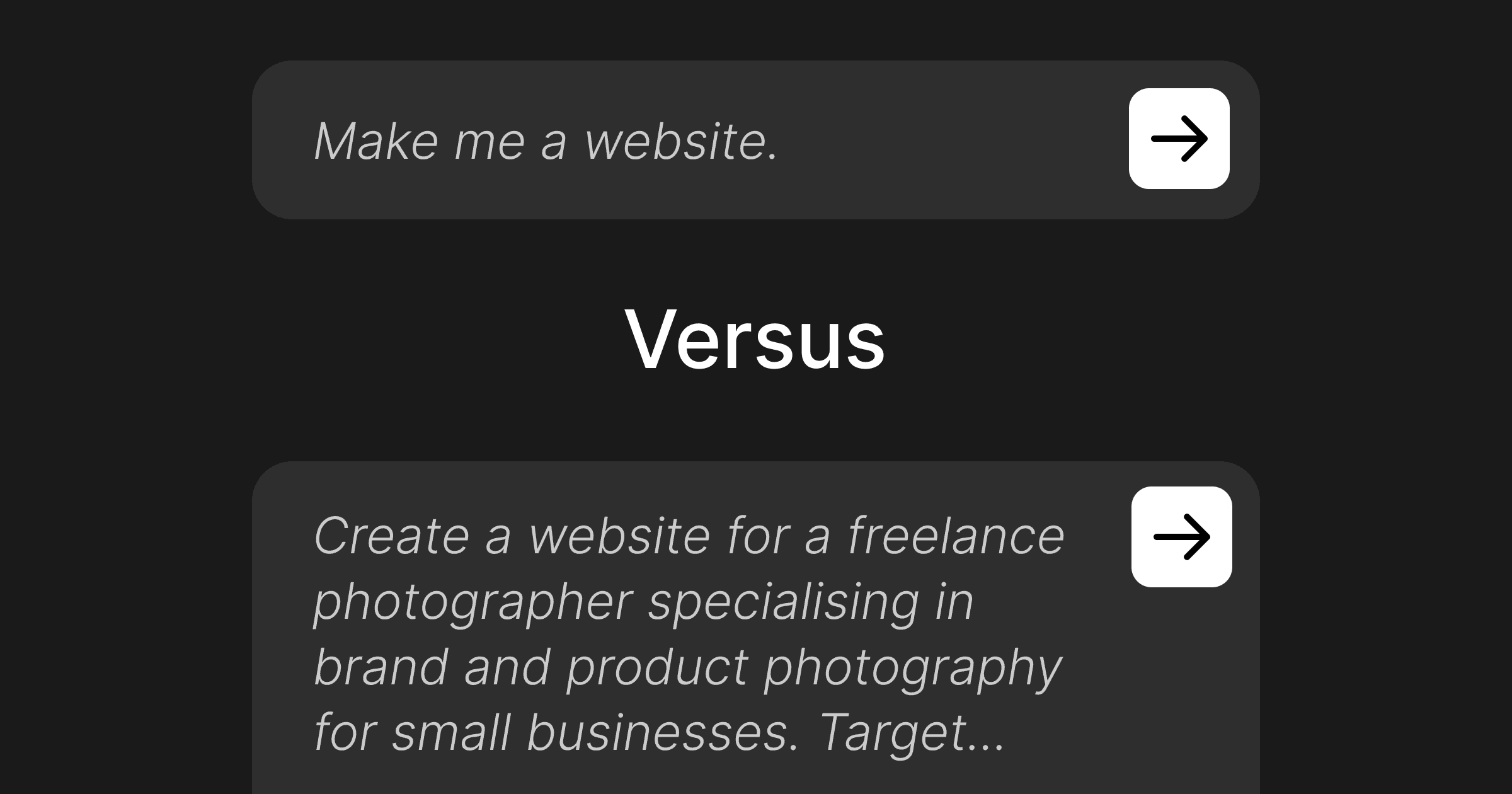
Table of Contents
Most AI website prompts fail because they're too vague — "make me a website for my business" gives AI nothing to work with. A good prompt includes five things: your business type and niche specifically, your target customer, the sections you need, the visual direction, and your tone. The difference between a generic output and something close to publishable is almost entirely in the inputs. This guide covers exactly what to include, section by section, with before-and-after examples for Bolt, Lovable, and v0.
How to Write an AI Website Prompt That Actually Works
Most AI website prompts look like this: "Create a website for my personal training business." And most AI websites that come out the other end look like that too — competent, generic, interchangeable with every other personal trainer website the AI has ever seen.
The problem isn't the tool. It's the input.
After testing hundreds of prompts across Bolt, Lovable, v0, and Claude Design — across business types from electricians to photographers — the single biggest factor in output quality is always the same: how specific the prompt is. AI website builders are genuinely capable in 2026. But they can only work with what you give them. A vague prompt produces a vague website.
This guide covers exactly what to include in your prompt to get a result that actually matches your business.
Why Vague Prompts Fail
AI generates output by working from patterns in its training data. Give it a broad input — "personal training website" — and it returns the most averaged, most common version of that thing. You get a hero section with a stock photo of someone lifting weights, a services section with three identical cards, and a CTA that says "Get Started Today."
It's not wrong. It's just not yours.
The fix is giving AI enough specifics that it can't fall back on averages. When it knows your niche, your customer, your visual direction, and your content needs, the output shifts from template-like to something that actually represents your business.
The 5 Elements Every Good AI Website Prompt Needs
Before you write a single sentence of your prompt, get clear on these five things:
1. Your business type — specifically. Not "personal trainer." Instead: "online personal trainer specialising in strength training for women over 40 who want to build muscle without going to a gym." The more specific, the less the AI has to guess. See how the spa and wellness prompt opens with exactly this level of detail.
2. Your target customer. Who is the website for? What do they want? What's their situation? "Busy professionals aged 35–55 who've tried gym memberships and want a structured home training programme" tells AI who it's writing for.
3. The sections you need. AI will make assumptions about structure if you don't specify. List what you actually want: hero, about, services, testimonials, FAQ, contact — or whatever combination makes sense for your business.
4. The visual direction. Describe the look and feel in plain language. "Warm, natural, and calm — not clinical or cold" is more useful than "modern and professional." Reference colours, mood, or the feeling you want visitors to have.
5. The tone. How should the copy read? "Direct and confident, like a coach talking to someone who's ready to commit" is better than "friendly and professional." If you have a tagline or a few sentences from your existing materials, paste them in.
How to Structure the Prompt
With those five elements in hand, structure your prompt like this:
Business context first. Open with who you are and what you do — the specific version. This frames everything that follows.
Then the customer. One sentence on who the site is for and what they're trying to do.
Then sections. List them explicitly. "Include the following sections: hero with headline and CTA, three-service overview, a short about section, five testimonials, FAQ with four questions, and a contact form."
Then visual direction. Describe the aesthetic. If you know which colours, name them. If you don't, describe the mood.
Then copy guidance. Tell the AI the tone, and if you have any real copy — even rough notes — include it. AI using your actual words produces better output than AI inventing plausible-sounding content.
Before and After: Personal Trainer
Here's what the same website looks like with a weak prompt versus a specific one. Both generated in Bolt.
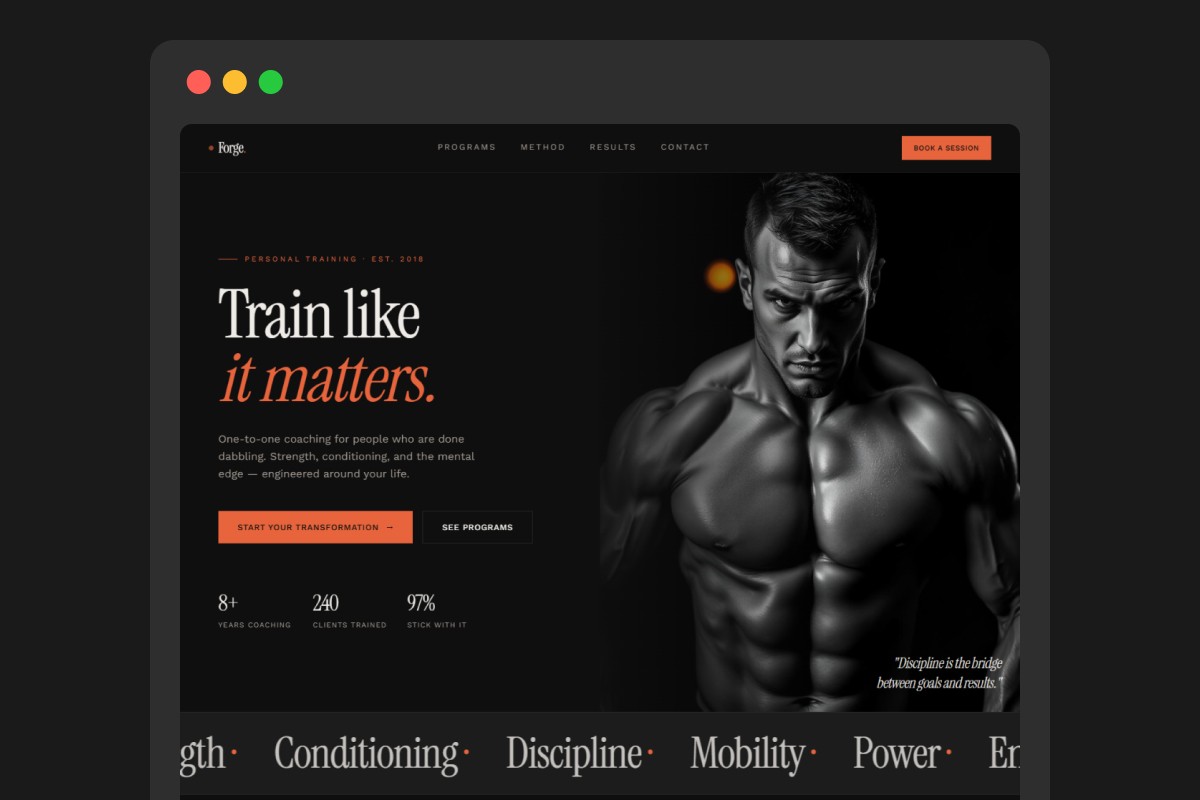
Weak prompt:
"Make a website for my personal training business."
Strong prompt:
"Create a website for an online personal trainer specialising in strength training for women over 40 who want to build muscle at home without a gym. Target clients: busy professionals aged 35–55 who've tried gym memberships but couldn't stay consistent. Sections: hero with a headline that leads with the transformation, not the service — and a 'Book a free call' CTA; a short about section in first person; three service cards (12-week programme, nutrition guide, 1-on-1 coaching); four client testimonials with first name and result; FAQ with four questions; contact form. Visual direction: warm, strong, and grounded — burnt orange and warm white, not pastel or clinical. Copy tone: direct and motivating, like a coach who's been through it herself."
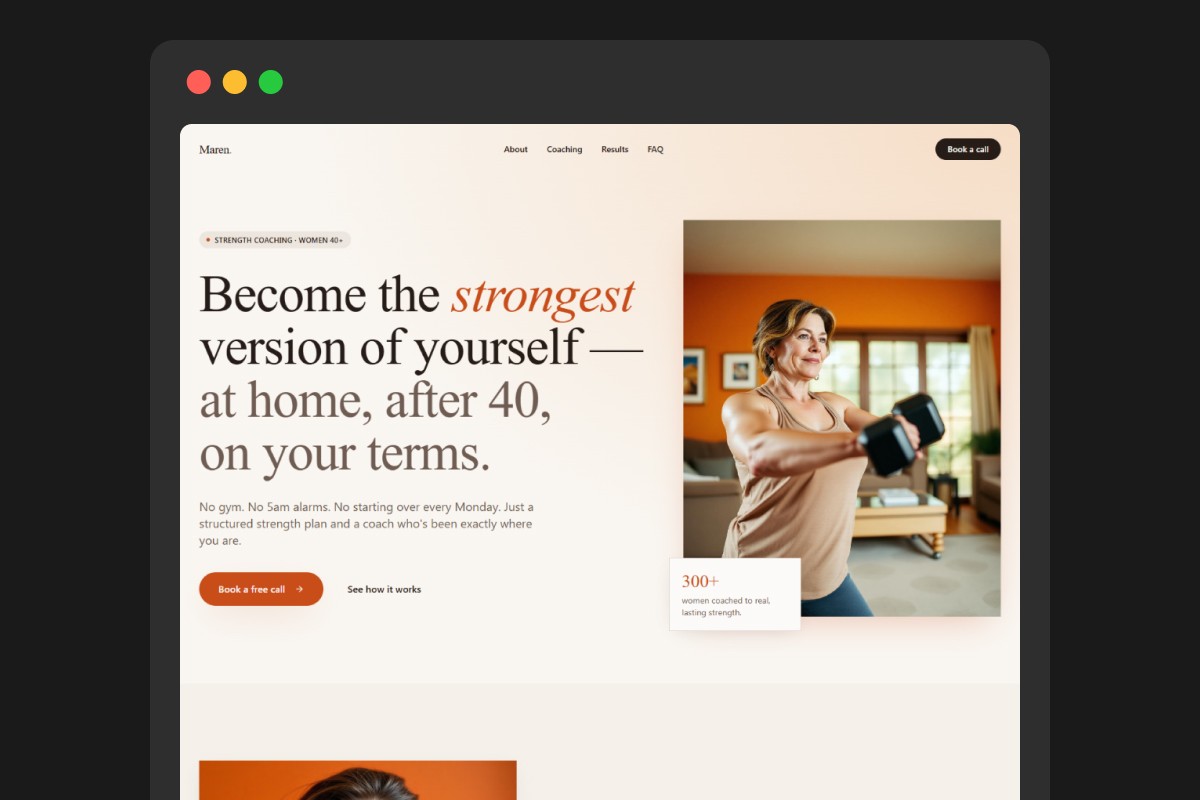
Visually, both results look reasonably polished — that's how good AI website builders have gotten. But look closer at the copy. The weak prompt gets "Transform Your Body Today." The strong prompt gets a headline written for a specific person with a specific problem. The sections match an actual business model. The tone signals the right audience before a visitor reads a single word. The visual difference is minor. The intention difference is everything.
The strong prompt tells AI exactly who the customer is — so every headline, every section, every CTA is built for that person from the start. The weak prompt leaves AI guessing, so it writes for everyone, which means it converts no one. The website looks fine. It just doesn't work.
To skip the blank prompt and start from a tested structure, the personal trainer prompt on websiteprompts.ai is ready to paste directly into any AI builder.
Tips for Specific AI Website Builders
Bolt responds well to detailed prompts and handles full-stack context. If you're building something with forms or interactivity, include that explicitly — "include a working contact form with name, email, and message fields." Bolt will attempt to build it.
Lovable is strong on iterative refinement. Write a solid initial prompt, then use follow-up prompts to adjust specific sections. "Make the hero section more direct — lead with the problem, not the service" works well as a follow-up once you can see the first result.
v0 is best for layout and UI quality. Be specific about visual structure — "three-column service grid, not cards with borders" — because v0 responds well to layout direction. Less useful for copy; plan to replace placeholder text yourself.
For all tools: if the first output isn't right, diagnose what's wrong before reprompting. "The hero is too generic" is a weak follow-up. "Replace the hero headline with something that leads with the specific problem my client has, not what I offer" tells the AI exactly what to fix.
What to Do With the Output
Even with a strong prompt, the first result won't be final. Plan for one editing pass.
Replace any invented specifics. AI will fill gaps with plausible-sounding content — years of experience, client counts, service descriptions. Find every claim and either confirm it's accurate or replace it with something true.
Check the copy reads like you. The tone guidance in your prompt shapes the output, but it won't perfectly match your voice. Read each section out loud. Rewrite anything that sounds like it came from a brochure.
For ready-to-use prompts built and tested for specific business types — personal trainers, electricians, photographers, and more — the full library is free at websiteprompts.ai/prompts.
Or skip the writing entirely — browse 90+ ready-made prompts covering every industry, built and tested so you can paste and go.